


WooCommerce subscriptions.
Make repeat purchases easier.
Create WooCommerce subscriptions with a recurring price and schedule, customer controls in My Account and customizable emails. Pro adds trials, renewal controls and additional administration tools.
Subscriptions for WooCommerce. Part of the Swift Commerce WordPress plugin.
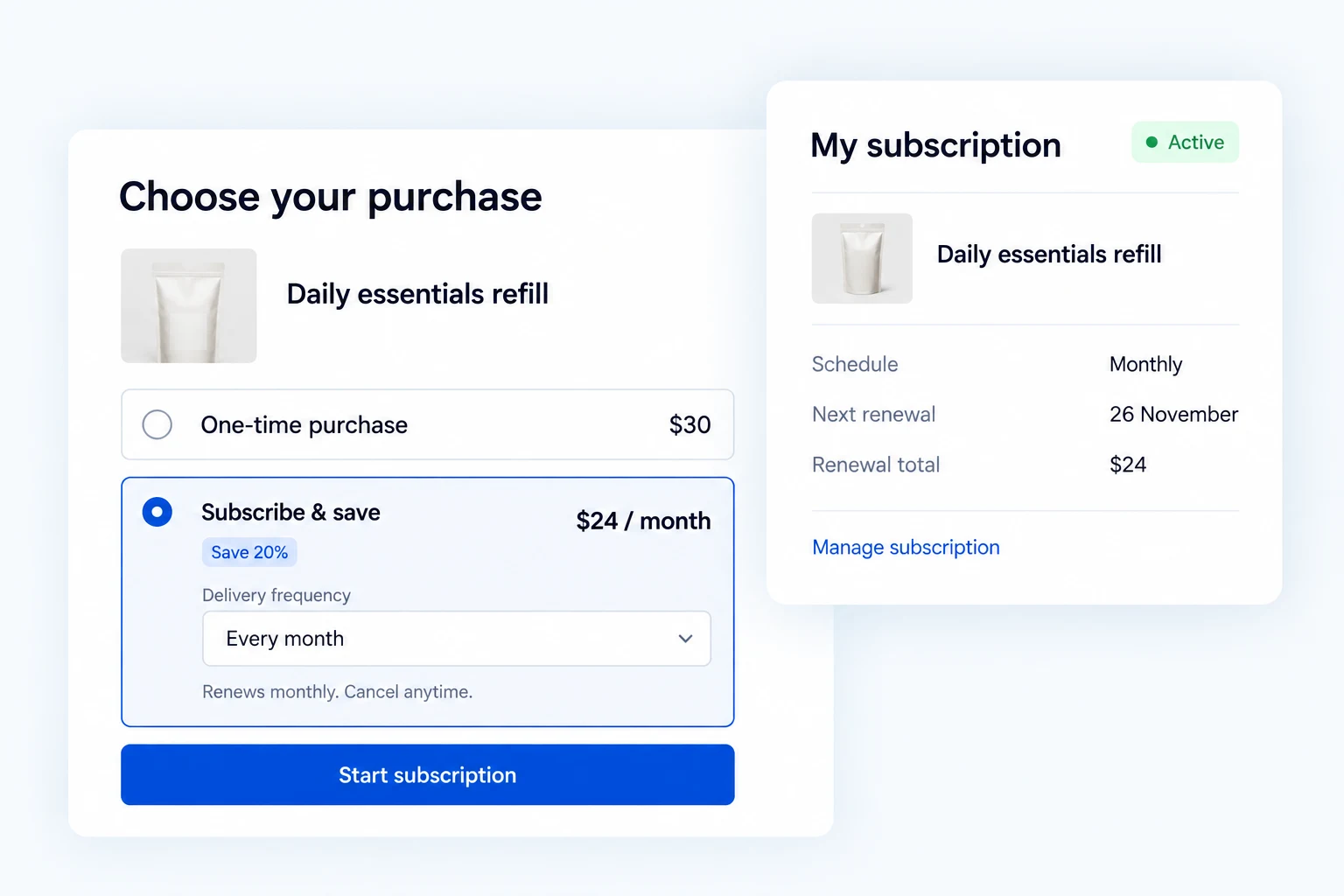
WooCommerce subscriptions your customers can manage.
Create subscription products and manage recurring orders in Free. Pro adds trials, renewal scheduling, retries, advanced administration and a one-time purchase choice. Automatic charges depend on a supported payment gateway.
Set a recurring price and schedule shoppers can understand.
Create a subscription product with a recurring price, billing interval and period. Set a subscription length when it should end, and add a one-time sign-up fee when the first order costs more.
You can also sell variable subscription products. The product page shows the selected option and its recurring terms before checkout. In the shared settings, decide whether subscription and one-time products can share a cart and whether shoppers can change the quantity.
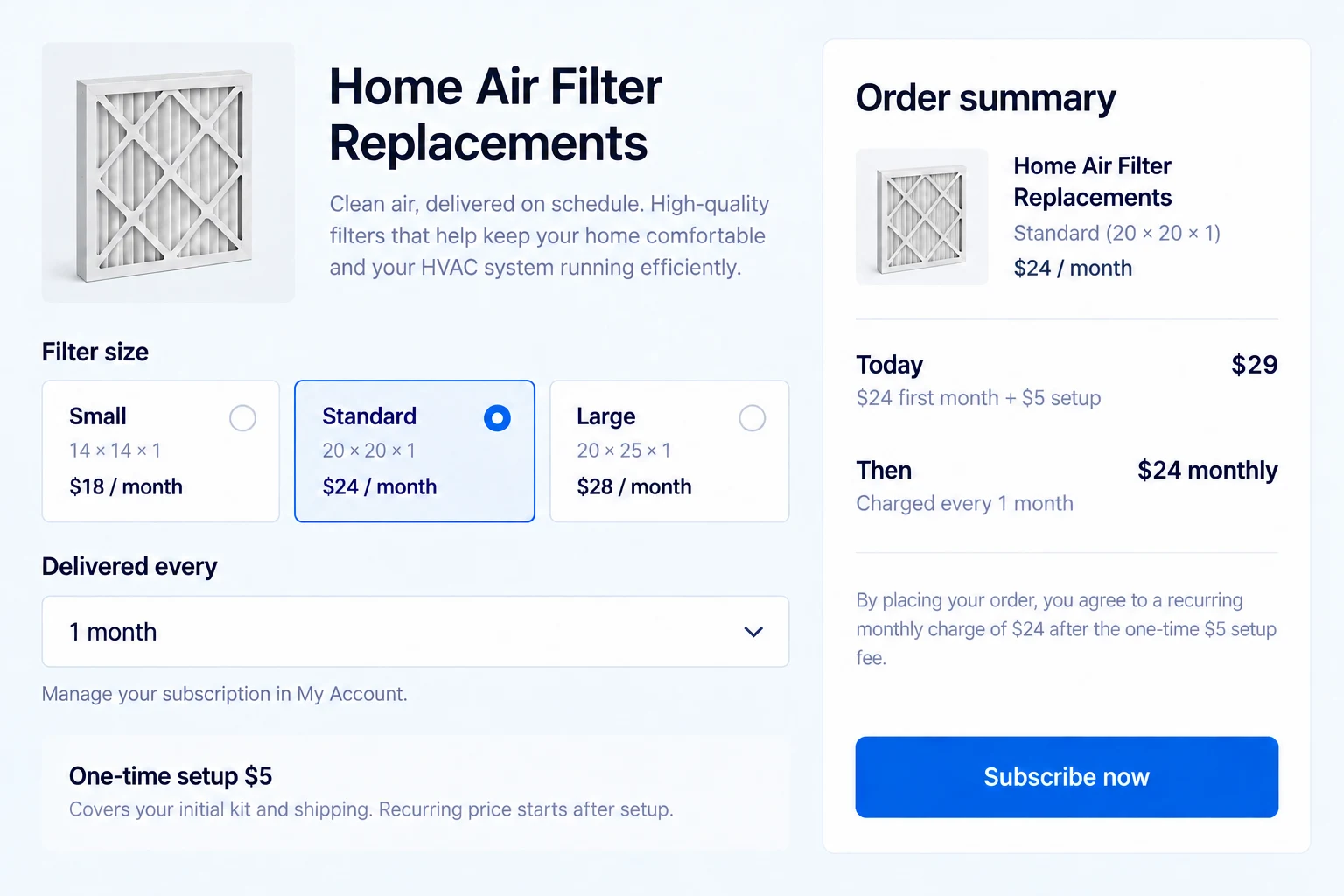
Match delivery and checkout to the subscription.
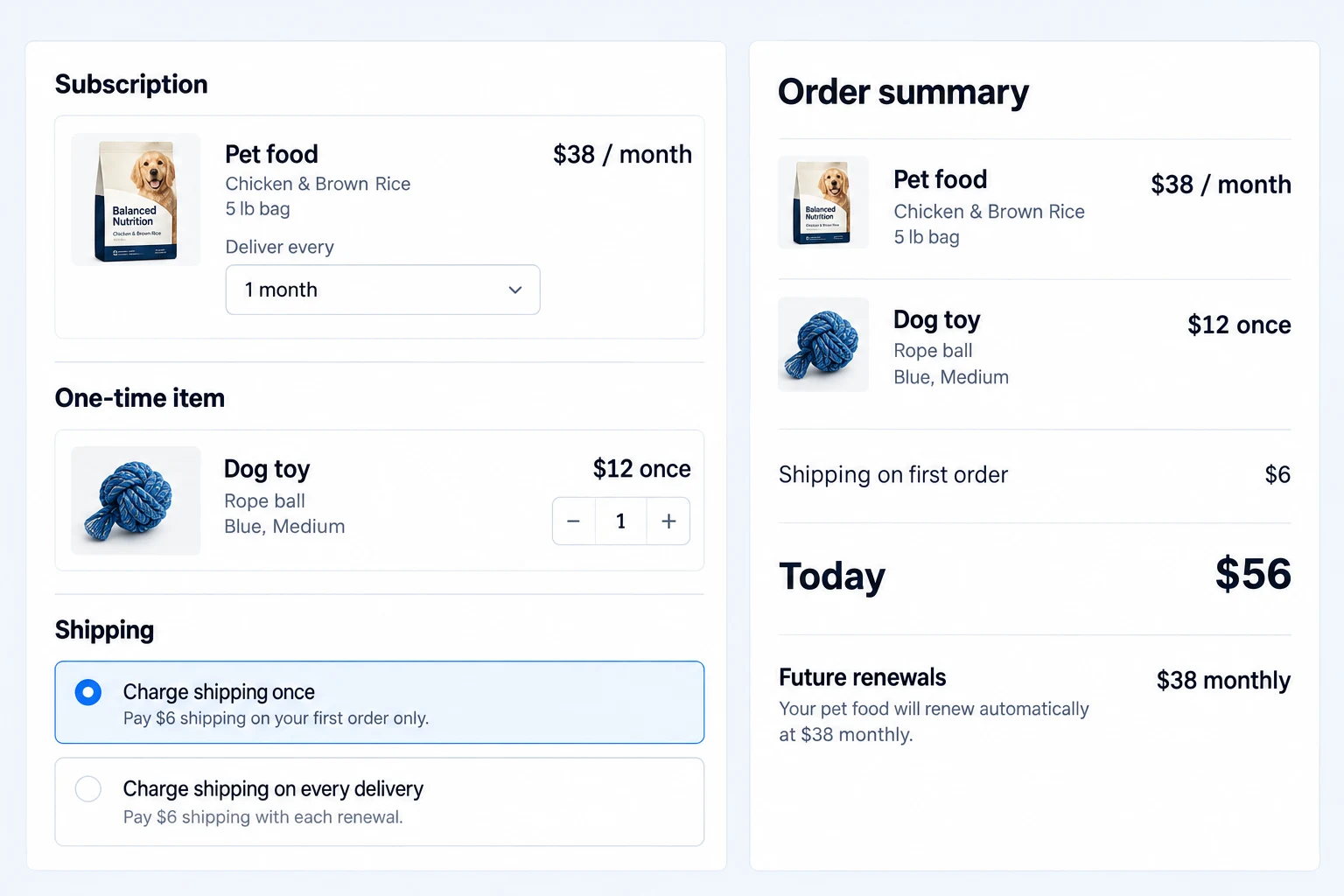
For a physical subscription, choose whether shipping is charged only on the first order or on renewals, and set a shipping frequency that differs from the billing cycle when needed.
Mixed checkout can allow a subscription and ordinary products in the same cart. Make the initial charge and later renewal terms visible before the customer places the order.
Offer a trial or a one-time purchase path.
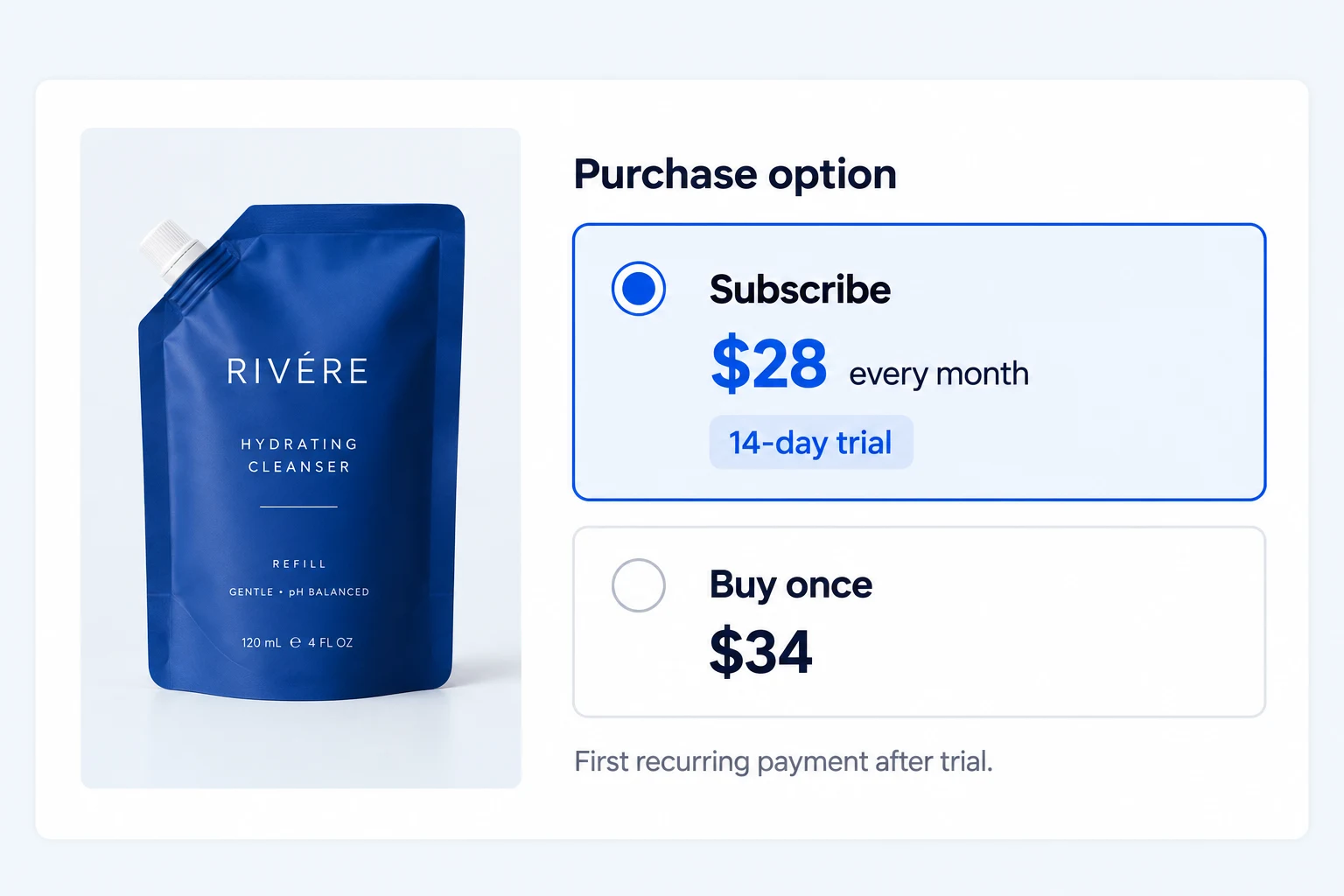
Pro lets you set a trial length before the first recurring charge, with product-level controls for the trial period and whether a payment method is required.
When appropriate, Pro can also present a Buy Once choice alongside the subscription. Shoppers can choose the purchase arrangement that fits them without switching product pages.
Let customers manage subscriptions in My Account.
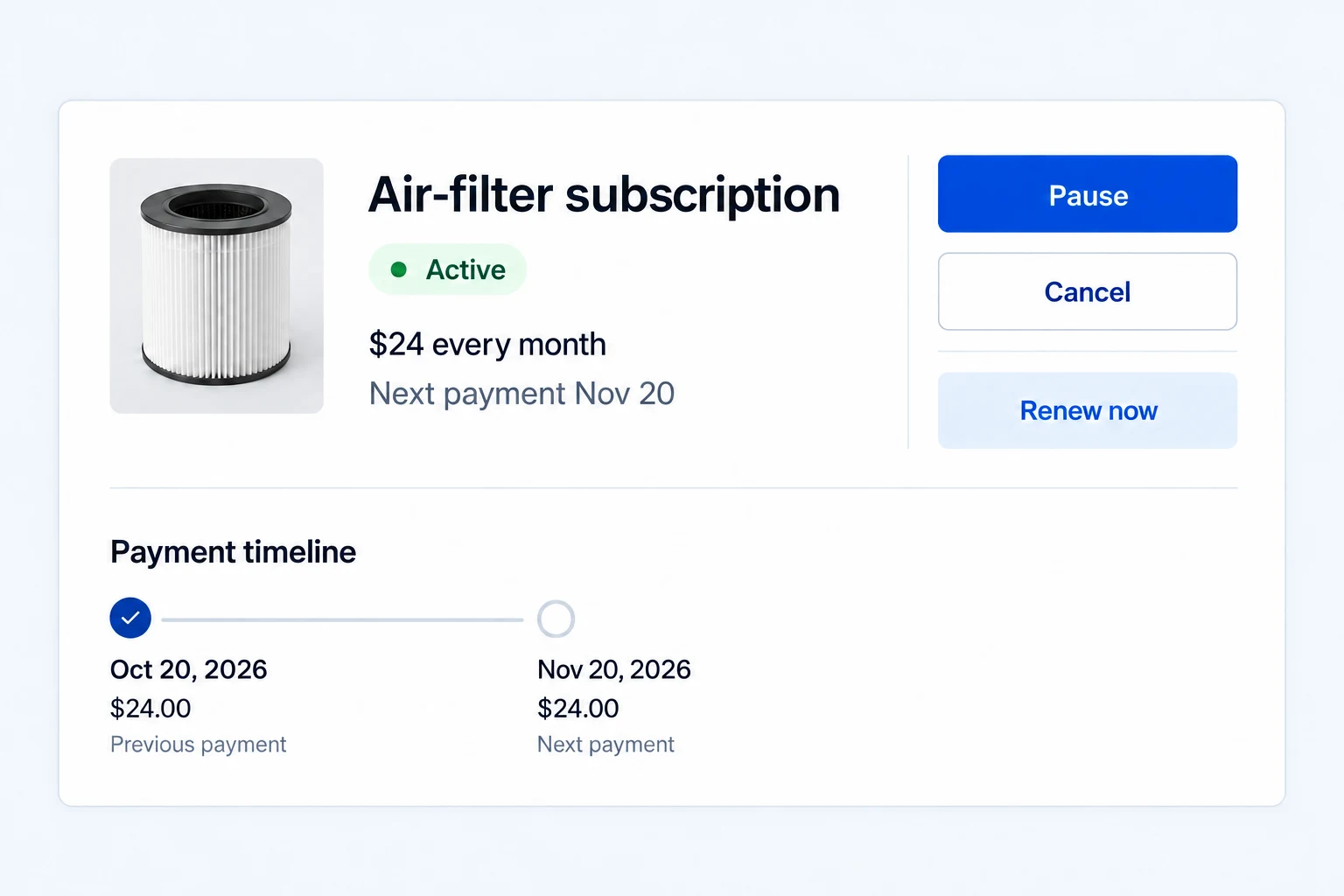
Customers can open the Subscriptions section in My Account to see each subscription’s status, billing period, next payment date and related orders. You decide whether they can pause, resume or cancel, and can limit how many times a subscription may be paused.
Pro can offer early renewal or a Renew Now action for eligible subscriptions. That brings a renewal forward without changing the customer to another subscription product.
Make a failed renewal a recoverable event.
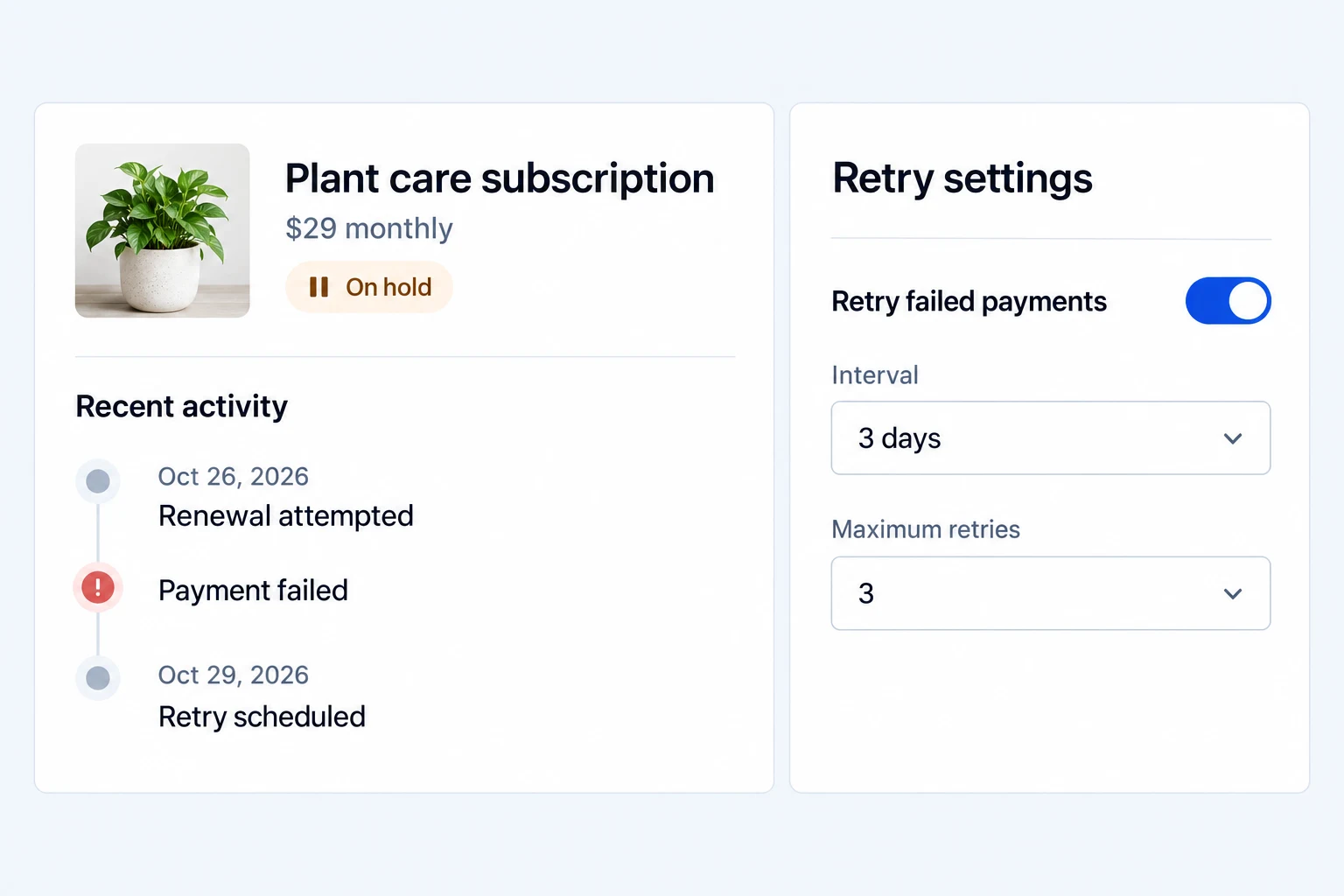
If a renewal payment fails, the subscription can be placed on hold while the customer pays the outstanding renewal order. When automatic charging is unavailable, the customer can pay a renewal order manually.
Pro lets you choose what happens after a failed payment, set retry intervals and a maximum number of attempts, and use product-level grace periods. You can also suspend access after repeated failure and restore it after payment. Automatic retries depend on the payment method and gateway support.
Bring renewals onto a predictable date.
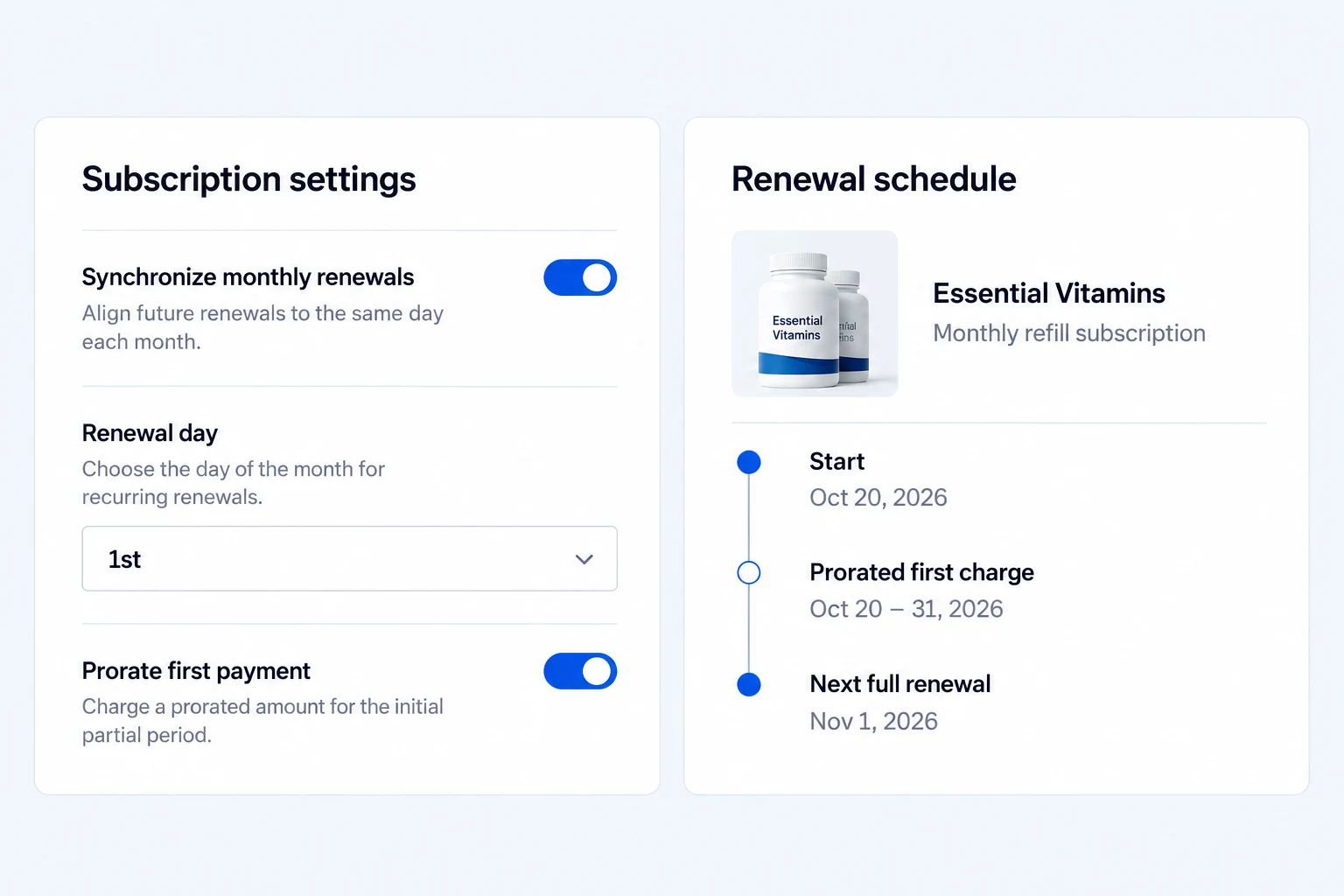
Pro can align monthly renewals to a chosen day. For supported synchronized plans, it can prorate the first payment by day so the initial partial period leads into that regular date.
After that first partial period, the subscription follows its regular renewal schedule. Shoppers can see when the first and later payments are due before they subscribe.
Manage subscriptions from one dashboard.
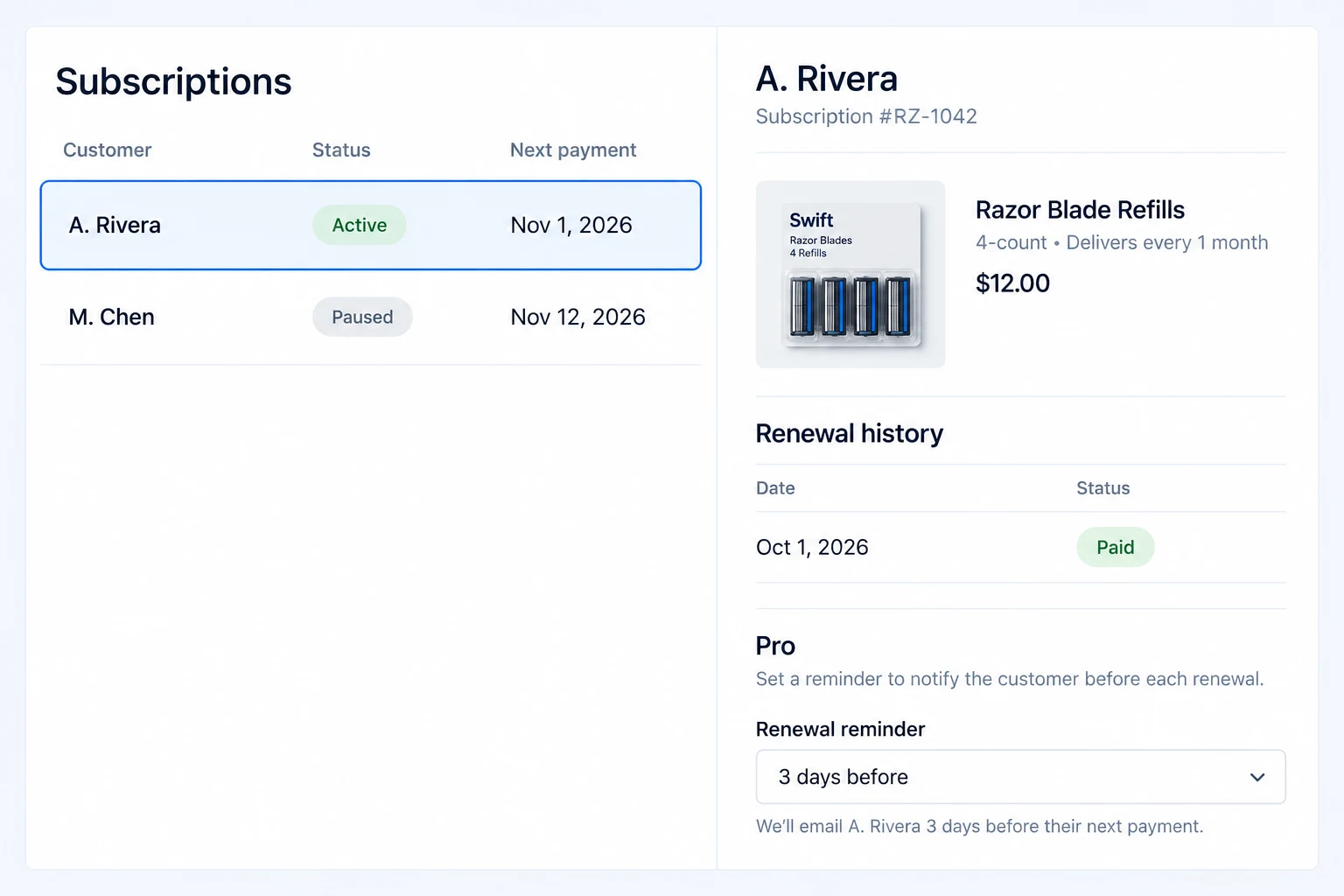
In the dashboard, review each subscription’s status, customer, recurring amount, next payment date, related orders and history. Pro adds manual subscription creation, editing of supported details, coupons for sign-up fees or recurring payments, and admin status and payment notifications. A subscription created manually may need manual renewal payments if the customer has not authorized a reusable payment method.
Pro’s automatic staging mode can prevent scheduled charges on sites WordPress identifies as non-production. Use a payment-gateway sandbox as well when testing the full checkout and renewal flow.
Make subscription emails look and sound like your store.
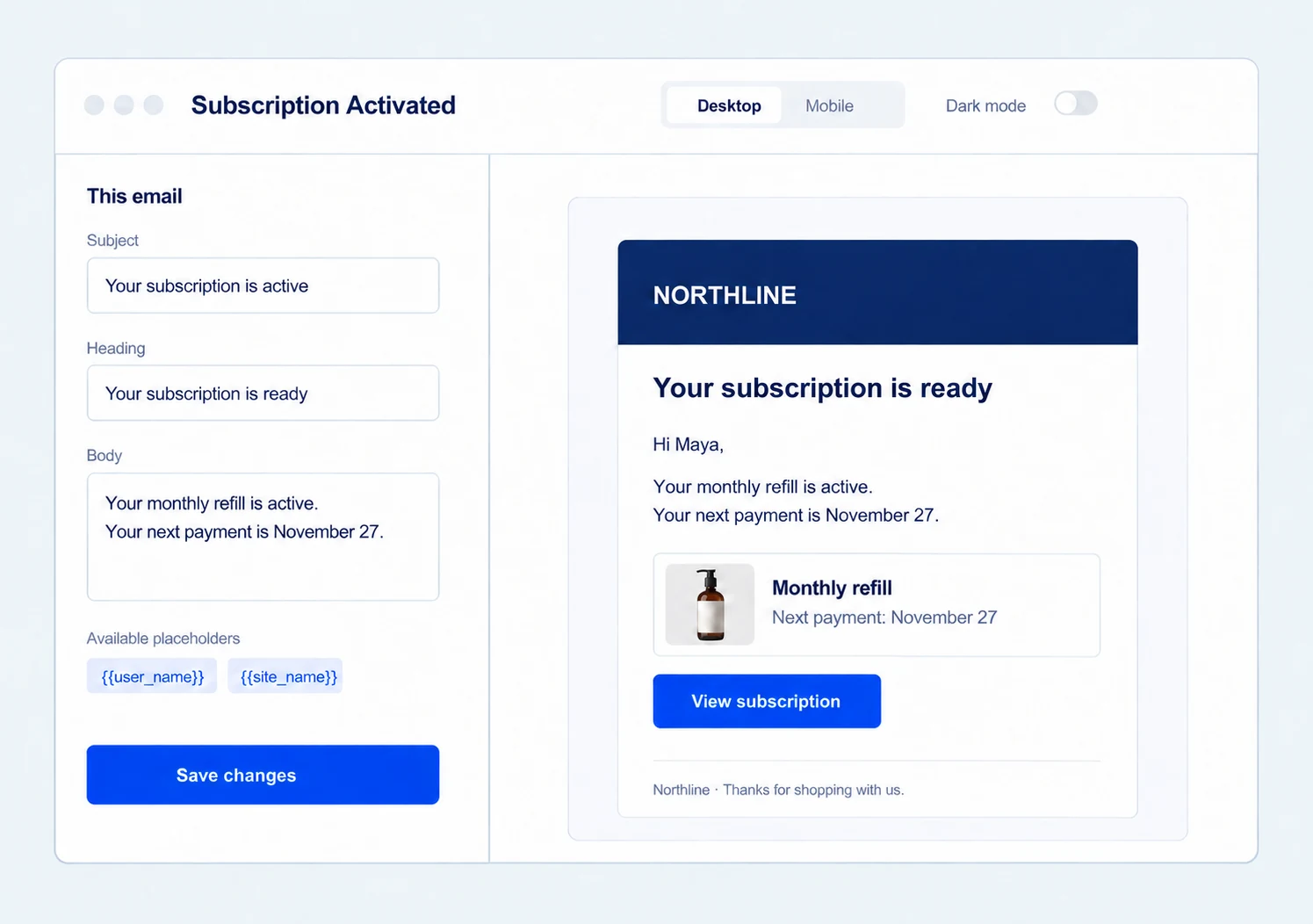
Use the built-in Email Customizer to edit the subject, heading, message and design of each available subscription email. Preview it on desktop or mobile, check dark mode, and send a test before customers receive it.
Free includes New Subscription and Subscription Activated emails. Pro adds Subscription Cancelled, Subscription Expired, Subscription On-Hold, Renewal Reminder, Trial Ending, Payment Failed and Payment Retry. Enable the messages your store needs and keep their branding consistent with your other Swift Commerce emails.
Get the full feature.
And the rest of the suite.
One Swift Commerce Pro license unlocks the complete feature set across all 16 tools, advanced design controls and premium support. No separate purchase for Subscriptions.
Compare Free and Pro.
Start with the Subscriptions essentials in Free, or use Pro for the expanded controls shown below.
| What you can do | Free | Pro |
|---|---|---|
| Recurring and variable subscription products | Included | Included |
| Billing intervals, length and sign-up fees | Included | Included |
| My Account view, pause, resume and cancellation | Included | Included |
| Physical-product shipping controls | Included | Included |
| Free trials and Buy Once choice | Not included | Included |
| Synchronized renewals and first-payment proration | Not included | Included |
| Early renewal and Renew Now | Not included | Included |
| Manual creation, subscription editing and coupons | Not included | Included |
| New Subscription and Subscription Activated emails | Included | Included |
| Built-in Email Customizer for available emails | Included | Included |
| Cancelled, Expired and On-Hold emails | Not included | Included |
| Renewal Reminder, Trial Ending, Payment Failed and Payment Retry emails | Not included | Included |
| Admin status and payment notifications | Not included | Included |
| Automatic staging protection for renewal charges | Not included | Included |
Questions about Subscriptions.
Specific answers about setup and Free versus Pro.
Does a subscription charge automatically?
Automatic charging needs a compatible payment gateway and reusable payment authorization. When that is unavailable, customers may need to pay renewal orders manually.
Can customers pause or cancel?
Yes, when you enable those actions. The My Account Subscriptions area lets customers pause, resume or cancel, and you can cap the number of pauses.
Can customers switch between plans?
Not currently. Customers can pause, resume or cancel an existing subscription and make an eligible early renewal, but cannot switch it to another subscription product or billing schedule.
Are trials included in Free?
No. Trial periods and the optional Buy Once purchase choice are Pro capabilities.
What happens after a failed payment?
The subscription can be put on hold while the renewal order remains unpaid. Pro adds configurable retry intervals and attempt limits, product-level grace periods, and optional suspension and restoration. Automatic payment retries require a compatible gateway and reusable payment authorization.
Can I set a fixed monthly renewal day?
With Pro, you can synchronize eligible monthly subscriptions to a chosen renewal day and prorate the first partial period when supported. This changes the billing date, not the subscription product.
Which subscription emails are included in Free?
Free includes New Subscription and Subscription Activated. Pro adds Cancelled, Expired, On-Hold, Renewal Reminder, Trial Ending, Payment Failed and Payment Retry notifications.
Can I customize and test subscription emails?
Yes. Open an available message from Subscriptions → Emails in the built-in Email Customizer. Edit its content and design, preview the result, and send a test before customers receive it.
What can customers manage in My Account?
My Account → Subscriptions shows each subscription’s status, billing period, next payment date and related orders. Depending on the controls you enable, customers can pause, resume or cancel. Pro adds eligible early-renewal and Renew Now actions.
Can staff create subscriptions without customer checkout?
With Pro, store administrators can create subscriptions manually and edit supported status, dates and amounts. If the customer has not authorized a reusable payment method, renewals on a manually created subscription may need manual payment.
Can I prevent automatic charges on a staging site?
Pro can suppress automatic renewal charges when WordPress identifies the site as non-production. For end-to-end payment testing, use your gateway’s sandbox too.
Why is a payment action shown instead of Renew Now?
An outstanding renewal order should be resolved before creating another renewal. My Account identifies the outstanding payment and offers the appropriate order action when payment is possible. Available cancellation, pause and renewal actions depend on the subscription status and saved customer controls. A pending renewal is not the same as a never-activated subscription.
Where can I follow a complete setup tutorial?
Follow the first subscription product walkthrough for pricing, billing, account and gateway checks. If your offer needs a trial, continue with the Pro free-trial guide. Test an actual renewal before promising automatic billing.