


WooCommerce add to cart popup.
A clear next step.
Show a WooCommerce add to cart popup that confirms the product and offers clear cart and checkout actions. Pro adds product recommendations and cross-sell controls beside the confirmation.
Add to Cart Popup for WooCommerce. Part of the Swift Commerce WordPress plugin.
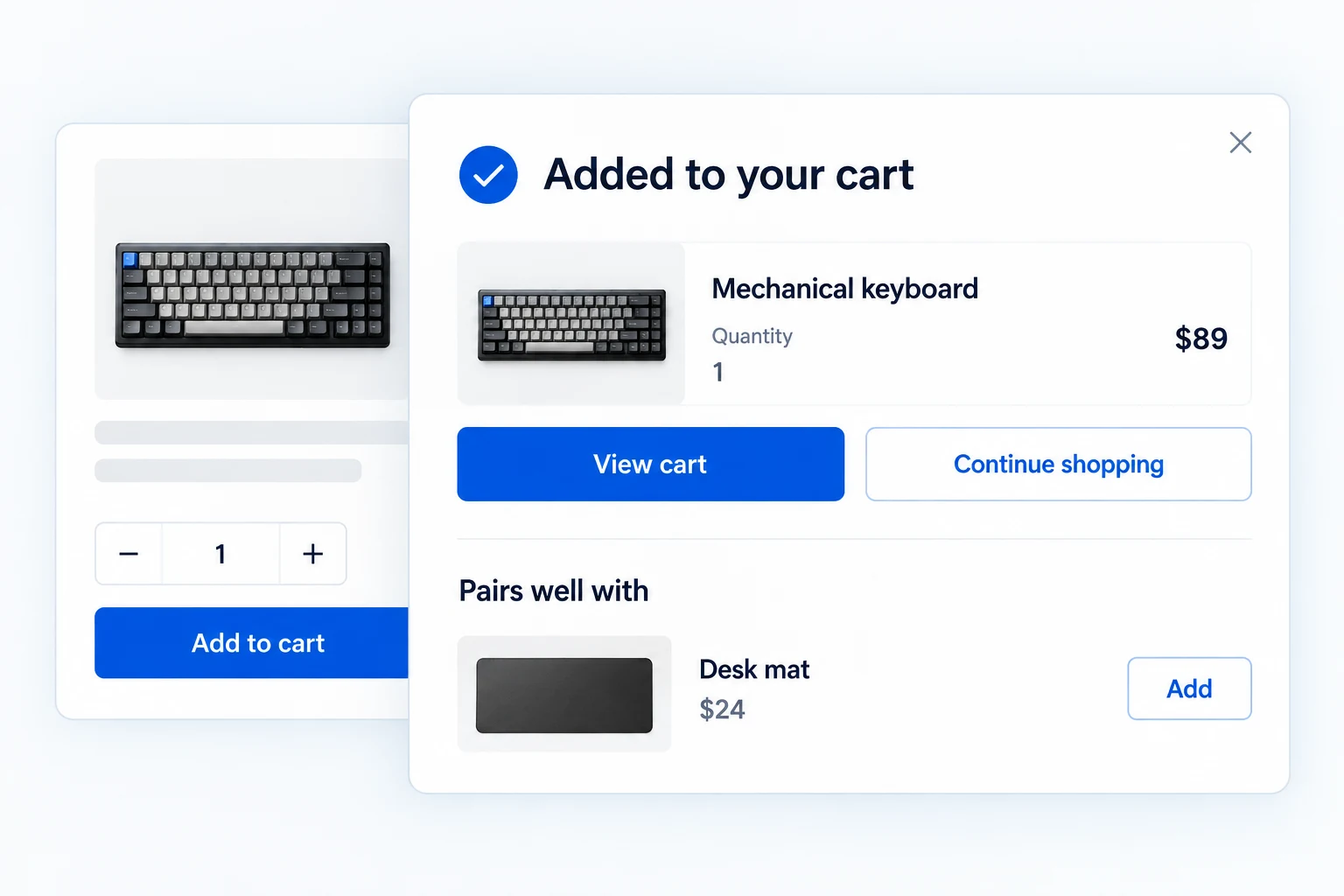
A WooCommerce add to cart popup that keeps shoppers oriented.
Show what was added, the updated cart summary and a clear next action. Free includes the confirmation, page targeting, templates, colors and timing. Pro adds WooCommerce related products, mobile visibility, button controls and more detailed styling.
Show exactly what entered the cart.
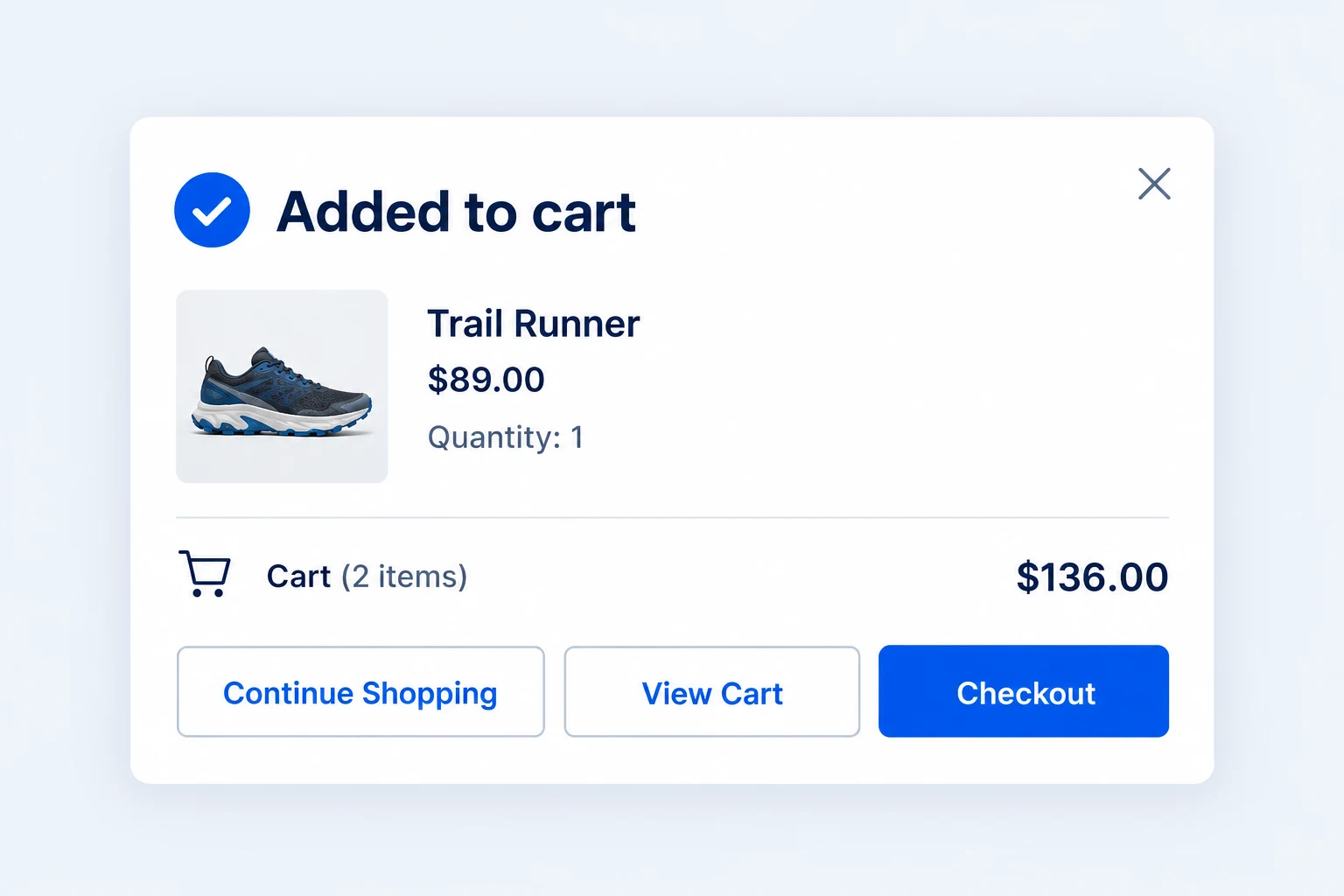
After a product is added, the popup can show its image, name, price and quantity alongside the updated cart item count and total. The shopper sees confirmation before deciding where to go next.
View Cart, Checkout and Continue Shopping actions keep the next step close. Checkout is a standard action in Free; Pro controls let you change button text or visibility.
Use the confirmation on the pages that need it.
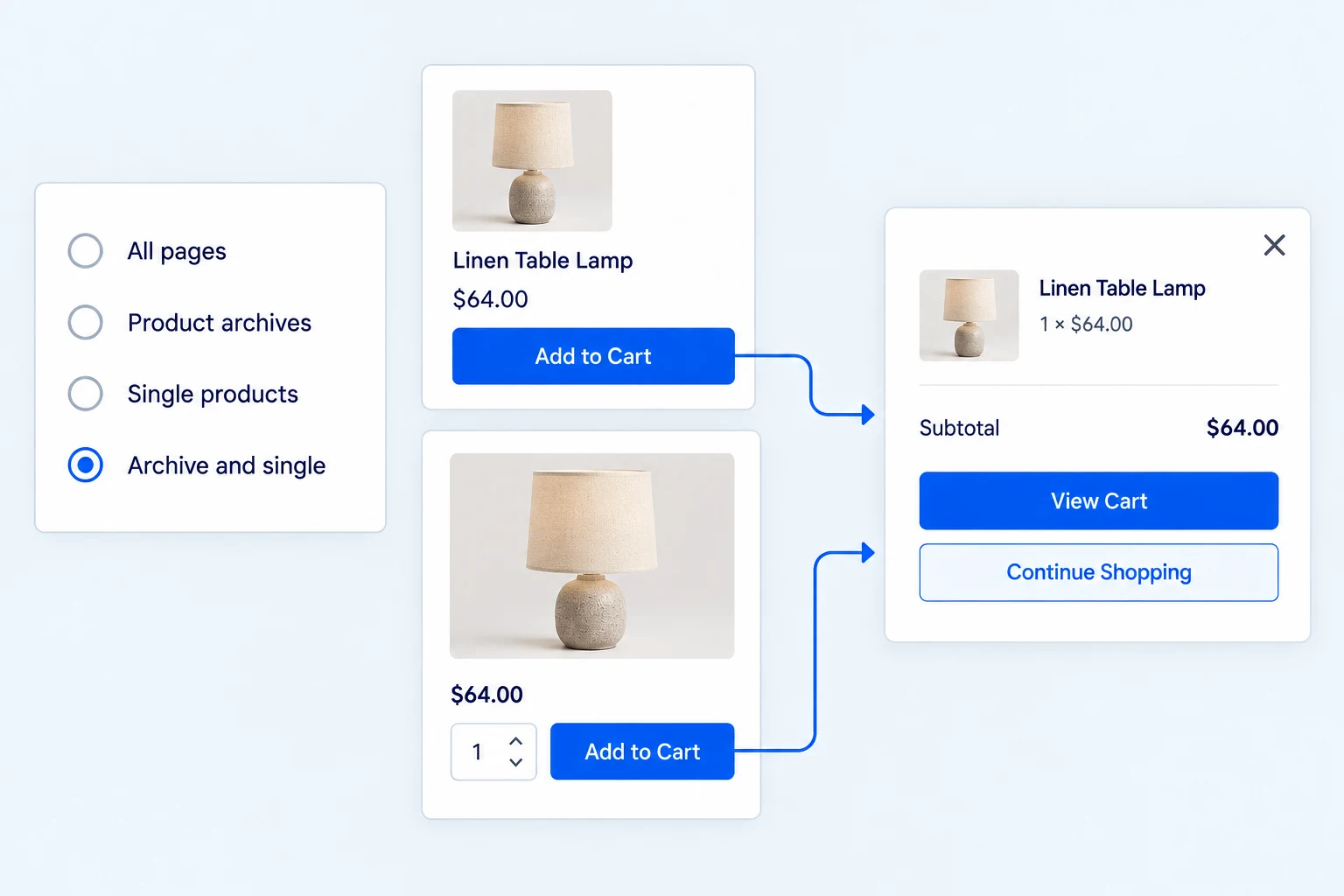
Choose whether the popup appears throughout the store, only on product archives, only on single-product pages, or on both archive and single-product pages.
This is page-type targeting, not a promise of a custom product-inclusion rule builder. Preview the behavior in the shopping path your customers use most.
Start with a layout that suits the storefront.
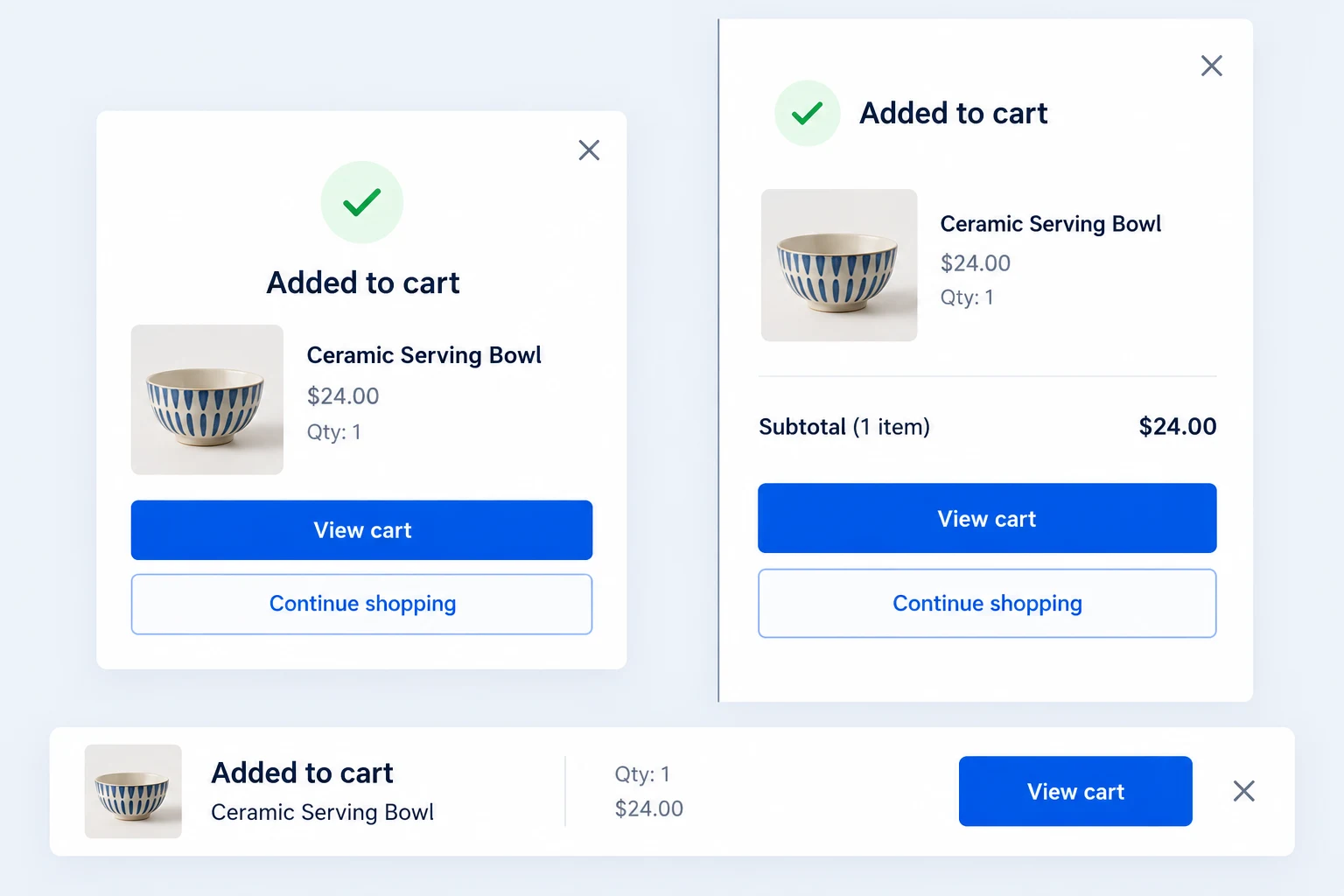
Free includes three current templates: Classic, Flyout and Solid Bar. Choose the presentation that fits the available space, then set the popup and button colors to match your store.
Pro adds finer typography, width, spacing, border and shadow controls. The current templates are shared, not a separate Pro-only gallery.
Give the confirmation the right amount of time.
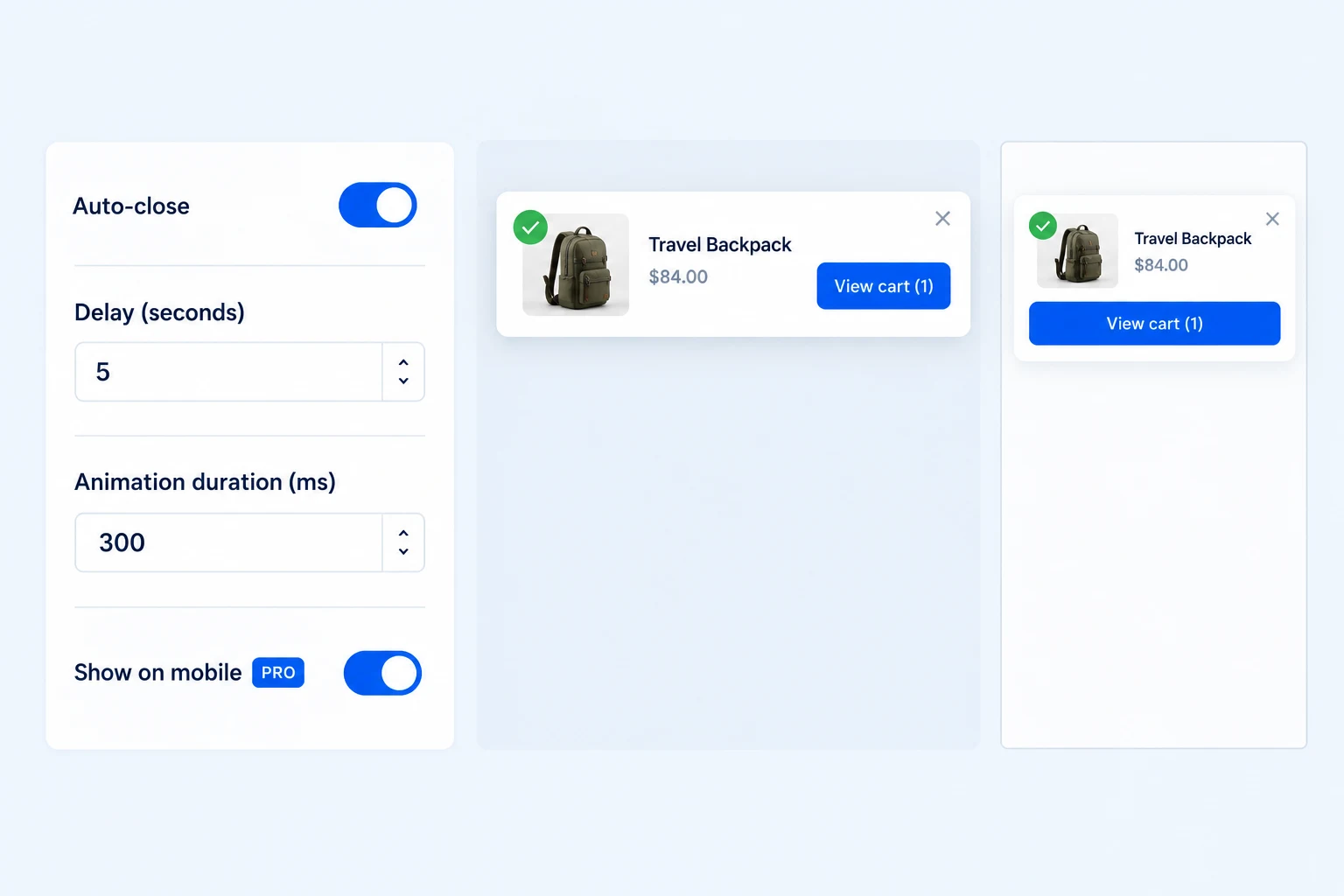
Free can close the popup automatically after a chosen delay and lets you tune the animation duration. The shared layout responds to smaller screens so the message stays usable on a phone.
Pro adds a separate mobile visibility switch. You can keep the confirmation on desktop while turning it off for smaller devices if that suits your store.
Offer a relevant product after the add.
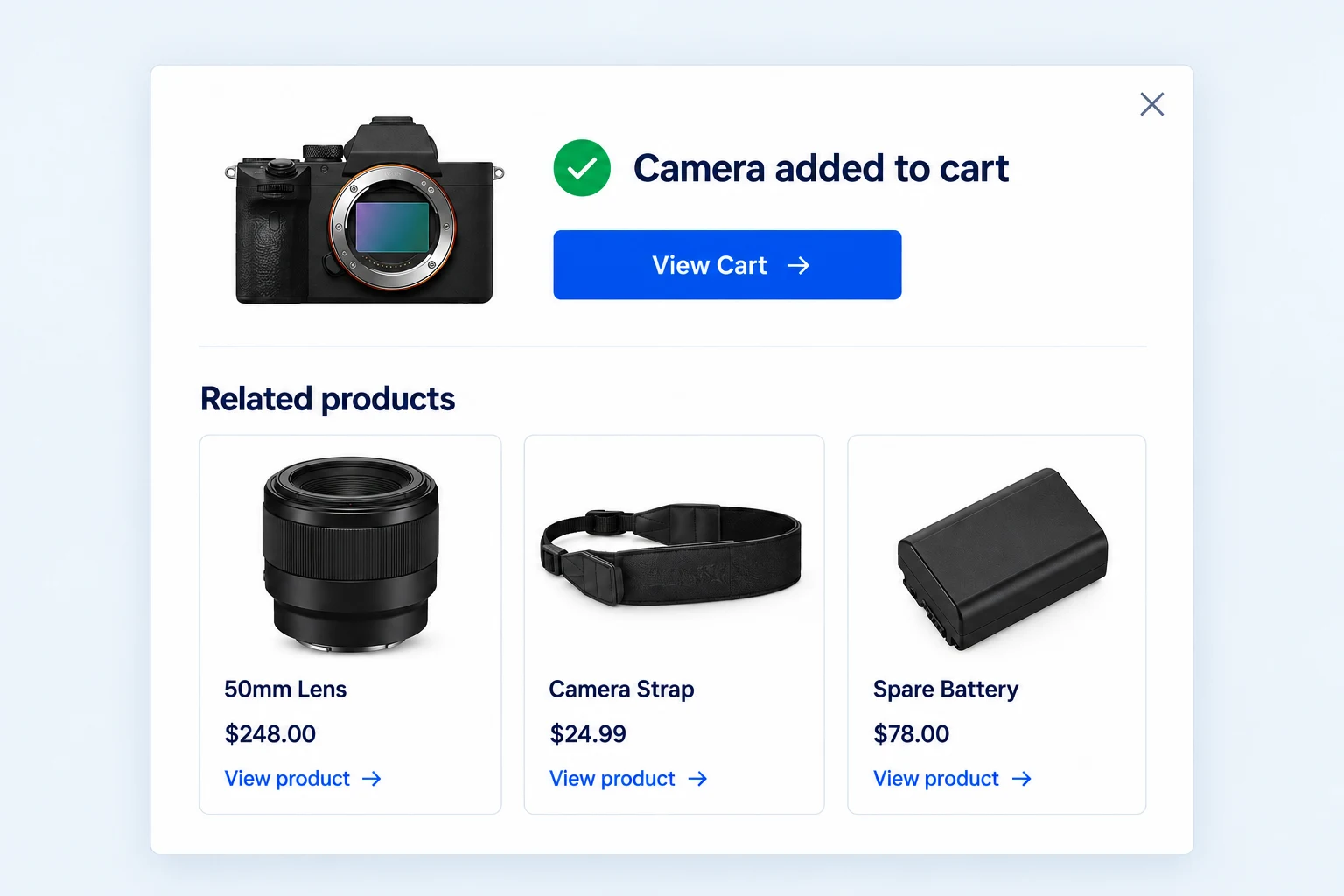
Pro can show a grid of 2 to 8 WooCommerce related products beneath the confirmation. These are selected by WooCommerce relationship logic, such as shared categories and tags.
Each suggestion links to its product page with an image, name and price. This is not a frequently-bought-together engine or a custom recommendation-rule builder.
Choose which next steps the popup offers.
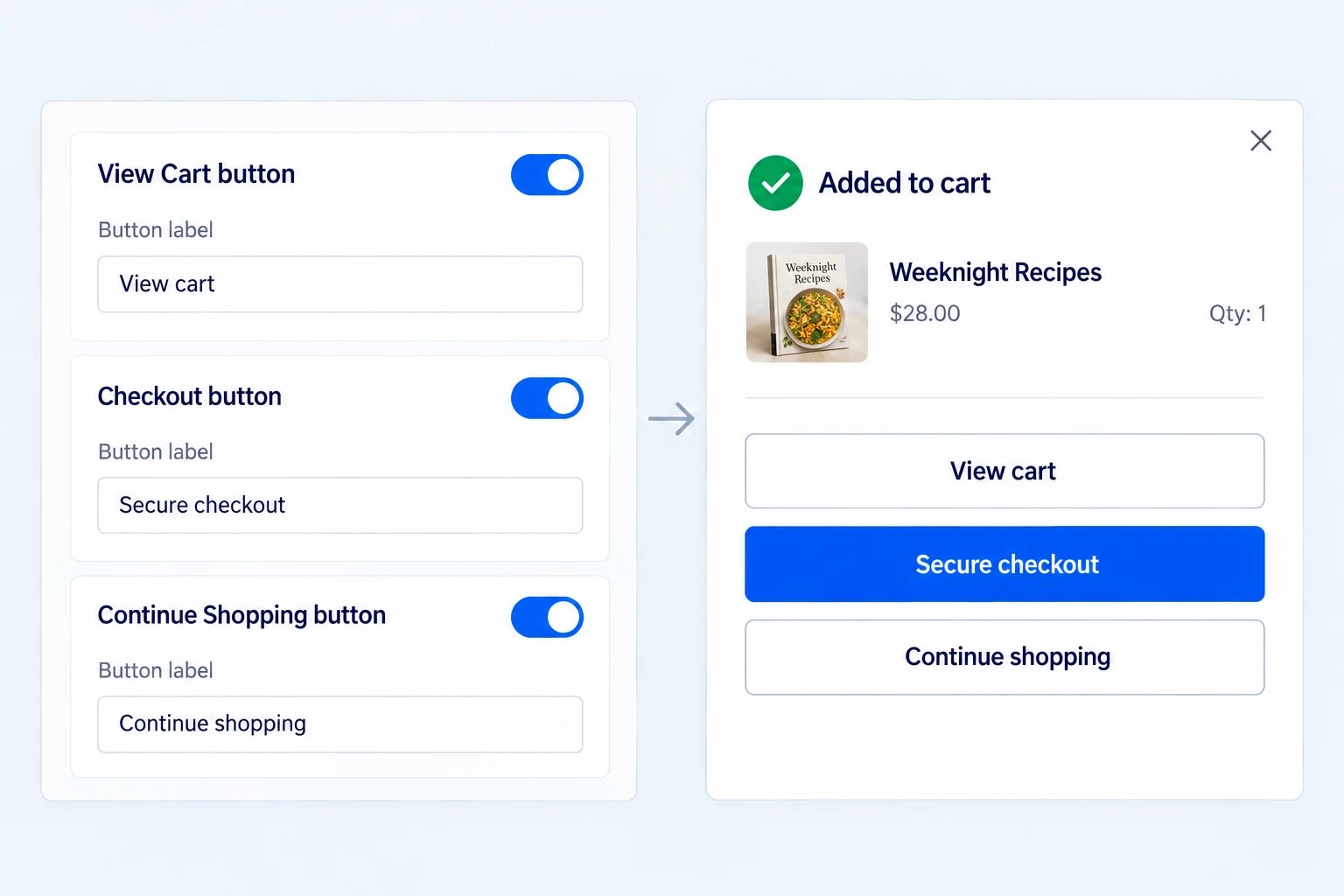
Pro settings let you show or hide the View Cart, Checkout and Continue Shopping buttons individually and edit their labels. A quick-purchase store can foreground checkout; a browsing-heavy catalog can give Continue Shopping more emphasis.
Keep at least one clear way forward. These controls adjust the popup actions; they do not change WooCommerce cart or checkout behavior behind the buttons.
Get the full feature.
And the rest of the suite.
One Swift Commerce Pro license unlocks the complete feature set across all 16 tools, advanced design controls and premium support. No separate purchase for Add to Cart Popup.
Compare Free and Pro.
Start with the Add to Cart Popup essentials in Free, or use Pro for the expanded controls shown below.
| What you can do | Free | Pro |
|---|---|---|
| Added-product confirmation and cart summary | Included | Included |
| View Cart, Checkout and Continue Shopping actions | Included | Included |
| All-page, archive and single-product targeting | Included | Included |
| Classic, Flyout and Solid Bar templates | Included | Included |
| Colors, auto-close timing and animation duration | Included | Included |
| Responsive mobile layout | Included | Included |
| Show 2–8 WooCommerce related products | Not included | Included |
| Mobile visibility switch | Not included | Included |
| Custom button labels, visibility and advanced appearance | Not included | Included |
Questions about Add to Cart Popup.
Specific answers about setup and Free versus Pro.
Is the Checkout button available in Free?
Yes. It is a standard popup action. Pro adds controls for its label and visibility alongside the other popup buttons.
Can I show the popup only on product pages?
Yes. Free page targeting includes single-product pages, product archives, both, or all pages.
Can Free close the popup automatically?
Yes. The auto-close timer and animation duration are shared settings.
Does Pro use a custom recommendation algorithm?
No. The verified related-product section uses WooCommerce related products, and linked cards take shoppers to those product pages.
Is the popup responsive without Pro?
Yes. The layout responds to mobile screens in Free. Pro adds the switch to disable display on mobile devices.
Which templates are available now?
Classic, Flyout and Solid Bar are the current shared templates. Pro unlocks more detailed visual controls, not a separate set of those templates.