


WooCommerce back-in-stock notifications.
Keep interested shoppers informed.
Offer WooCommerce back-in-stock notifications when an unavailable product returns. Customers can request an alert; Pro adds subscriber analytics, sent-email logs, exports and bulk management.
Back In Stock for WooCommerce. Part of the Swift Commerce WordPress plugin.
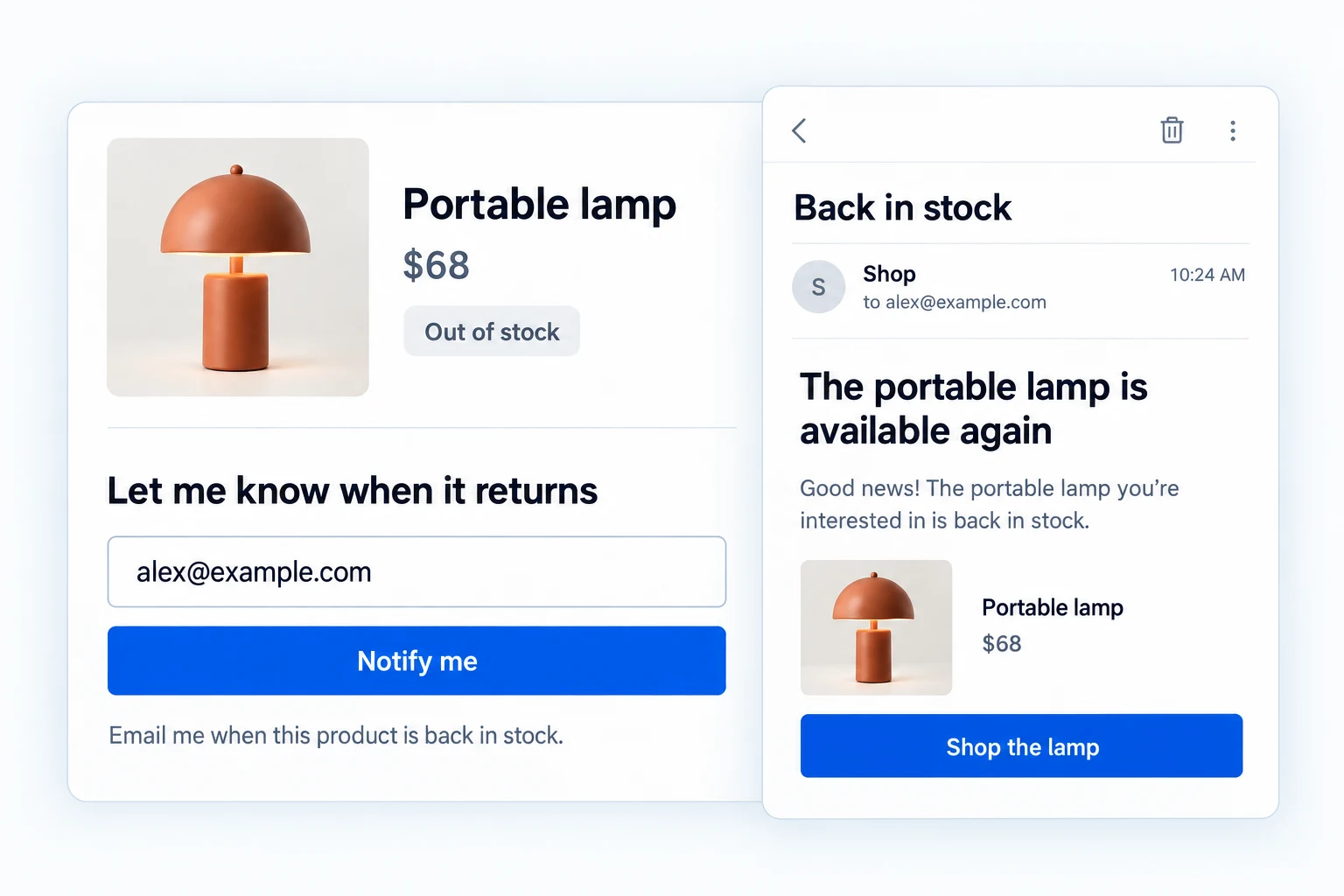
WooCommerce back-in-stock notifications give shoppers a route back.
Let shoppers request an email when the exact product or variation is available again. Free handles subscriptions, queued stock alerts and the essentials; Pro adds deeper form control, subscriber operations and reporting.
Take a request at the point of disappointment.
When an item is unavailable, place an email form on its product page. Guests and signed-in customers can subscribe without waiting for a back-in-stock date.
Subscriptions are tied to the product or variation and email address, so a shopper can ask about the item they actually wanted.

Send the alert when sellable stock returns.
Stock changes queue notifications for active subscribers once your minimum-stock threshold is met. You can also include backorder products in the form display.
Automatic delivery depends on WordPress background scheduling and working store email, rather than a live push connection to inventory.
Use the shared Email Customizer for the back-in-stock notification and, when double opt-in is enabled, its confirmation email. Edit each message, preview the product details and call to action, then send a test before customers receive it.

Let customers confirm a subscription.
Optional double opt-in sends a confirmation request before the subscription becomes active. A customer can also unsubscribe later.
Customize the emails using the shared email designer, including product details, clear buttons and store branding.

See who is waiting for each product.
The subscriptions view shows the email, product, status and signup date. Individual records can be managed without searching through orders.
Pro adds bulk subscription actions and CSV export when the list grows.

Make the request form fit your storefront.
Start with the shared templates and basic brand colors in Free. Pro expands the form copy, layout and detailed container, input, button and icon styling.
Use the appearance controls to keep the alert form legible beside a product’s ordinary purchase controls.

Use subscription demand to plan restocks.
Pro reports active requests, notifications, top requested products and attributed purchases after an alert. Sent-email logs and open/click reporting add context.
These figures describe observed activity; they do not prove that an email caused every later sale.

Write the email that brings shoppers back.
The shared Email Customizer lets you shape the restock alert around the product, availability and a clear return-to-product action. Preview the branded message and send a test before alerts go out.
If you require double opt-in, you can customize its confirmation email too. Both messages are available with the core Back in Stock feature in Free.

Get the full feature.
And the rest of the suite.
One Swift Commerce Pro license unlocks the complete feature set across all 16 tools, advanced design controls and premium support. No separate purchase for Back In Stock.
Compare Free and Pro.
Start with the Back In Stock Notification essentials in Free, or use Pro for the expanded controls shown below.
| What you can do | Free | Pro |
|---|---|---|
| Out-of-stock product and variation subscriptions | Included | Included |
| Guest and customer email requests | Included | Included |
| Queued alerts when stock returns | Included | Included |
| Optional double opt-in confirmation | Included | Included |
| Subscription list and individual management | Included | Included |
| Branded notification email | Included | Included |
| Custom form text, layout and detailed styling | Not included | Included |
| Bulk actions and CSV export | Not included | Included |
| Demand, sent-email and attributed-purchase reports | Not included | Included |
Questions about Back In Stock Notification.
Specific answers about setup and Free versus Pro.
Can a guest subscribe?
Yes. Guest subscriptions are supported when the store allows them.
Does an alert send the instant inventory changes?
The stock change queues an email. Delivery depends on background scheduling and the store’s email service.
Can customers confirm before joining the list?
Yes. Double opt-in is available in Free as an optional confirmation step.
Will a variation be treated separately?
Subscriptions can identify a specific product variation so the alert follows the selected item.
Is subscription analytics available in Free?
Free records and manages subscriptions. Pro adds demand, engagement and attributed-purchase reporting.
Can I change every word in the form?
The detailed title, input, button and message copy controls are Pro; Free includes the essential form and templates.