


WooCommerce abandoned cart recovery.
Help shoppers finish their order.
Set up WooCommerce abandoned cart recovery with timed reminders and secure recovery links. Pro adds recovery offers, advanced email sequences and reporting for the follow-up workflow.
Cart Recovery for WooCommerce. Part of the Swift Commerce WordPress plugin.

WooCommerce abandoned cart recovery starts with a working return link.
Track eligible abandoned carts, send a useful reminder and restore the cart through a unique link. Free covers one branded email; Pro builds a timed sequence, recovers selected unpaid orders and adds coupons and reporting.
Recognize a cart after the shopper leaves.
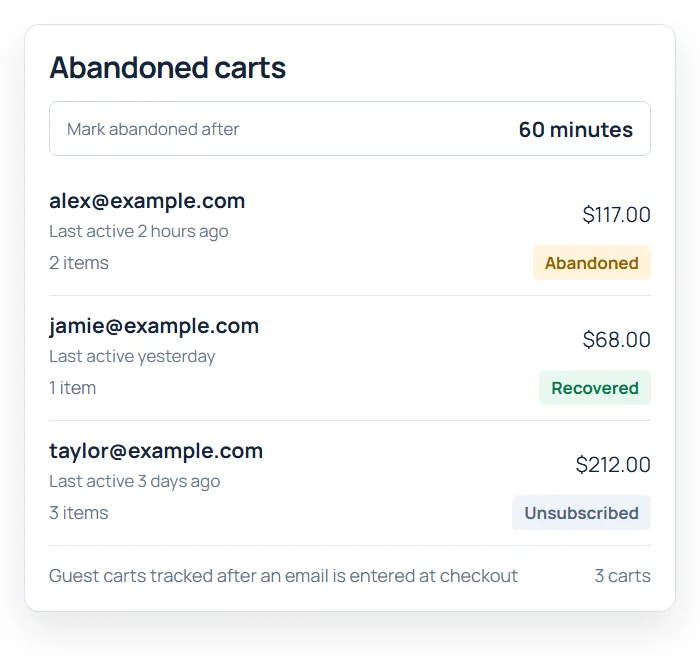
Choose how long a cart must be inactive before it is marked abandoned. Track signed-in shoppers and, when enabled, guests whose email is captured at checkout. A cart without a usable email address cannot receive a recovery reminder.
The dashboard shows cart totals, items, status and email count, while expiration settings clean up old records.
Send a reminder that shows what was left behind.
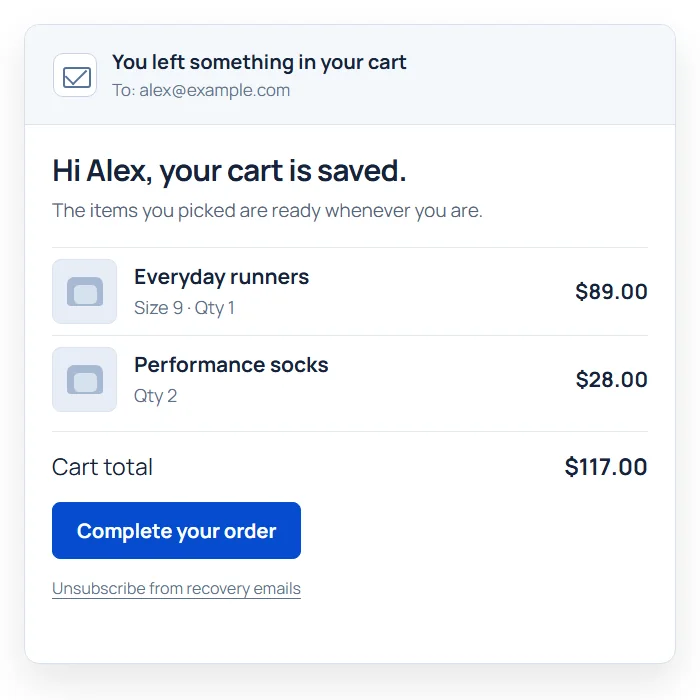
Free sends one recovery email at a configured delay. The message can show product images, names, prices and the cart total with a clear return-to-checkout button.
The shared Email Customizer controls the message and branding, with customer and cart placeholders for personalization.
Bring the shopper back to their saved cart.
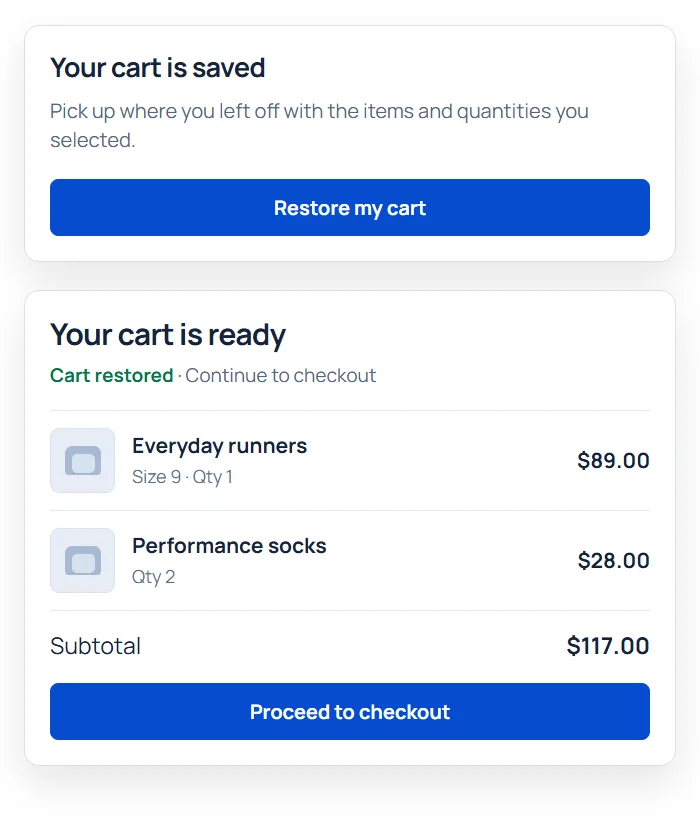
A unique recovery link rebuilds the cart from saved products, quantities and variations, replacing the shopper’s current cart. Products must still be purchasable and in stock; current prices and checkout checks apply.
Opening a link marks the cart restored, not recovered. Recovery is attributed when the linked order is paid or reaches Processing or Completed. Unsubscribing stops recoverable carts for that email address and suppresses later capture—not just the single reminder.
Space follow-ups instead of sending one more blast.
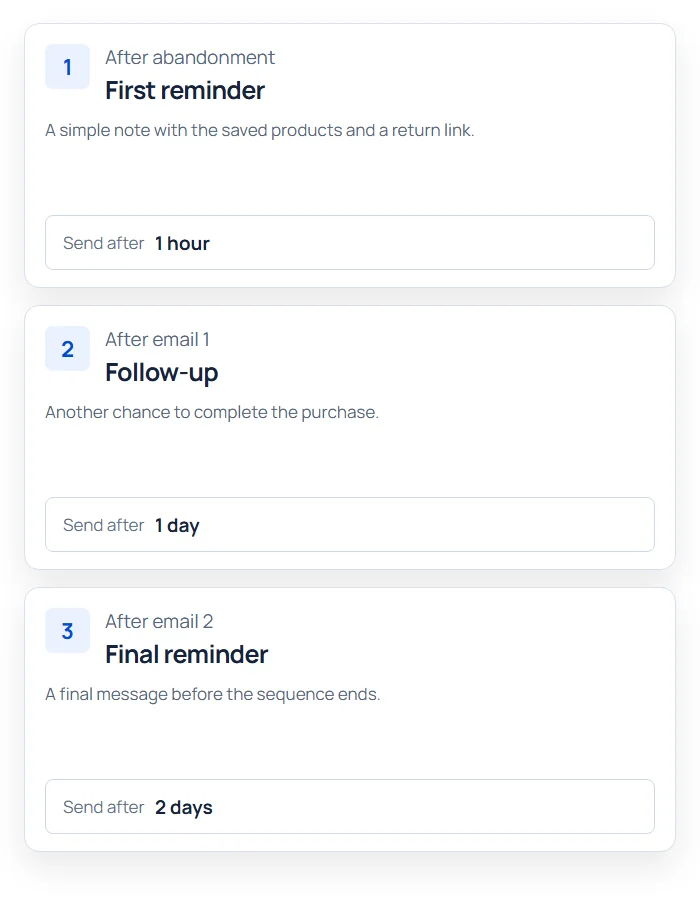
Pro extends the sequence to as many as five individually timed messages. Each step can have its own subject and delay, so later reminders can be gentler or more specific.
The first delay starts when the cart is marked abandoned; later delays follow the previous sent email. With a 60-minute inactivity threshold and a 60-minute first delay, a reminder is due about two hours after the last activity, plus background-processing time.
Follow up on unpaid orders, with an optional incentive.
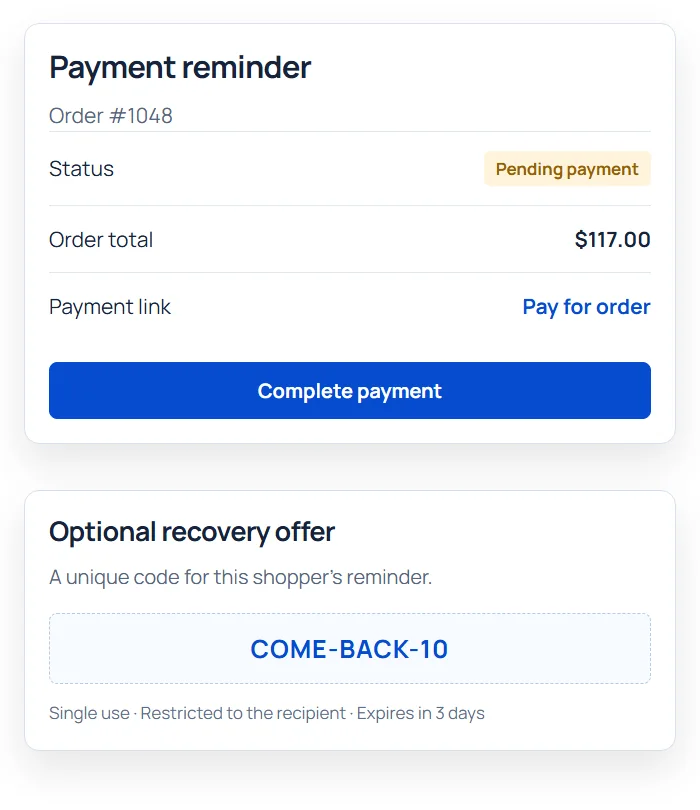
Pro can send a separate payment reminder sequence for selected pending, failed or on-hold orders, linking customers to their order payment page.
A recovery email may include a unique, single-use, recipient-restricted coupon. Set its amount, expiry and restrictions without issuing a new code for every later email.
Understand what actually came back.
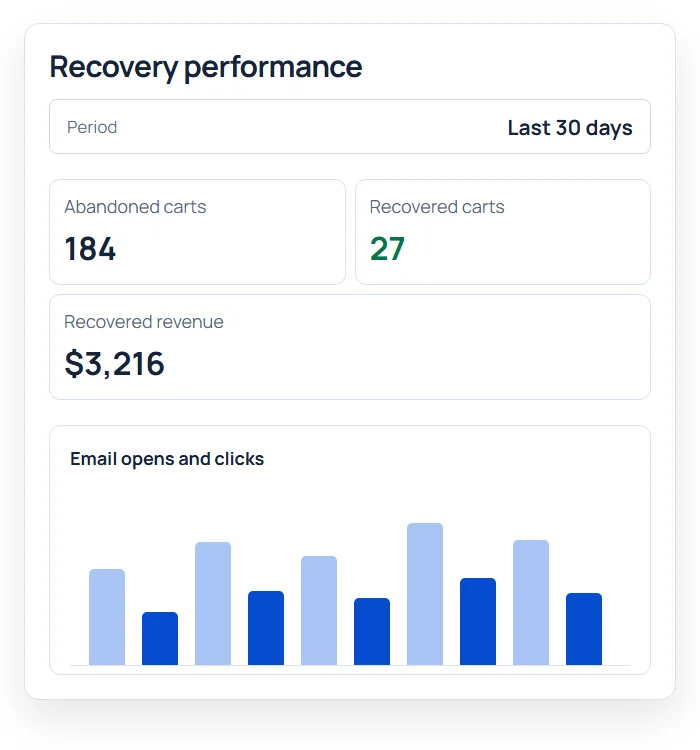
Pro shows abandoned and recovered totals, recovery rate and recovered revenue, plus email open and click reporting. Trend controls help compare periods.
A sent email means the mail system accepted the send request, not that it reached the inbox. Opens and clicks are tracking signals affected by mail privacy and automated scanners. Free records engagement; Pro provides aggregate reports.
Make the recovery reminder worth opening.
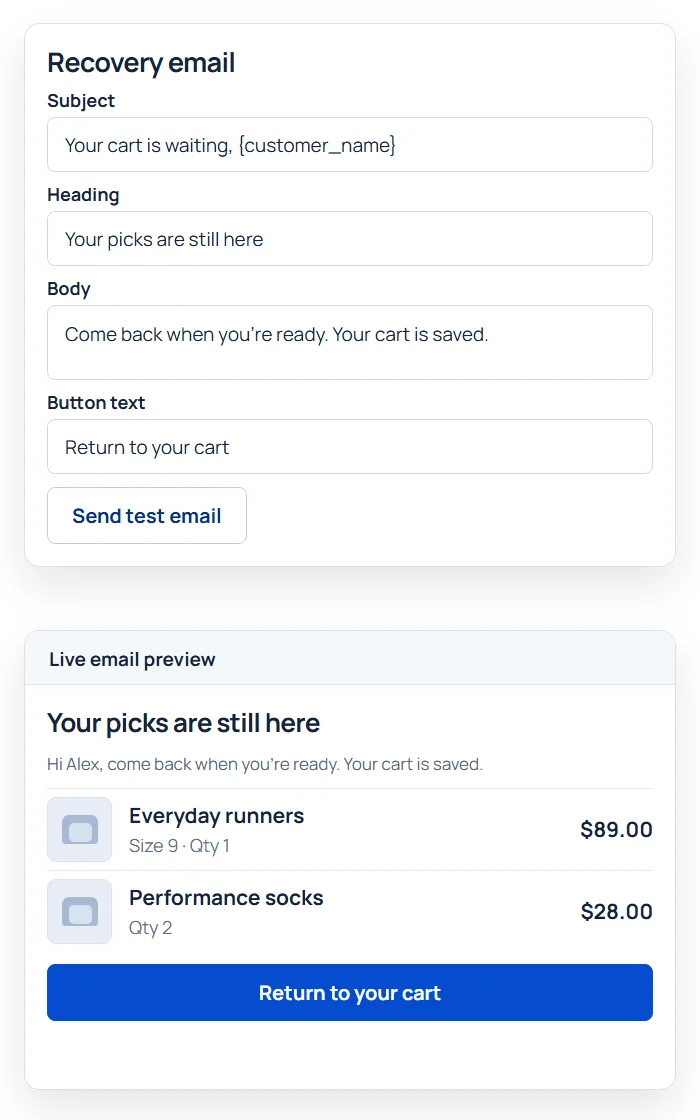
In the shared Email Customizer, edit the reminder’s subject, heading, body, product display and return-to-cart action. Use customer and cart placeholders, preview the email and send a test.
Free includes one timed recovery email. Pro adds a multi-step sequence and supported unpaid-order and incentive flows. Follow how to customize recovery emails and send a test to your own inbox before activating follow-ups.
Get the full feature.
And the rest of the suite.
One Swift Commerce Pro license unlocks the complete feature set across all 16 tools, advanced design controls and premium support. No separate purchase for Cart Recovery.
Compare Free and Pro.
Start with the Cart Recovery essentials in Free, or use Pro for the expanded controls shown below.
| What you can do | Free | Pro |
|---|---|---|
| Track signed-in and eligible guest carts | Included | Included |
| One timed recovery email with branded content | Included | Included |
| Unique link that restores the cart | Included | Included |
| Cart status list and unsubscribe handling | Included | Included |
| Up to five timed recovery emails | Not included | Included |
| Unpaid-order payment reminders | Not included | Included |
| Recipient-specific recovery coupons | Not included | Included |
| Exclude roles and notify administrators | Not included | Included |
| Recovery and email-performance reports | Not included | Included |
Questions about Cart Recovery.
Specific answers about setup and Free versus Pro.
Can a guest receive an abandoned-cart reminder?
Yes, when guest tracking is enabled and a valid checkout email has been captured. Anonymous visitors who leave without supplying an email cannot receive a reminder. Confirm capture on your actual checkout and configure your privacy notice and contact permissions before enabling follow-ups.
When is the first recovery email sent?
The cart must first meet your inactivity threshold. The first email’s delay then starts from the recorded abandonment time; Pro’s later delays follow the preceding sent email. Background processing also affects delivery time, so a 60-minute threshold plus a 60-minute delay is roughly two hours after last activity—not one.
What does Free include, and what does Pro add?
Free includes eligible-cart tracking, one configurable recovery email, cart restoration links and unsubscribe handling. Pro adds up to five timed emails, supported unpaid-order reminders, recipient-specific coupons and aggregate reporting. You do not need a coupon to send a reminder.
Can I customize the recovery email?
Yes. Use the built-in Email Customizer for the supported recovery email’s subject, content, branding, product display and recovery action. Preview the message and send a test. Follow the recovery-email customization tutorial.
Does the recovery link preserve the old price and inventory?
No. The link replaces the current cart with the saved products, quantities and variations where they remain purchasable and in stock. Current product prices, coupons and checkout validation apply. An expired link or unavailable product may prevent full restoration.
When is a cart counted as recovered?
A link click restores the cart but does not count as a sale. Recovery is attributed to the linked WooCommerce order when payment completes or the order reaches Processing or Completed. A pending order is not recovered revenue, and an unrelated purchase without the recovery attribution is not credited to that cart.
What stops further recovery emails?
A recovery-linked checkout moves the cart out of the reminder queue; paid or Processing/Completed orders can then be counted as recovered. Unsubscribing also stops other recoverable carts for the same email and suppresses later capture. This opt-out concerns cart recovery, not unrelated transactional order emails.
Do sent, open and click reports prove delivery or sales?
No. Sent records an accepted mail request; open and click events are engagement signals that privacy tools and link scanners can affect. Pro reports recovered orders and revenue separately. Use these figures to review the workflow, not as a guarantee that a person read a message or bought because of it.