


WooCommerce registration.
Build the signup and review access.
Manage WooCommerce registration and WordPress signup checks in one workspace. Collect customer details, verify inbox access or use Pro approval workflows, domain restrictions and registration review.
For WordPress and WooCommerce. Start with form and verification essentials; Pro unlocks advanced access and review controls.
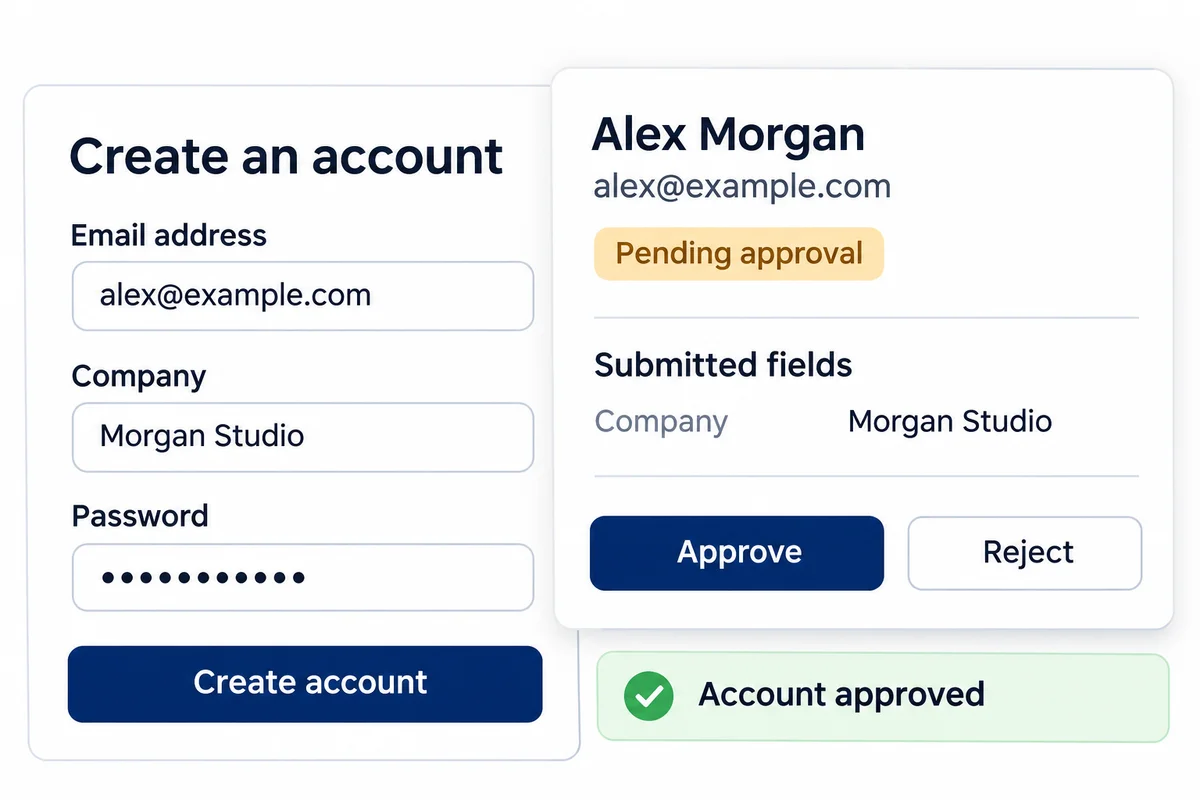
WooCommerce registration with clear decisions about access.
A customer can submit a form without being ready to enter your store. Keep those steps connected: collect the right information, apply your chosen access check, and give both your team and the applicant a clear next step. Use forms and access checks together or independently.
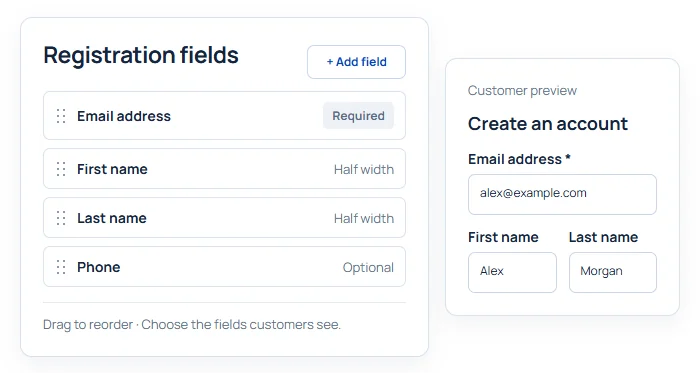
Ask for the details your registration needs.
Add and arrange fields with labels, choices and validation. Use the form’s appearance controls to keep those fields clear and consistent.
Free covers WordPress registration fields. Pro extends custom fields to supported WooCommerce registration and account contexts, with conditional rules, date fields and protected uploads.
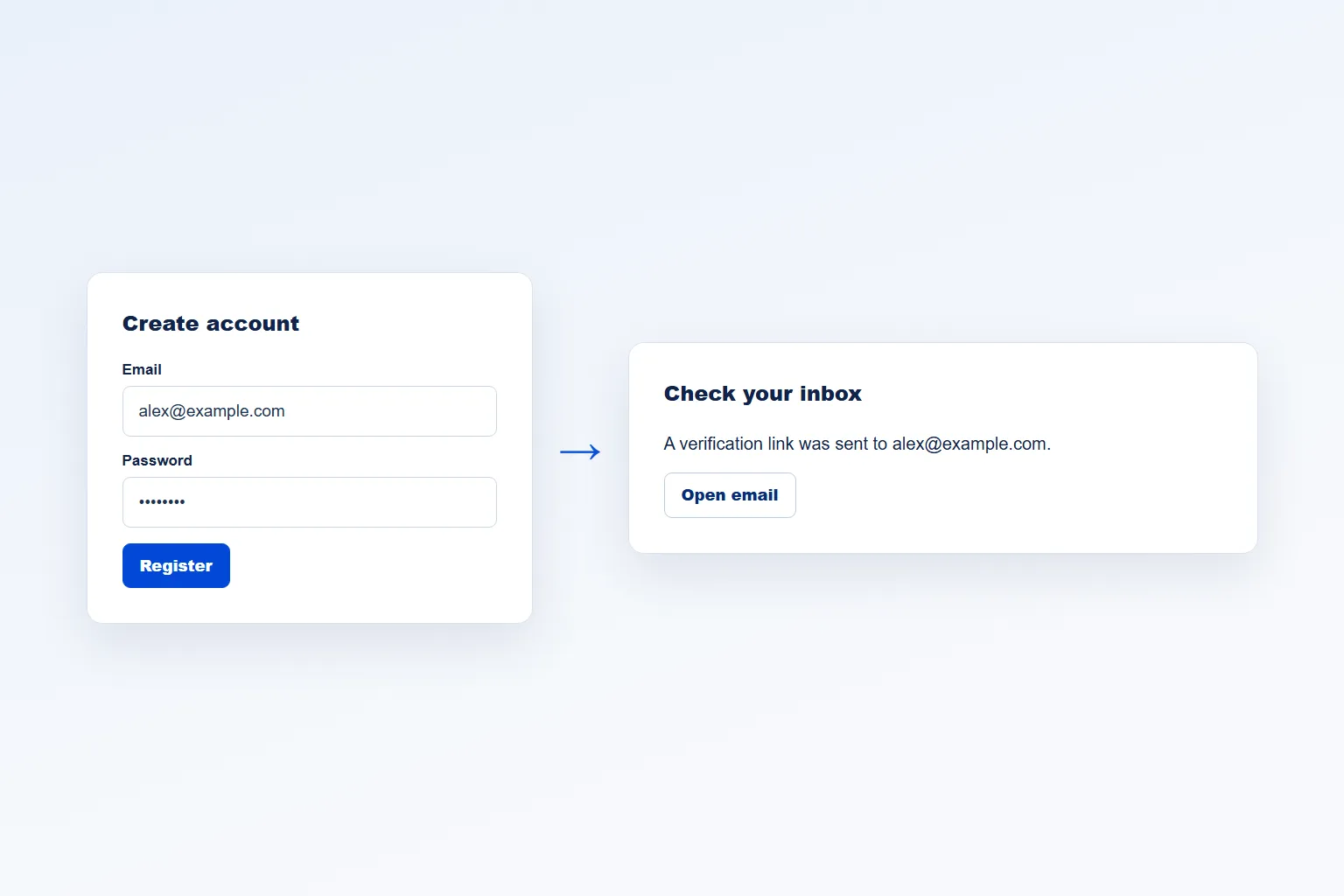
Verify an inbox—or review the applicant yourself.
Use email verification on WordPress and WooCommerce My Account registration. Customers confirm their address before signing in.
Pro adds administrator approval as an alternative mode, plus link-expiry, resend, redirect and tracked-user checkout controls. Approval records your team’s decision; email verification confirms that the applicant can access their inbox.
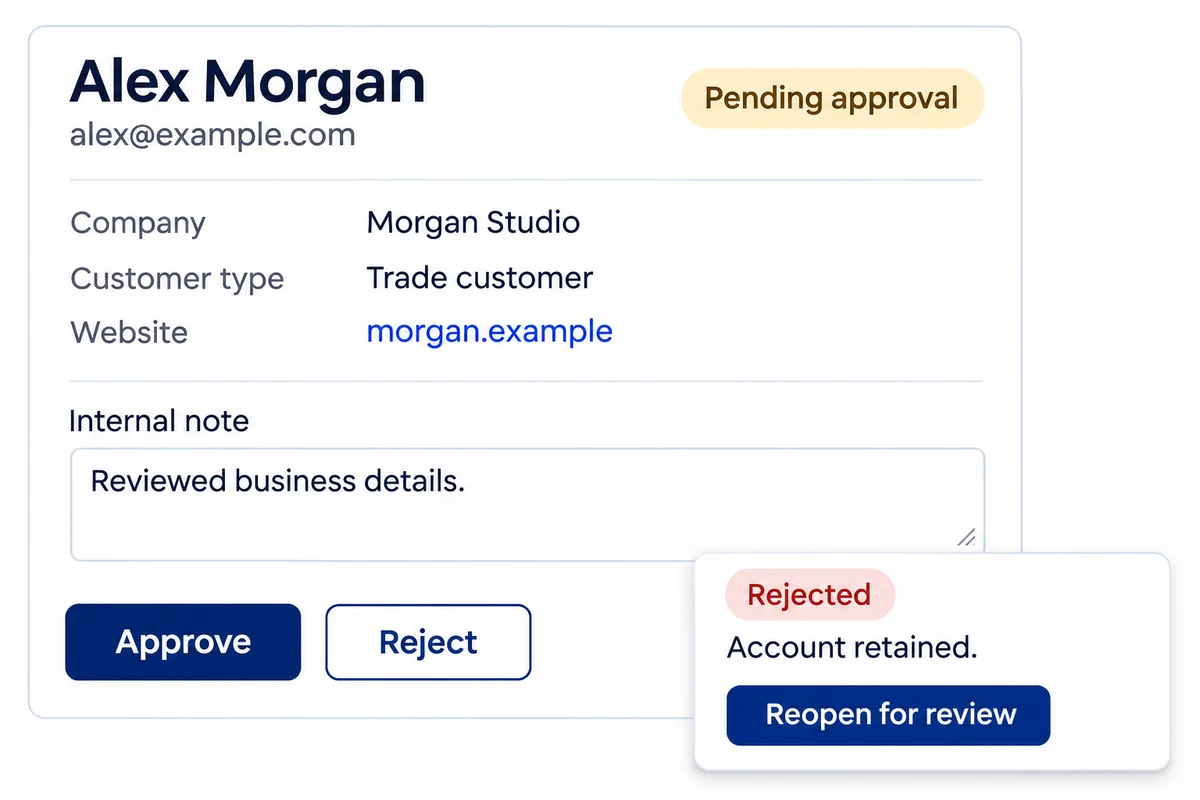
Review the registration, not just an email address.
Pro gives your team a searchable registration queue with access status, source and safe submitted field values. Read the application, add an internal note, and approve or reject with a recorded decision.
Rejected accounts are retained with access restricted. Reopen one for review without granting access. Older records clearly distinguish current profile values from a captured submission.
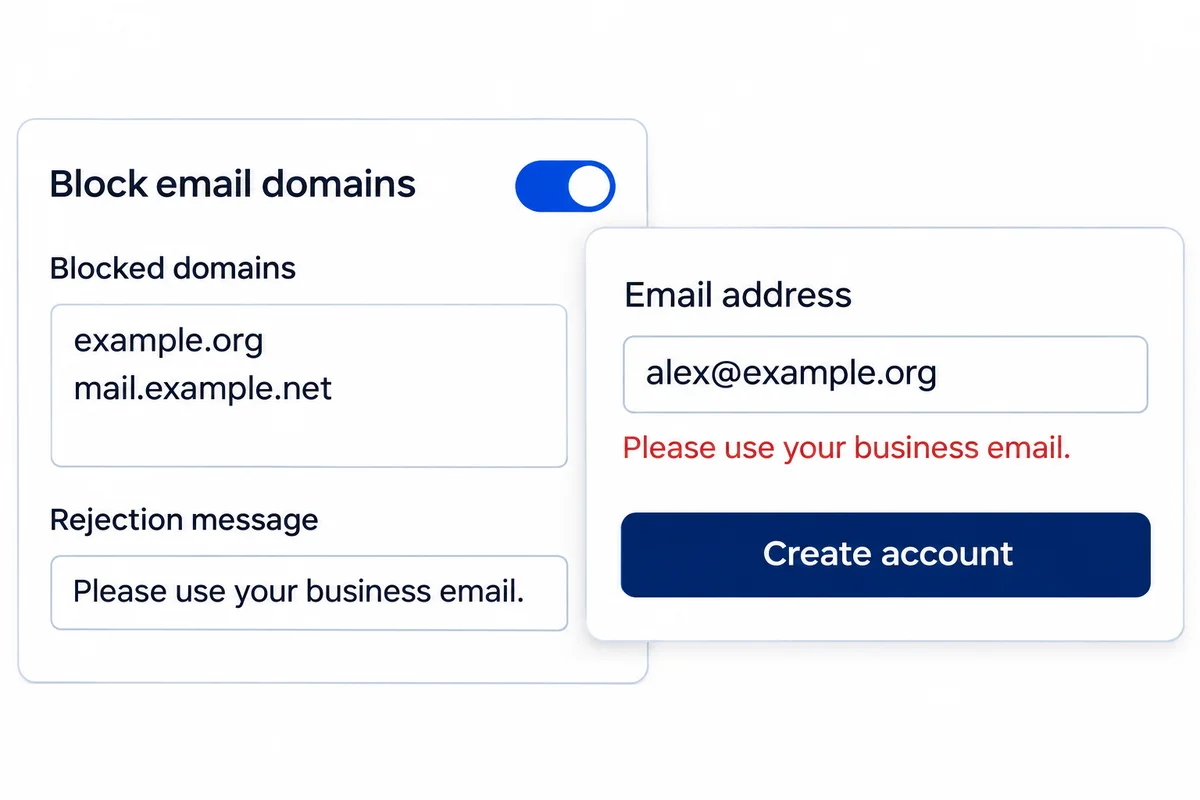
Stop blocked domains before an account is created.
With Pro, list the email domains you do not accept and write the message applicants should see. Matching ignores case and includes subdomains.
Domain restrictions have their own switch. Use them with or without verification or approval on standard public WordPress and WooCommerce registration, including checkout account creation. Existing accounts stay unchanged.
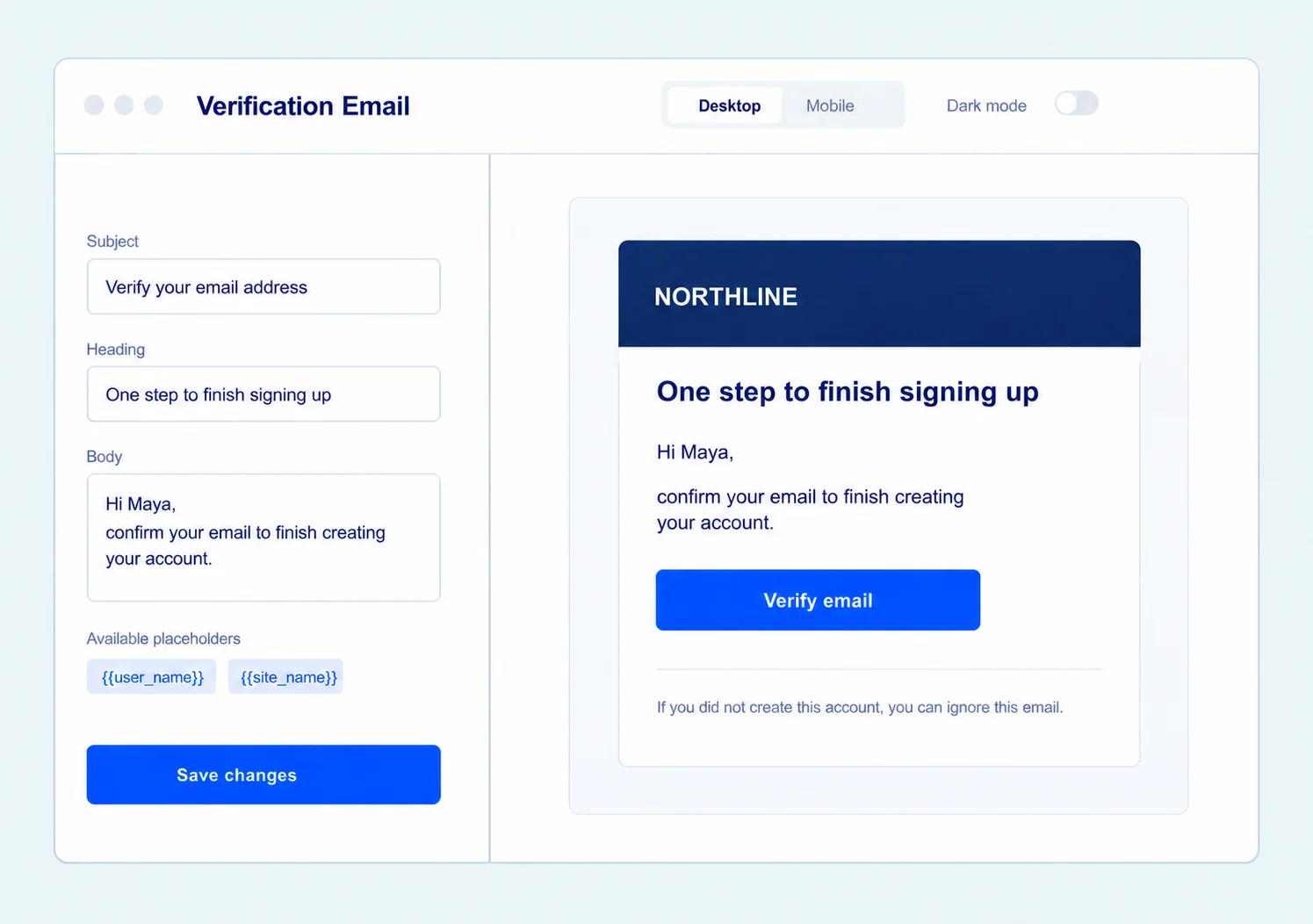
Keep registration emails part of your brand.
Use the built-in Email Customizer for supported verification, welcome and approval messages. Edit the words for each email and preview shared branding before sending a test.
Pro adds the approval-email workflow and advanced registration-email customization. Internal notes stay internal; an optional applicant explanation belongs in the rejection message.
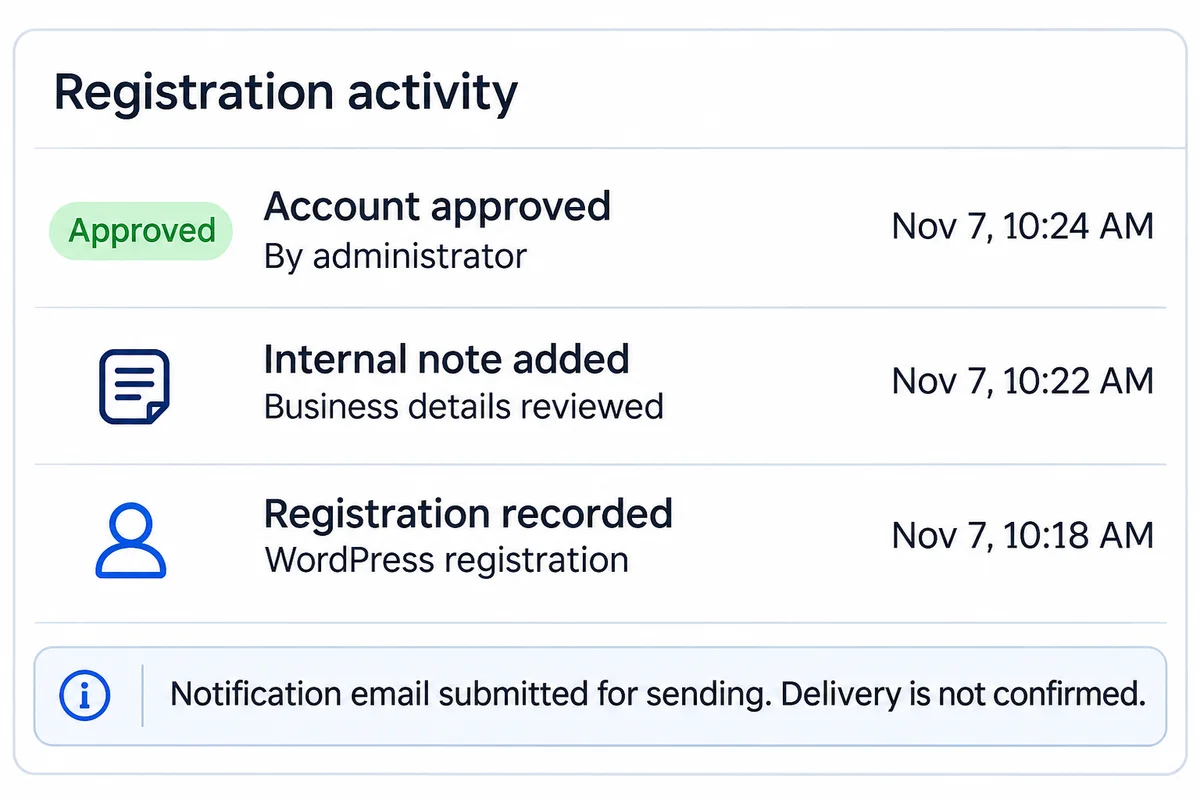
See the decision and the record behind it.
Pro activity history shows recorded registrations, account decisions, notes and supported access-setting changes, with readable timestamps and the person who acted.
Review the last 90 days without confusing an email queued for sending with a delivered message. This is a focused registration history, not a general-purpose WordPress audit log.
More control over who joins your store.
Swift Commerce Pro adds registration review, domain restrictions, advanced form controls and premium support—alongside the rest of the suite.
Compare Free and Pro.
Start with registration essentials. Choose Pro when you need to qualify applicants, restrict email domains or manage the review process.
| What you can do | Free | Pro |
|---|---|---|
| WordPress registration fields and appearance | Included | Included |
| Email verification for WordPress and WooCommerce My Account | Included | Included |
| WooCommerce custom-field contexts and advanced field types | Not included | Included |
| Administrator approval and registration review | Not included | Included |
| Internal notes, retained rejection and reopening | Not included | Included |
| Blocked email domains and a custom message | Not included | Included |
| Registration activity history | Not included | Included |
| Approval emails and advanced registration-email customization | Not included | Included |
| Additional access, role and redirect controls | Not included | Included |
Questions about Registration & Access.
The important details before you configure your registration flow.
What happened to Email Verification and Registration Form?
They now share the Registration & Access workspace. Your existing settings remain in place, and forms and access checks still have independent activation. The old feature pages and guides remain linked for reference.
Can I use custom fields without requiring approval?
Yes. Enable form customization and leave Require an access check off. You can also use email verification without turning on the form builder.
Does approval also verify the customer’s email?
No. Email verification and administrator approval are alternative modes. Approval records an administrator’s decision; it does not claim the customer confirmed their inbox.
What happens when I reject a registration?
The account is retained with access restricted. You can reopen it for review without granting access. Rejection is not user deletion.
Can I block an email domain without approval or verification?
Yes, with Pro. Email domain restrictions have their own switch. A blocked domain and its subdomains are rejected before standard public account creation, using your configured message. Existing accounts are unaffected.
Does the review list contain every WordPress user?
No. It contains registrations tracked by Swift Commerce. Safe submitted fields can be captured for new supported registrations; older records may show current profile values, clearly labelled.
Can I customize the registration emails?
Yes. Supported messages open in the built-in Email Customizer. Available email types and advanced controls depend on your edition. Pro includes approval messages and advanced registration-email customization.
Does this replace a membership plugin or role editor?
No. It manages registration forms and account access checks. It does not supply membership plans, content protection, a CRM or a general role/capability editor.
Which registration forms can I customize?
Free covers the native WordPress registration form. Pro adds the supported WooCommerce My Account registration, checkout-registration and My Account edit contexts. Select the locations in Registration & Access → Forms → Fields. Form-field locations and the forms subject to an access check are separate settings; enabling one does not automatically enable the other.
What happens before and after verification or approval?
A tracked account waiting for verification or approval cannot sign in. Email Verification mode requires the customer to confirm the emailed link. In Admin Approval mode (Pro), an administrator reviews the registration and grants access. Rejected applications remain restricted, and reopening an application returns it to review without granting access. These checks do not turn public pages into members-only content.
How does a blocked email domain match?
With Pro, entering example.org blocks that domain and its subdomains, including shop.example.org. It does not block notexample.org. Enter domain names, not full email addresses, URLs or wildcards. The list is maintained by you; it is not an automatic disposable-email detection service.
Where can I follow the setup step by step?
Start with the Registration & Access documentation. For a single task, follow the guides to custom registration fields, WooCommerce email verification or WordPress administrator approval.