


WooCommerce wishlist.
Keep products worth revisiting.
Add a WooCommerce wishlist so guests and customers can save products for later. Pro adds named lists, sharing controls and sale or restock notifications for registered wishlist owners.
Wishlist for WooCommerce. Part of the Swift Commerce WordPress plugin.
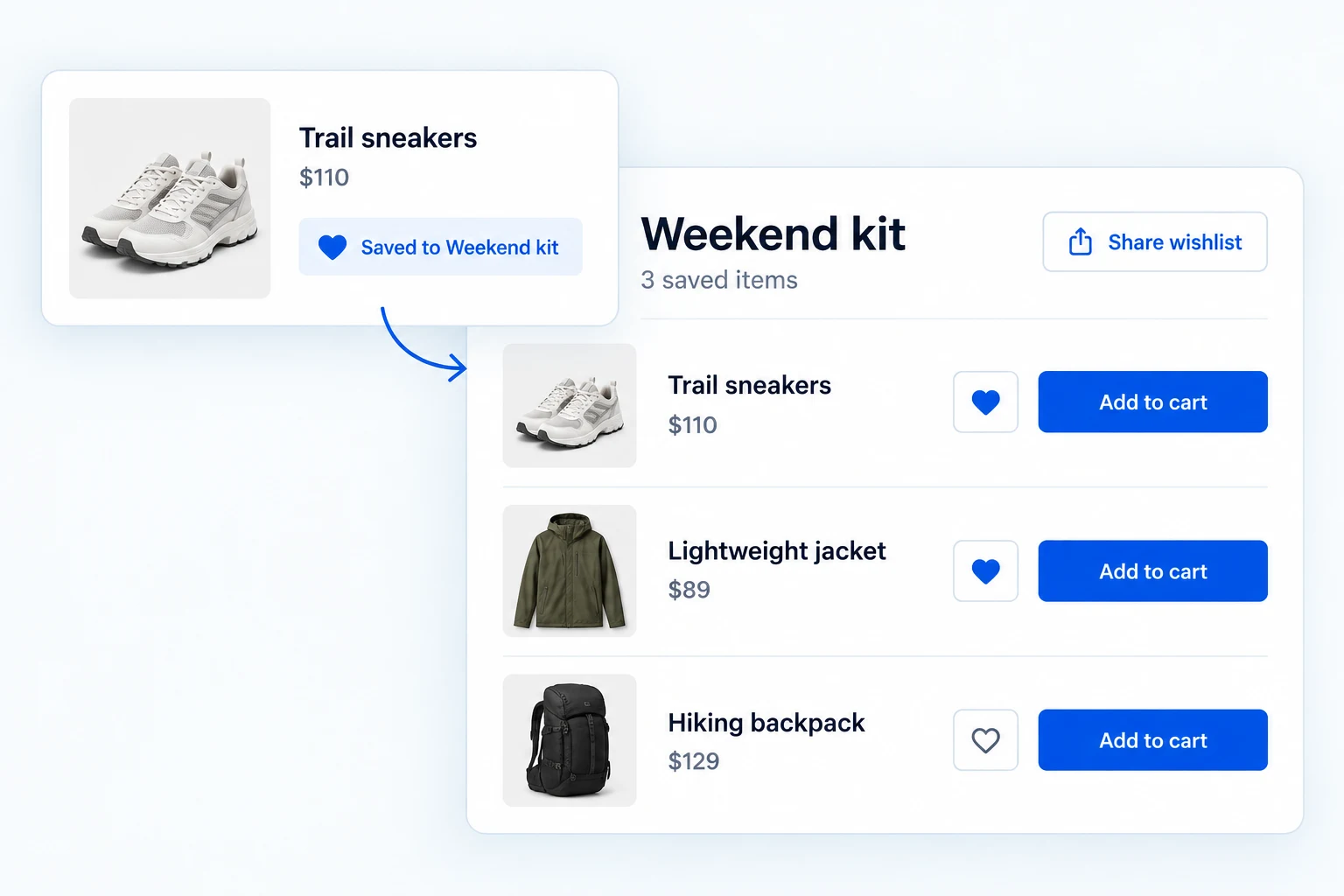
Give your WooCommerce wishlist a useful next step.
Customers can save products from product pages and shop grids, return to a dedicated wishlist and add items to cart in Free. Pro adds named collections, item-specific sharing, sale and restock alerts, and demand insights.
Let shoppers save an item where they discover it.
Place an add-or-remove control beside the purchase button and on shop cards. A shopper can save a jacket while browsing, then keep exploring without losing it.
Signed-in wishlists stay with the customer account. Guest saving uses a 30-day cookie when enabled, so the visitor can return on the same browser.
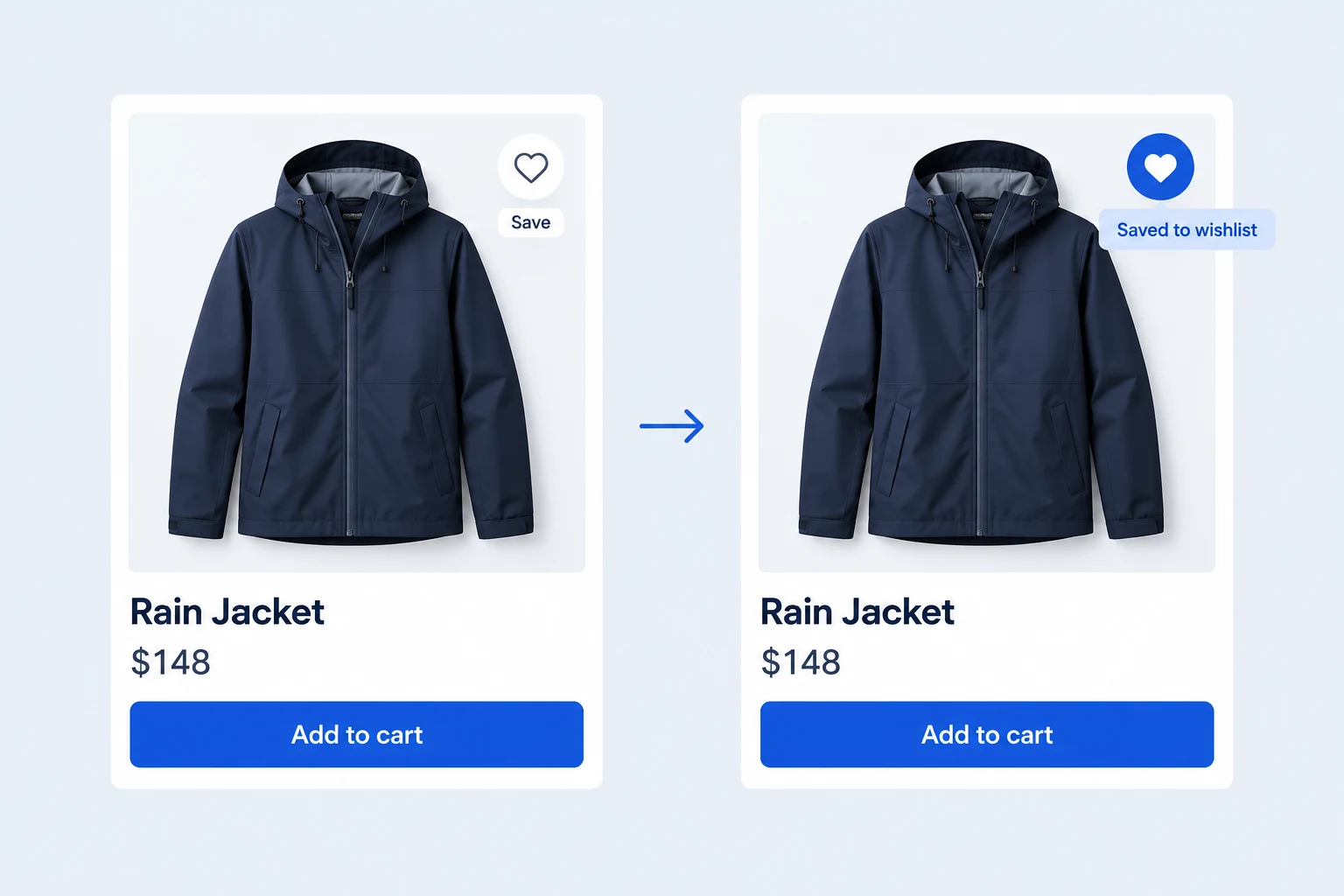
Make saved products easy to compare and buy.
The wishlist page brings saved items together with their current WooCommerce price, stock status and an Add to Cart action where the product can be purchased. Shoppers can remove an item they no longer want.
Choose a Classic Table, Modern Cards or Minimal List layout in Free. You can also remove an item automatically after it goes into the cart.
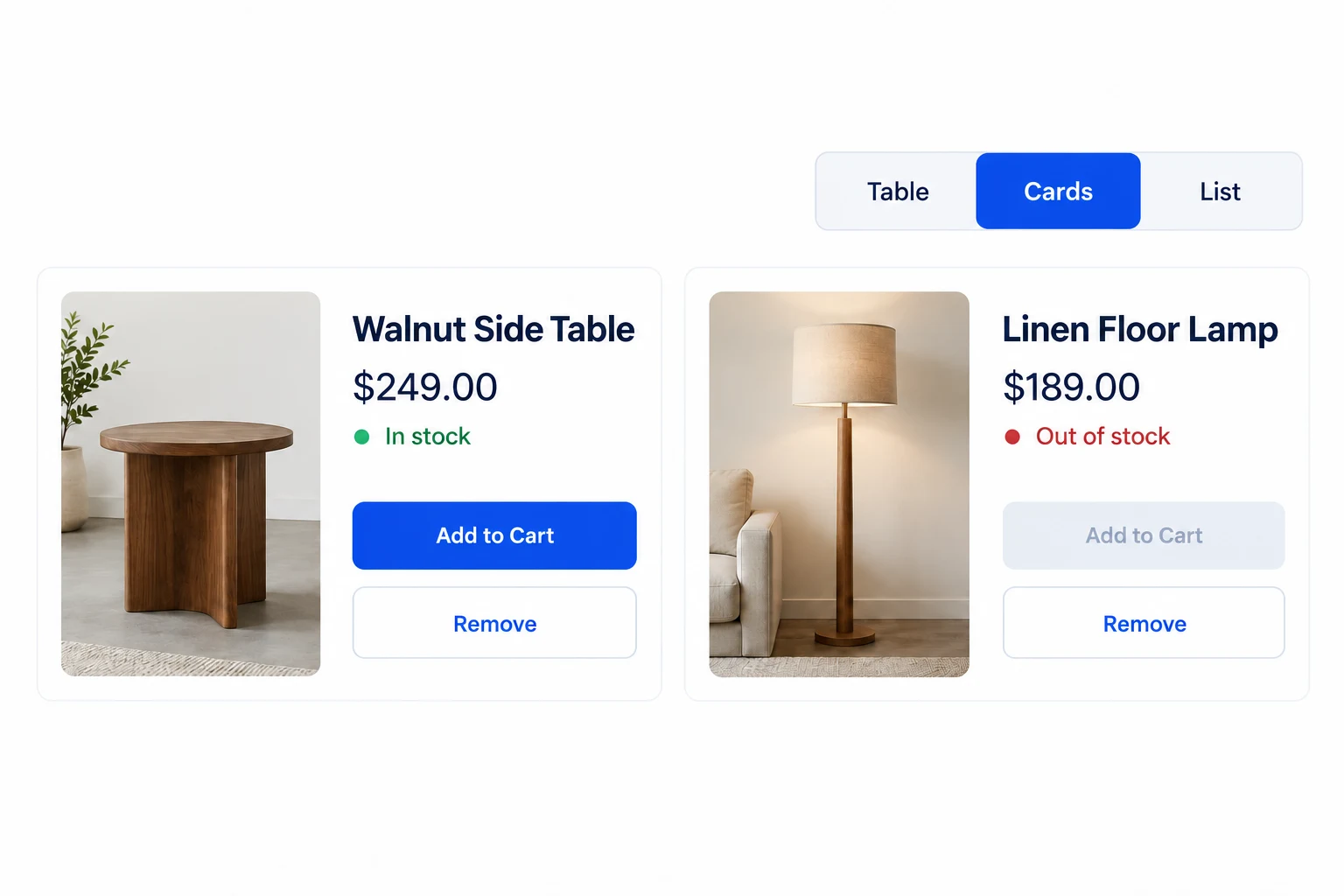
Organize saved items into named collections.
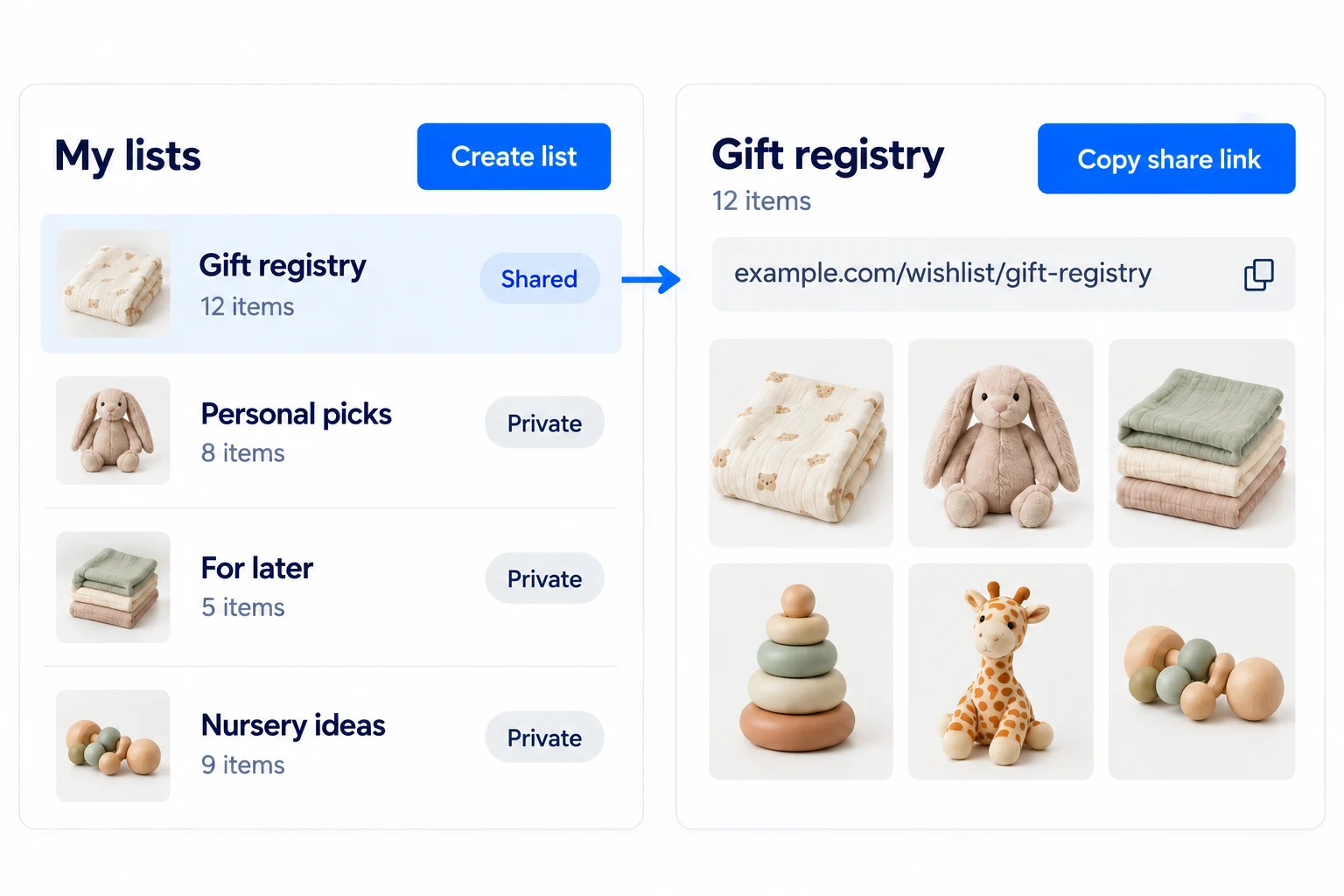
Pro lets signed-in customers create multiple named wishlists, within the limit you configure (10 by default). They can make one list for a project, another for gifts, and move or copy saved items between them.
Lists can be private, shared or public. A default list keeps the everyday save action simple even when a customer has several collections.
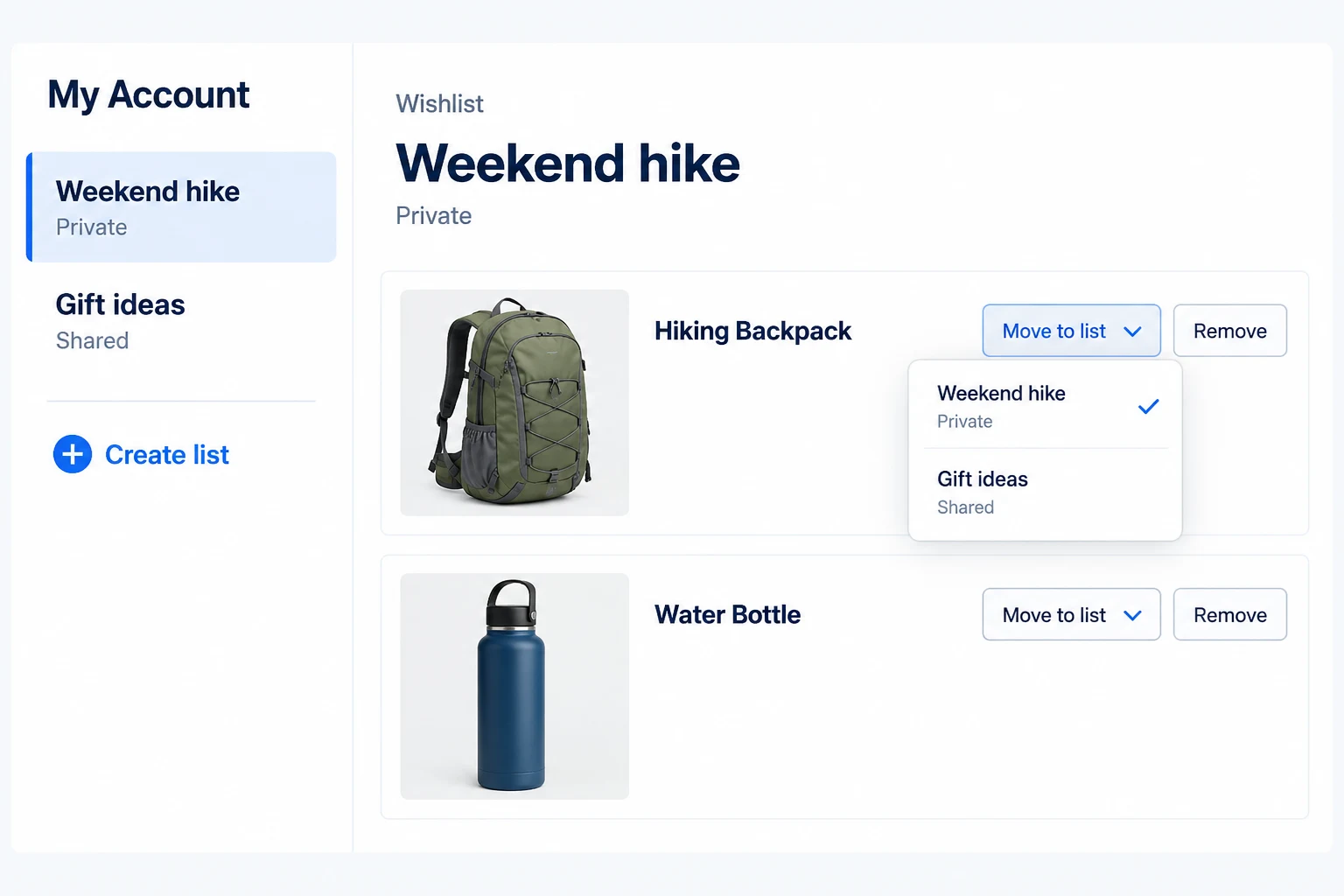
Share the right kind of wishlist link.
Free includes social and copy-link buttons on the wishlist page. These share the general page URL; they do not publish a customer’s private saved items.
Pro gives a named list its own read-only public or shared link. A customer planning a baby shower can send that specific collection while keeping other lists private.
Bring customers back when a saved product changes.
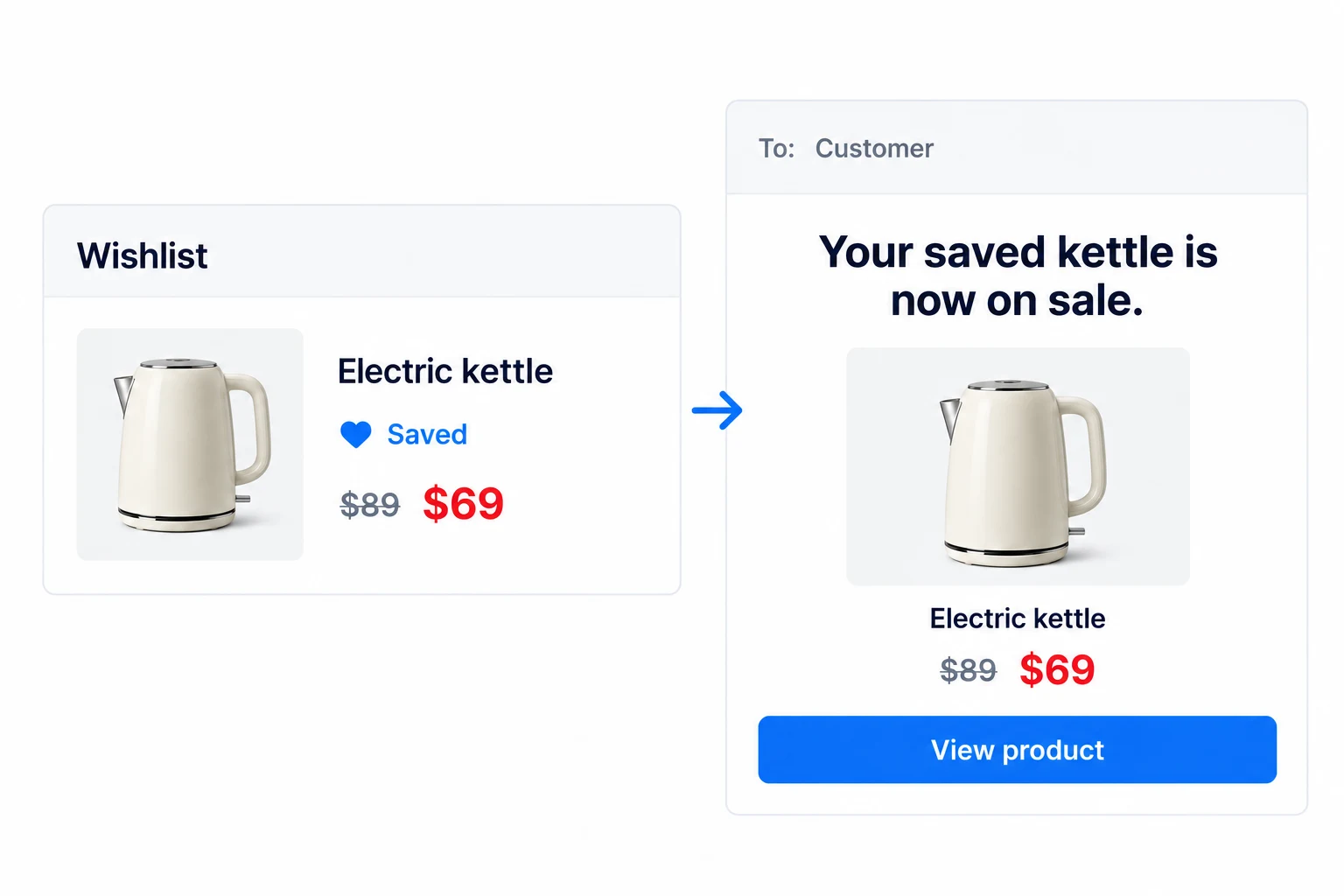
Pro can email registered wishlist owners when a saved product goes on sale or returns to stock. This connects a meaningful product event to a customer who has already shown interest.
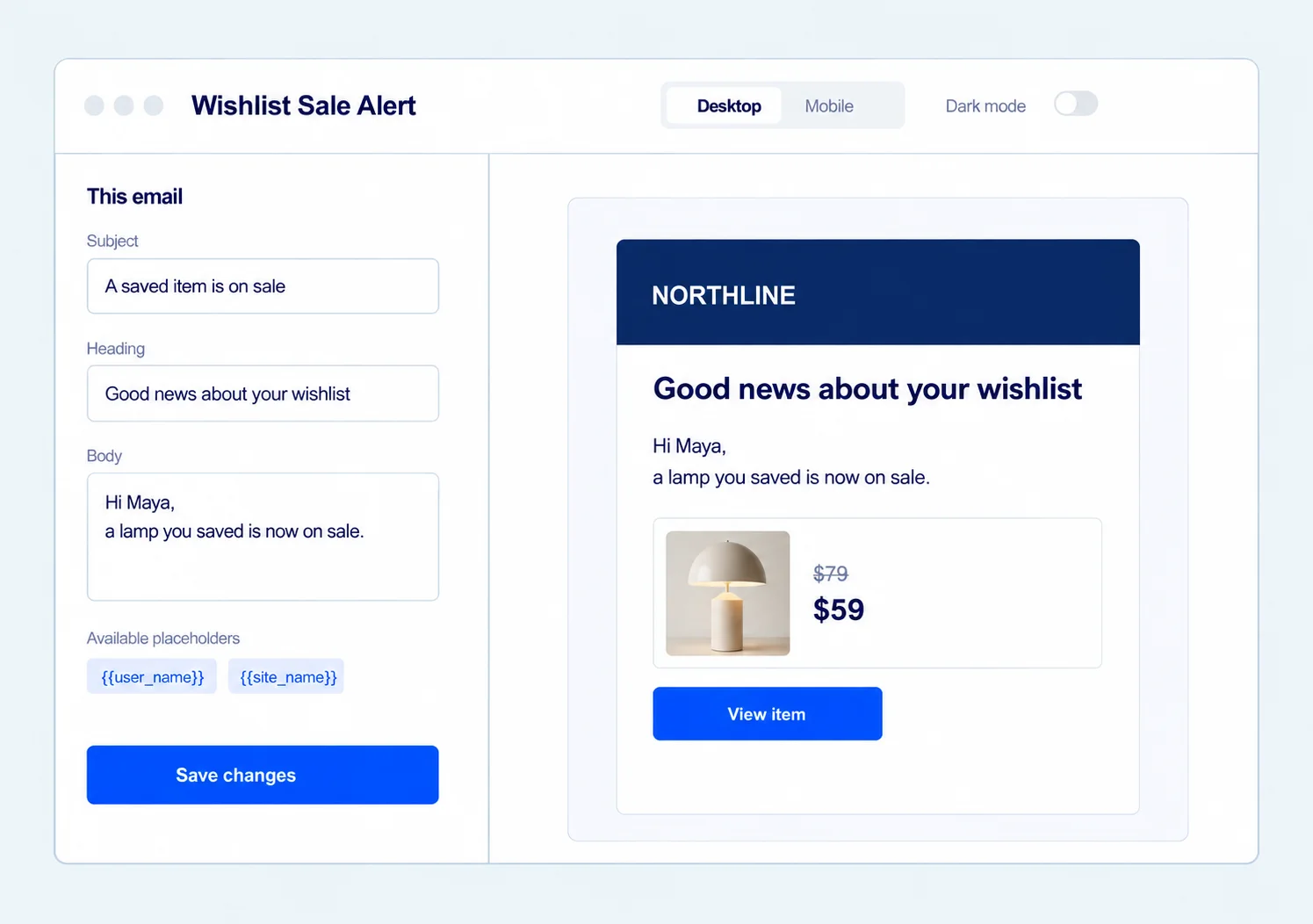
In Pro, open the sale and restock alerts in the shared Email Customizer. Write the message for each event, preview the branded email, and send a test. These are product-event alerts, not an unrestricted campaign scheduler.
See which products customers keep coming back to.
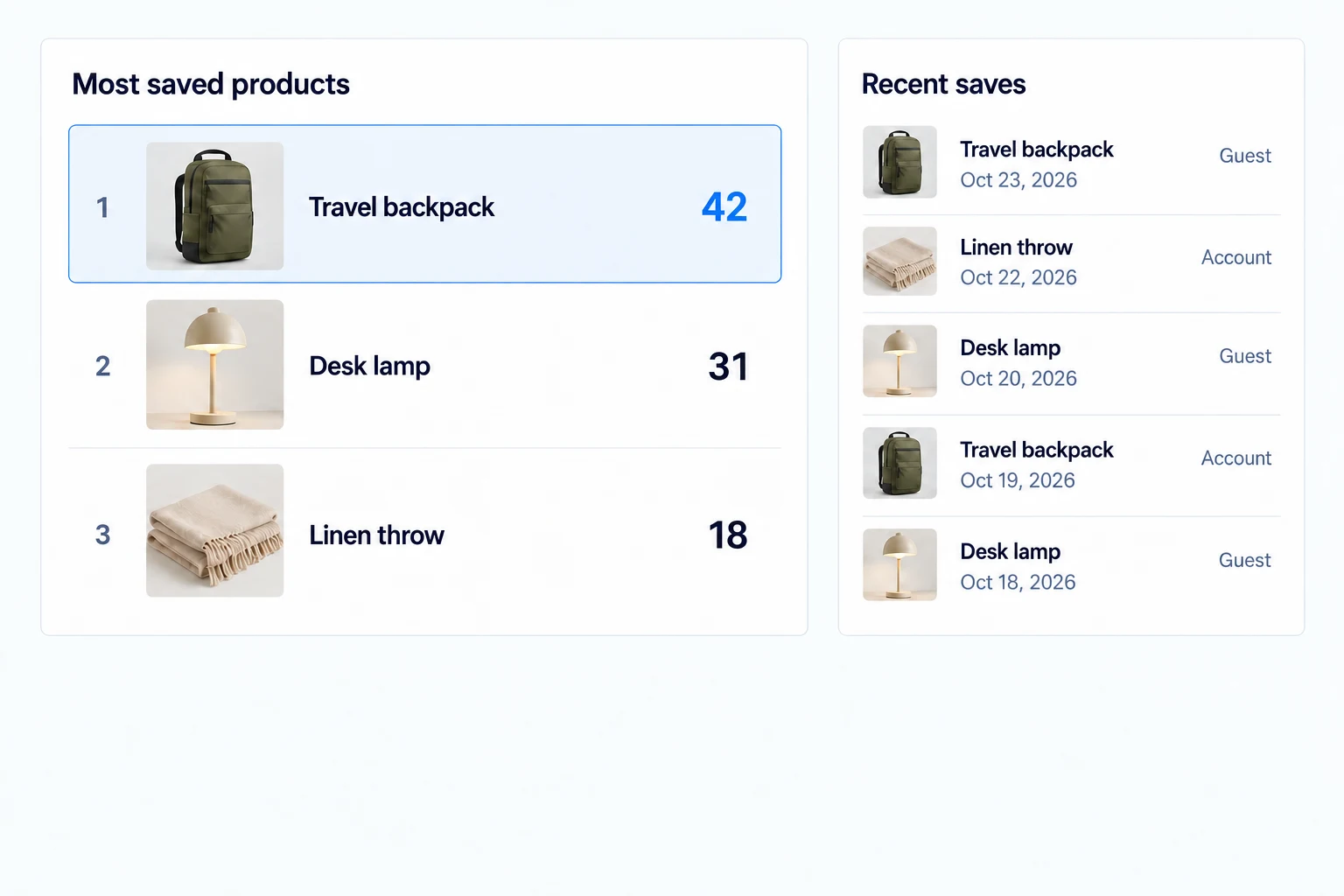
Pro reporting shows list and item totals, registered and guest activity, and the products saved most often. Review recent additions and per-customer summaries to see demand before a purchase.
Use these signals to investigate product interest. Wishlist activity is not a revenue or conversion report, and the figures reflect activity on your own store.
Turn saved products into timely email alerts.
Pro adds on-sale and back-in-stock alerts for saved products. Use the shared Email Customizer to write each event’s message, preview the product and call to action, and send a test.
These are alerts tied to a wishlist product changing price or stock—not a general newsletter or campaign scheduler.
Get the full feature.
And the rest of the suite.
One Swift Commerce Pro license unlocks the complete feature set across all 16 tools, advanced design controls and premium support. No separate purchase for Wishlist.
Compare Free and Pro.
Start with the Wishlist essentials in Free, or use Pro for the expanded controls shown below.
| What you can do | Free | Pro |
|---|---|---|
| Save products on product and shop pages | Included | Included |
| Guest and account wishlists | Included | Included |
| Wishlist page, current product details and Add to Cart | Included | Included |
| Three page layouts and basic colors | Included | Included |
| Social and copy-link sharing | General wishlist-page link | Named-list public or shared link |
| Multiple named lists and privacy controls | Not included | Included |
| Sale and restock email alerts | Not included | Included |
| Wishlist activity and most-saved reporting | Not included | Included |
| Redirect after saving and advanced appearance | Not included | Included |
Questions about Wishlist.
Specific answers about setup and Free versus Pro.
Can guests save products?
Yes, when guest wishlists are enabled. Guest access depends on a 30-day cookie in that browser; a signed-in customer’s wishlist is stored with the account.
Will the wishlist show today’s product price and stock?
It displays the current WooCommerce values when the page renders. It is not a continuous live inventory or price feed.
Does Free let shoppers share their saved items?
Free has sharing buttons for the general wishlist-page link. A read-only link to a specific named collection requires Pro and a shared or public list.
Can a customer create unlimited lists?
Pro named lists have a store-configurable maximum, set to 10 by default, and require the customer to sign in.
When are wishlist emails sent?
Pro supports event-specific alerts for registered wishlist owners when saved products go on sale or return to stock.
Is wishlist analytics a sales report?
No. Pro reports saves, lists, popular saved products and recent activity; it does not attribute store revenue to the wishlist.