


More ways to sell.
Fewer plugins to manage.
Swift Commerce is a WordPress plugin that brings product options, checkout tools, customer accounts and store follow-ups into one WooCommerce dashboard. Find what your store needs next.
Start with limited capabilities in Free. Unlock the full feature set and premium support with Pro.
What does your store need next?
Browse by the job you want to get done. Each feature has its own setup guide and Free/Pro comparison.
Sell more than the standard product.
Create sets, paid extras and repeat purchases. Keep product choices, pricing and purchase rules in WooCommerce.
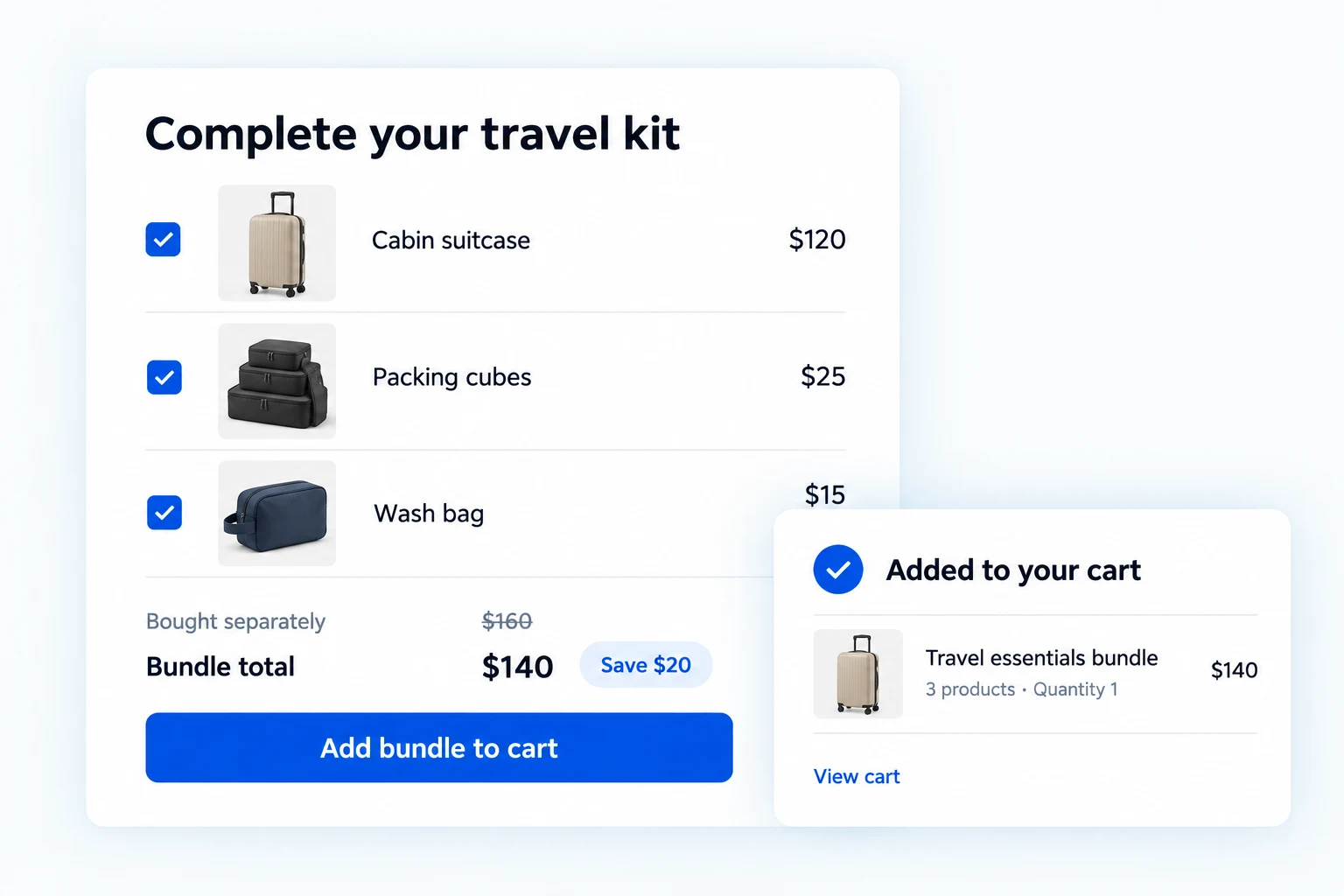
Product Bundles
Turn related products into a complete purchase.
- Build sets from existing products
- Set item quantities and discounts
- Use a fixed or calculated bundle price
Pro adds Variable products, optional items and per-item quantity rules.
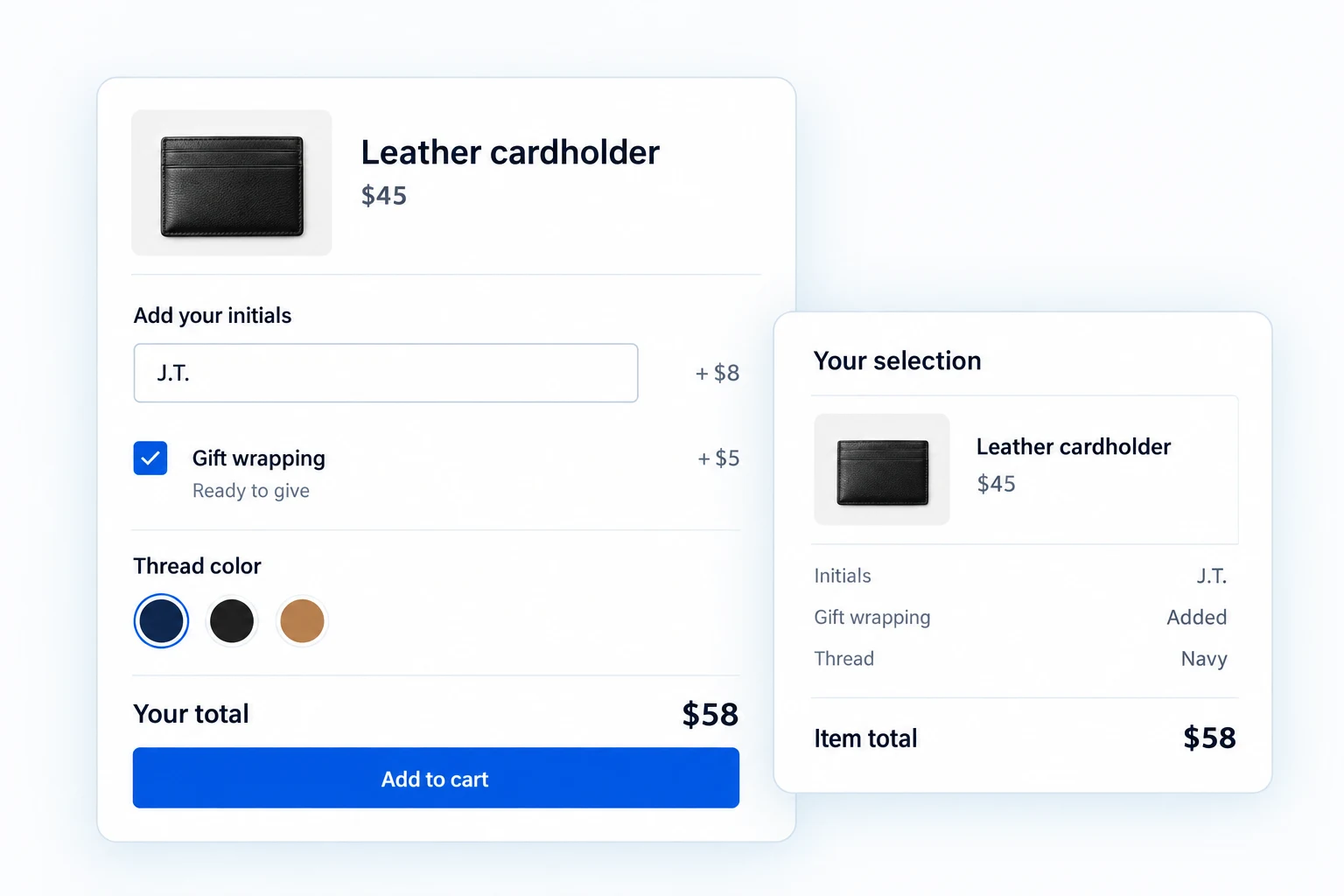
Product Add-ons
Sell the extra choices that make an order personal.
- Add text, dropdowns, radios and checkboxes
- Charge for gift wrapping, warranties or services
- Keep selections with the cart and order
Pro adds Conditional fields, protected uploads, date/time inputs and swatches.
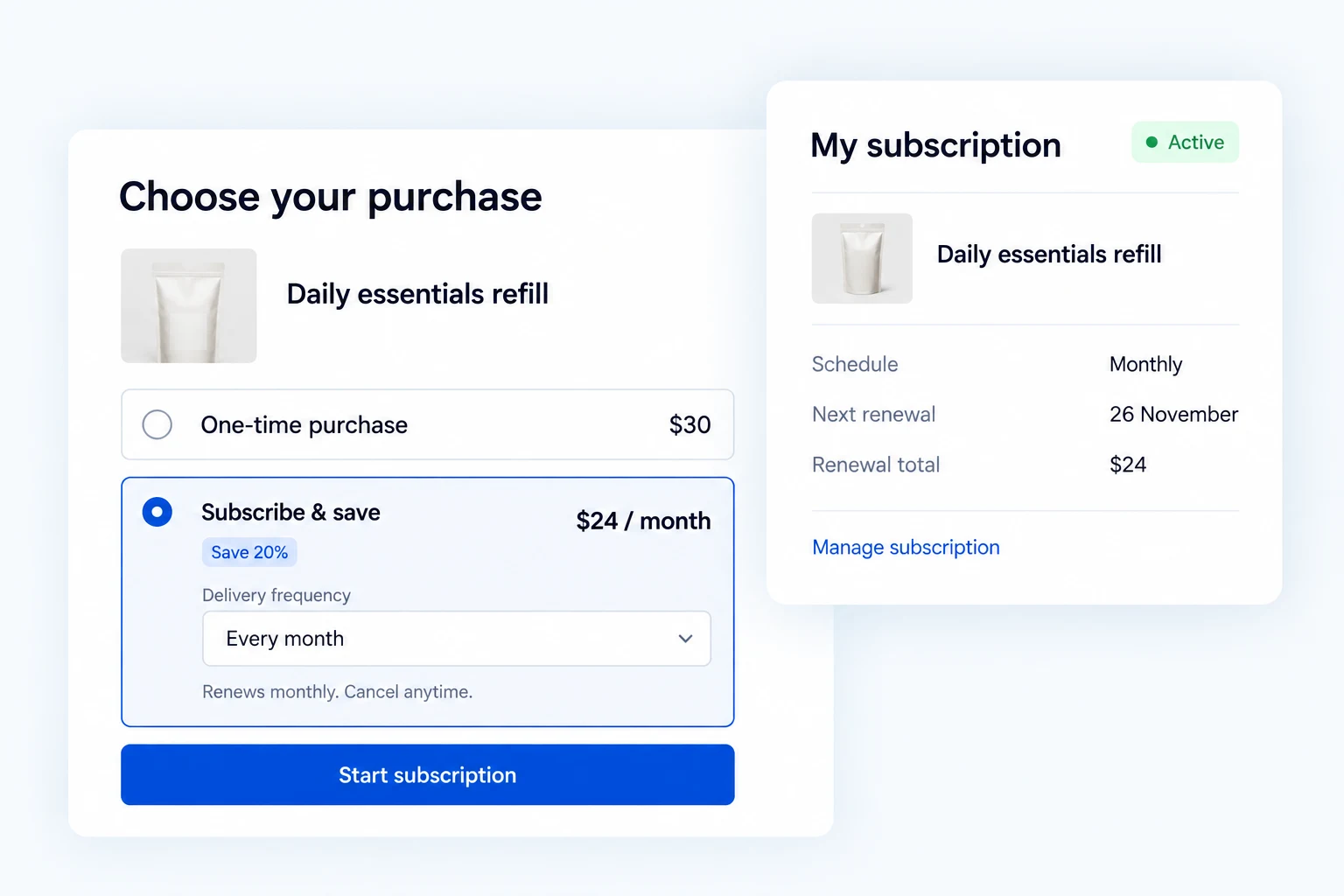
Subscriptions
Give repeat purchases a recurring schedule.
- Set recurring prices and billing intervals
- Offer subscription management in My Account
- Customize supported subscription emails
Pro adds Free trials, Buy Once choices, advanced renewals and admin controls.
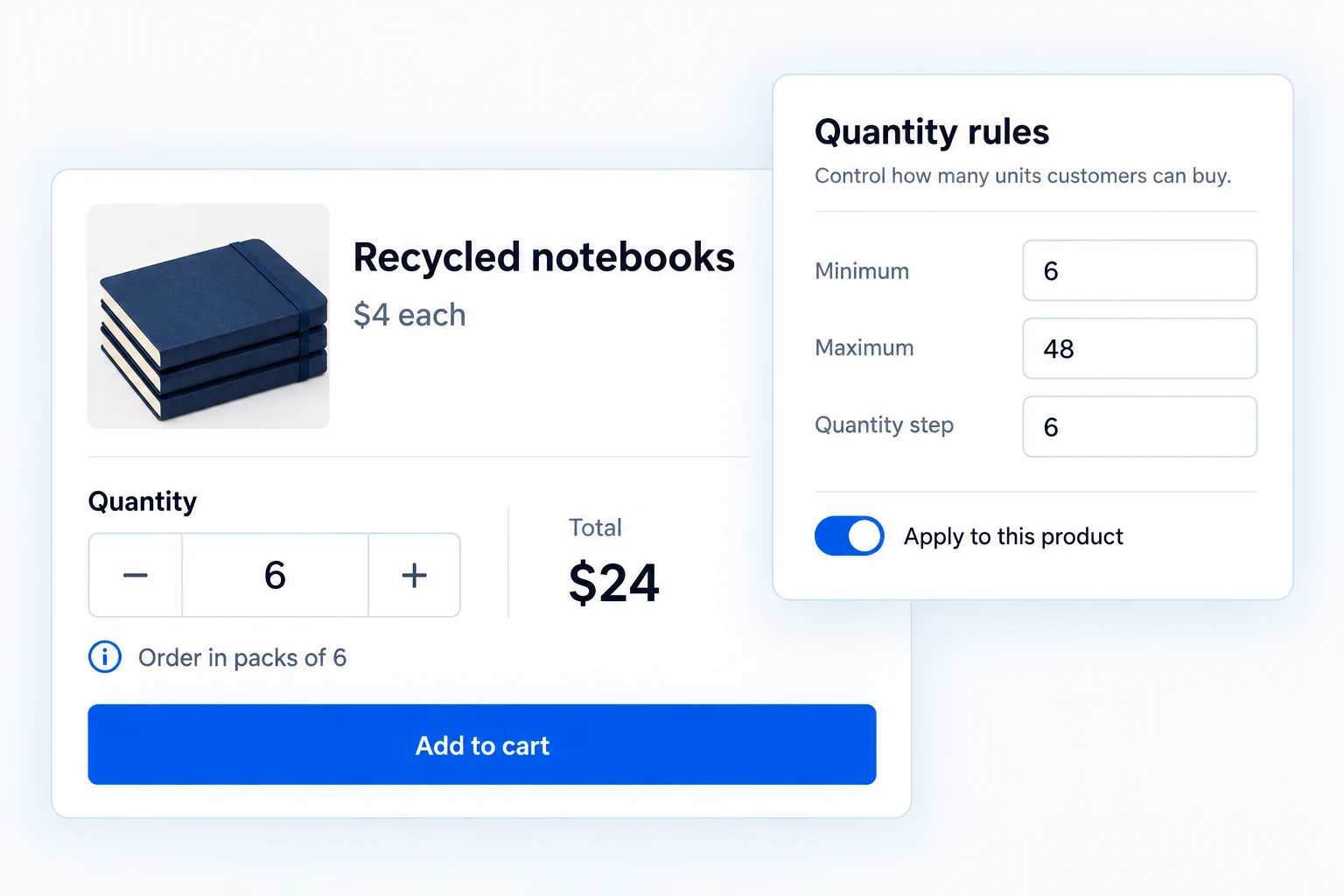
Quantity Limits
Set purchase rules for packs, wholesale and limited stock.
- Set product minimums and maximums
- Sell in quantity steps, such as packs of six
- Validate quantities before checkout
Pro adds Role and category rules, purchase caps over time, spend limits and quantity selectors.
Make the next step easier to take.
Help shoppers find a product, save it for later and give you the details needed to fulfill the order.
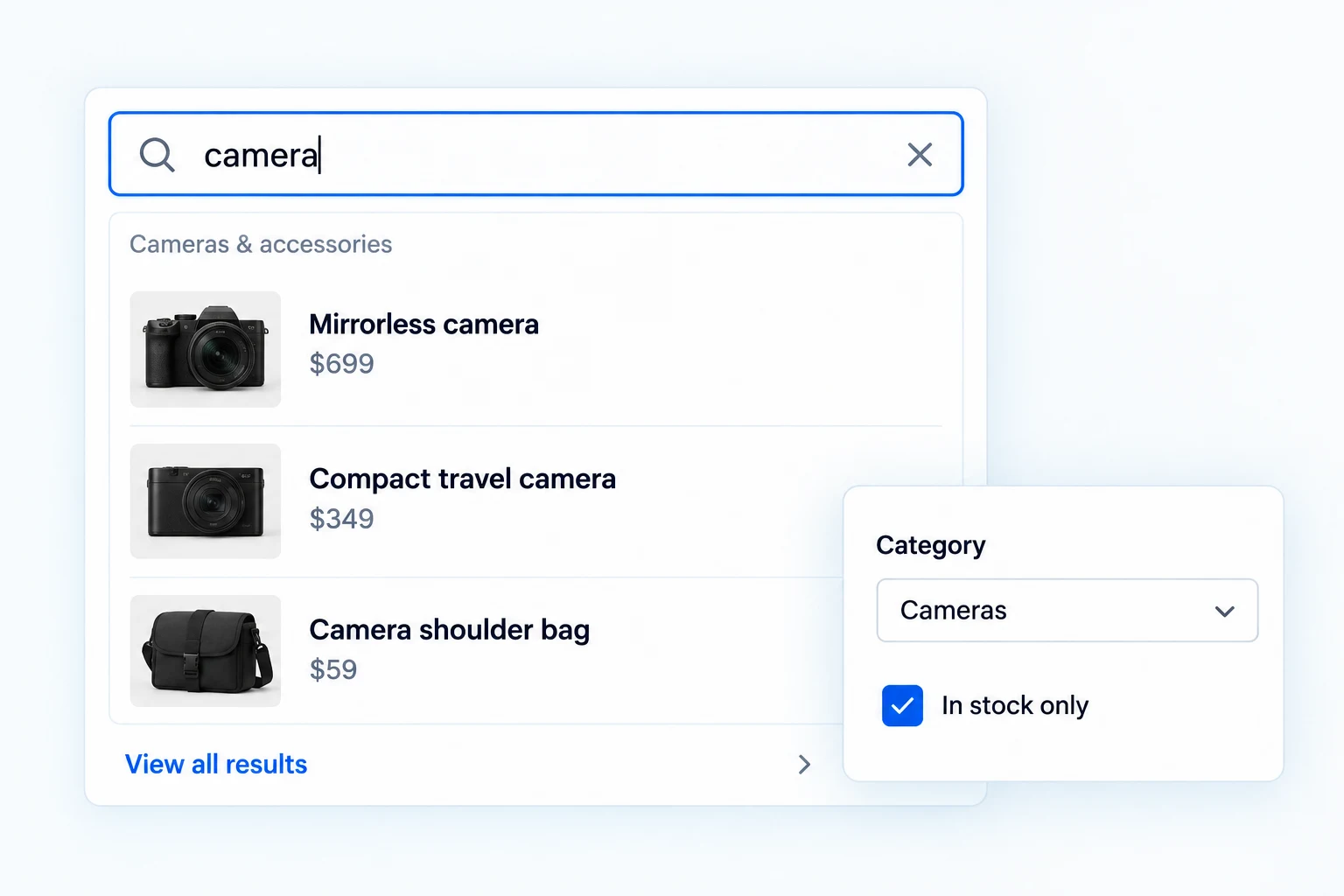
Ajax Search
Find products while the customer is still typing.
- Show live matches with images and prices
- Match product names, SKUs and descriptions
- Place search with a shortcode
Pro adds Typo tolerance, synonyms, relevance controls and search analytics.
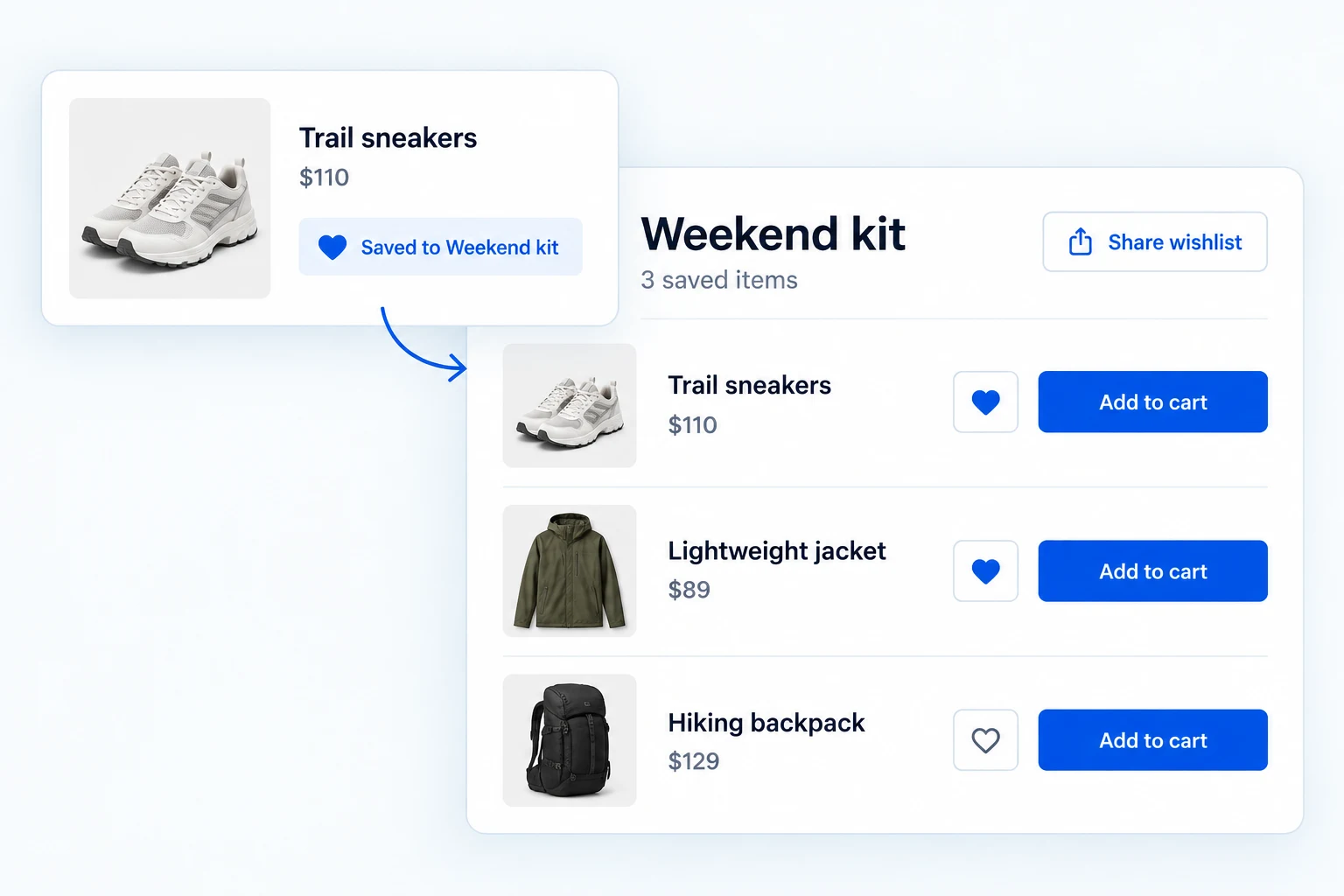
Wishlist
Keep the products shoppers want to come back to.
- Let guests and customers save products
- Show current prices and stock in saved lists
- Add available items to the cart
Pro adds Named lists, shareable collections, sale/restock emails and demand insights.

Currency Switcher
Show prices in a currency your shoppers recognize.
- Choose from a catalogue of 100+ currencies
- Set conversion rates and fees
- Place a currency switcher with a shortcode
Pro adds Additional currencies, fixed product prices, scheduled sales and bulk price review.
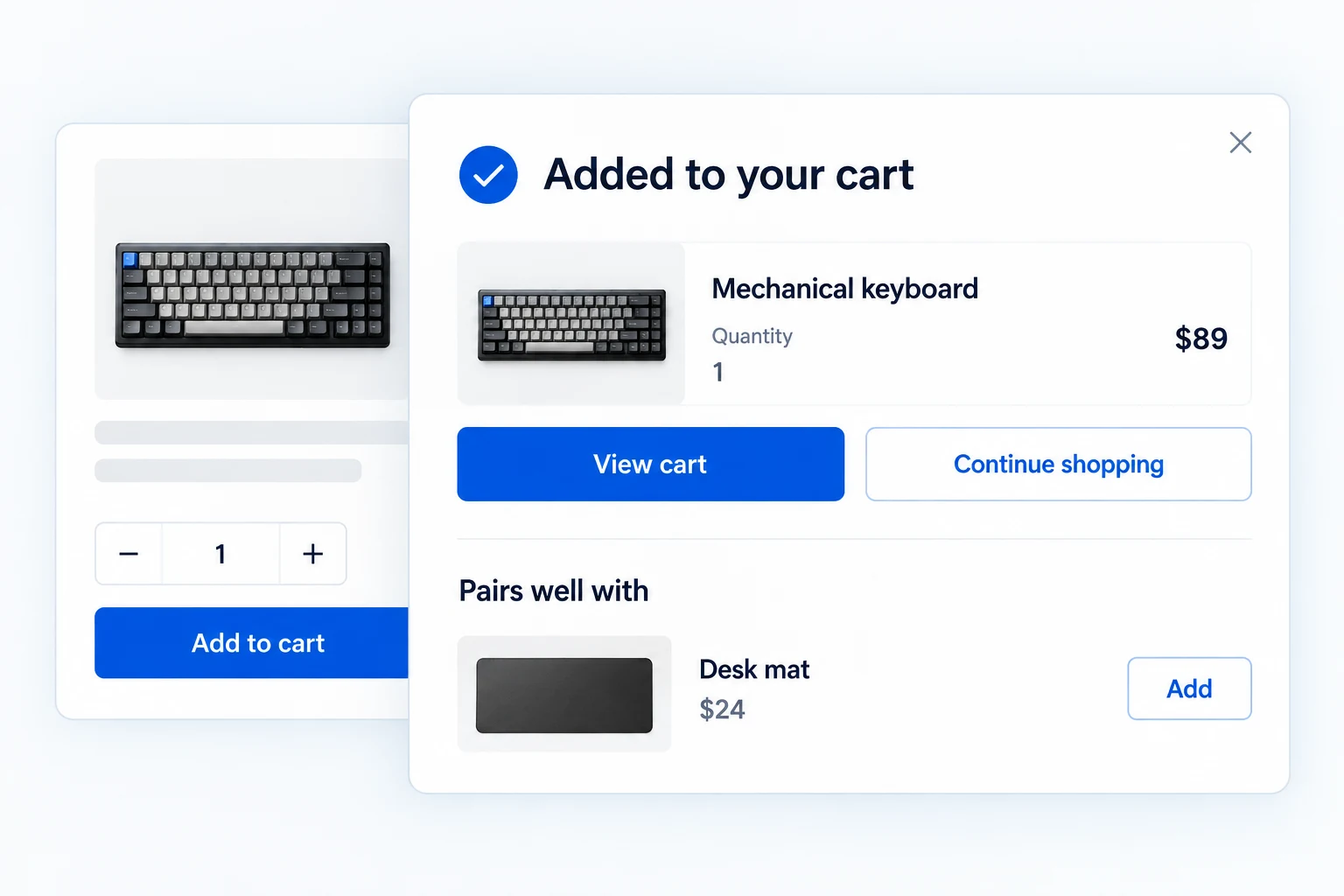
Add to Cart Popup
Confirm the addition. Make the next action obvious.
- Show the added product and cart summary
- Offer cart, checkout and continue-shopping actions
- Choose a popup, flyout or solid-bar template
Pro adds Related product suggestions, button controls and detailed appearance options.
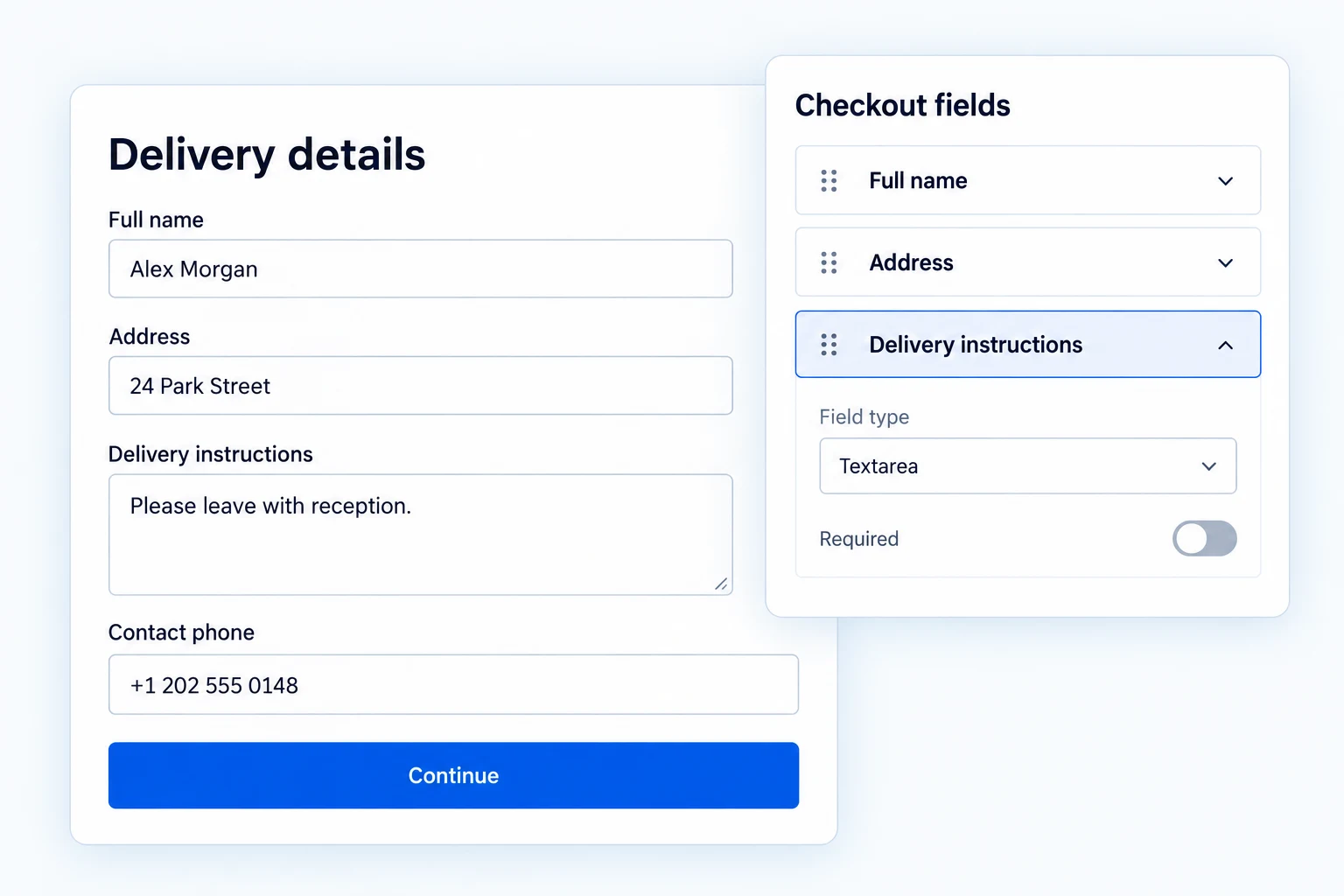
Checkout Field Editor
Ask for the details an order actually needs.
- Edit and reorder classic checkout fields
- Add custom questions and validate answers
- Save submitted values with the order
Pro adds Conditional fields and protected uploads on classic checkout; more supported order-field types in Blocks.
Keep the conversation going after the visit.
Follow up on unfinished purchases, notify shoppers when stock returns and make shipment details easier to find.
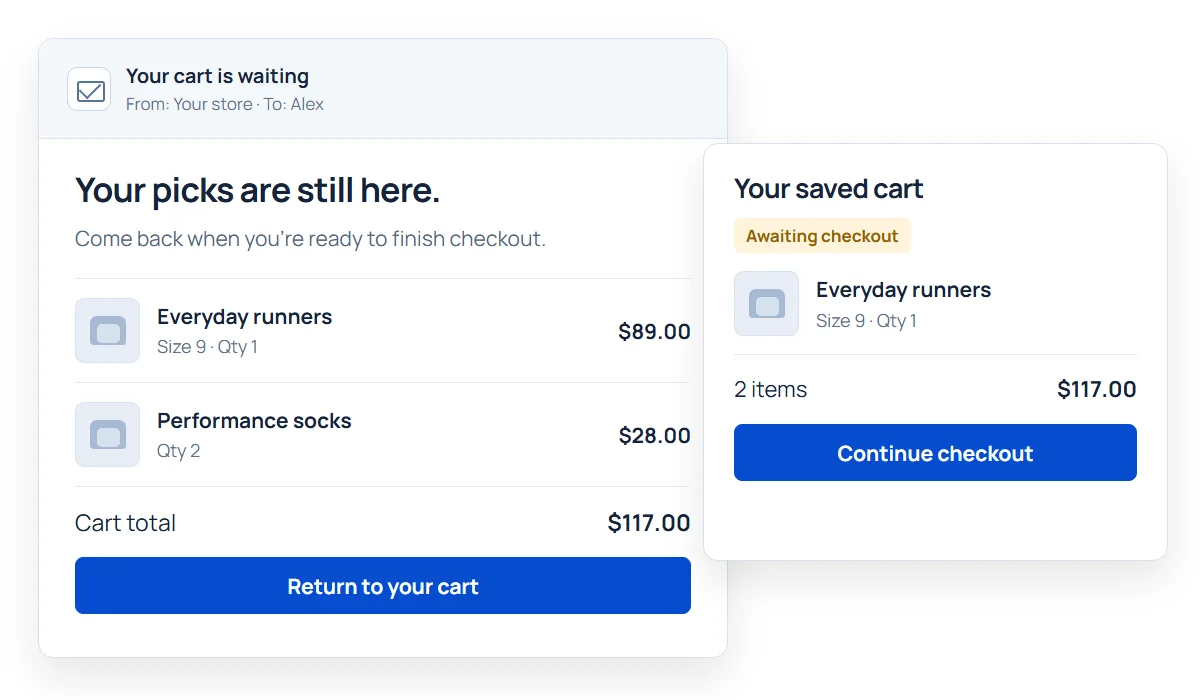
Cart Recovery
Give an unfinished purchase a useful reminder.
- Capture eligible abandoned carts
- Send one timed recovery email in Free
- Restore the saved cart through a unique link
Pro adds Multi-step sequences, recovery coupons, unpaid-order reminders and reporting.
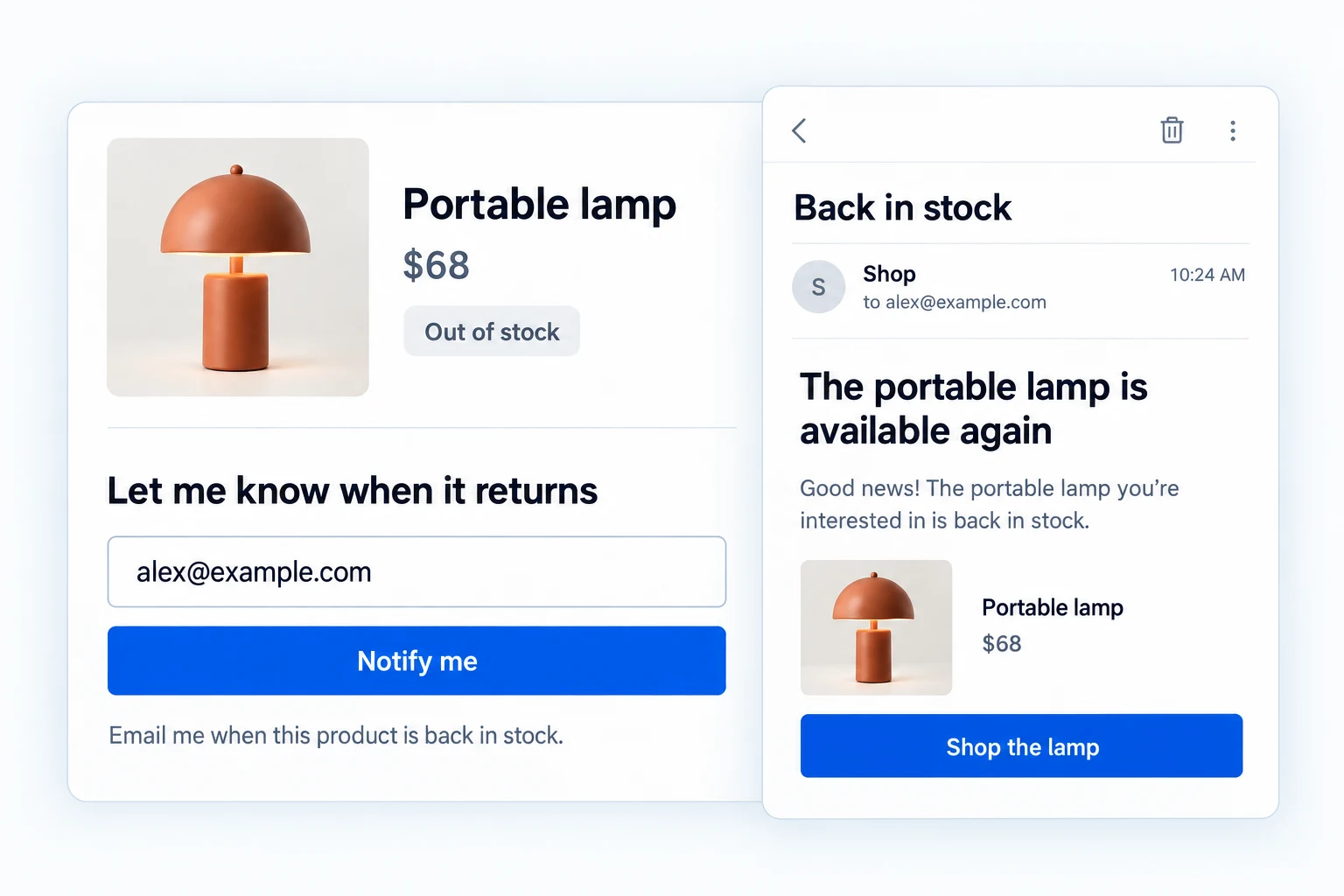
Back in Stock
Give an out-of-stock product a route back to the sale.
- Collect product and variation alert requests
- Offer optional double opt-in confirmation
- Queue emails when sellable stock returns
Pro adds Product-demand analytics, sent-email reports, exports and bulk subscriber actions.
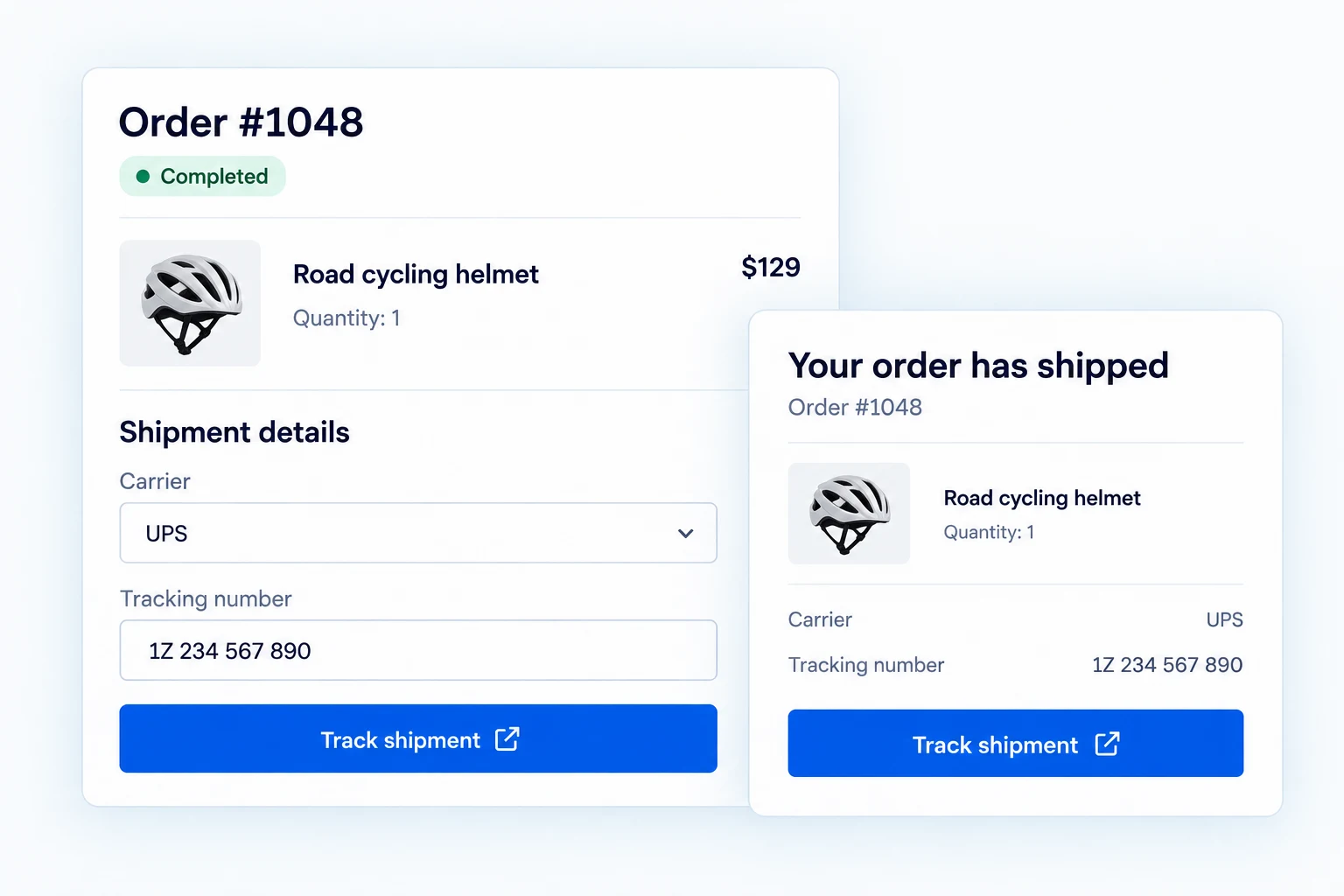
Shipment Tracking
Keep the tracking reference with the customer’s order.
- Configure the shared carrier settings in Free
- With Pro, add tracking details to orders
- With Pro, show links in My Account and emails
Pro adds The order-shipment workflow, multiple packages, tracking emails and a lookup form.
Collect the right details. Control the right access.
Connect registration forms with account checks, protect supported public forms and give visitors clear privacy choices.
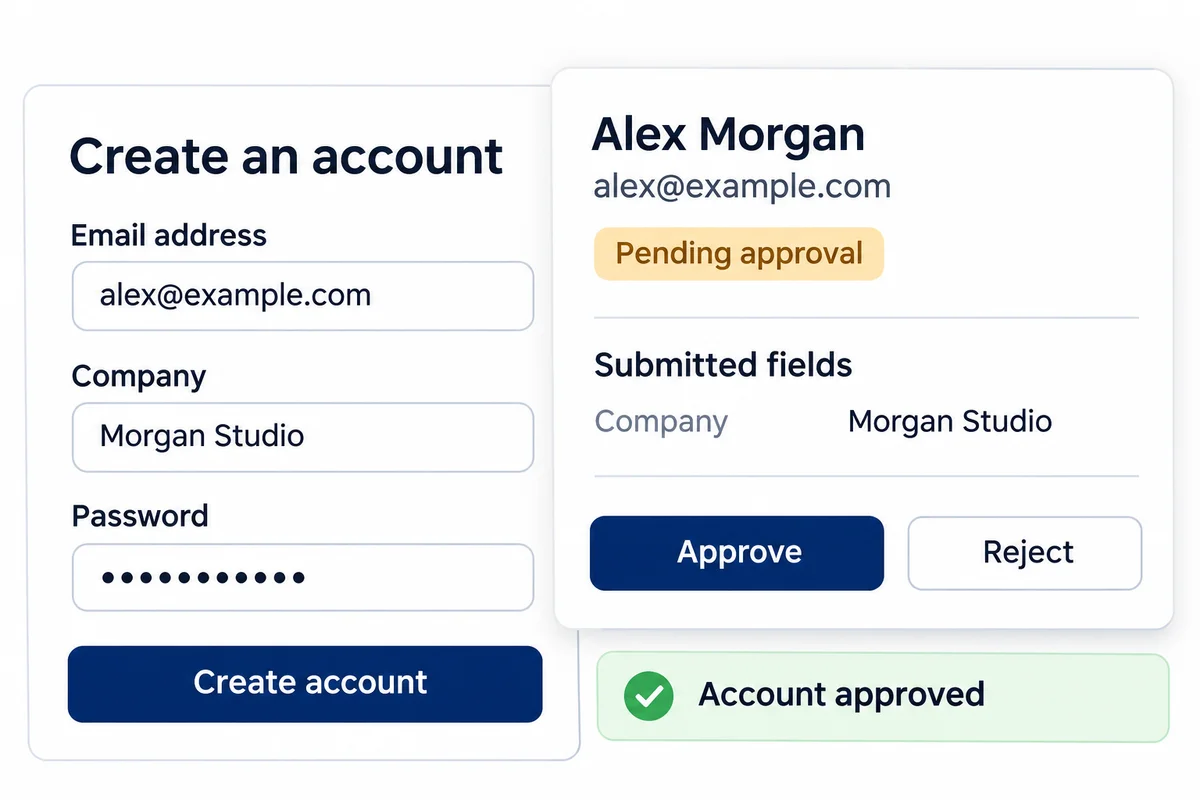
Registration & Access
Build the signup and decide who gets access.
- Arrange custom WordPress registration fields
- Require email verification on supported forms
- Customize verification and welcome emails
Pro adds Admin approval, a registration review queue, blocked email domains and advanced form controls.
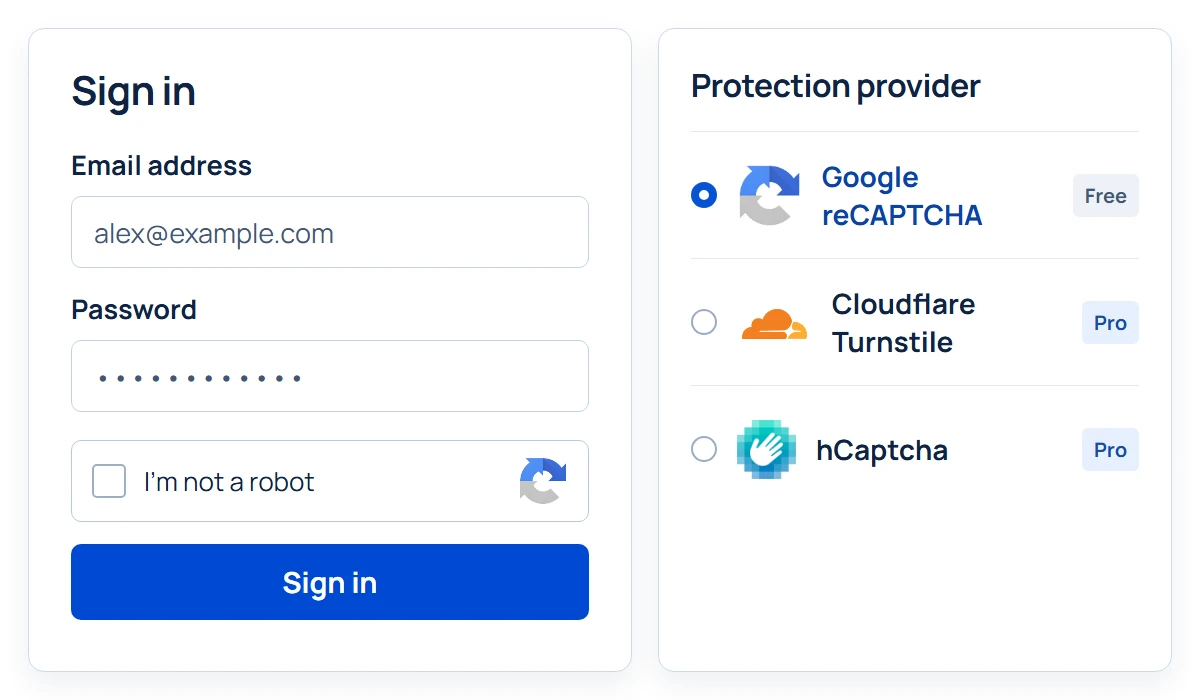
reCAPTCHA
Add verification to the forms bots target.
- Use Google reCAPTCHA v2 or v3
- Protect supported WordPress and WooCommerce forms
- Choose placements and a v3 score threshold
Pro adds Cloudflare Turnstile, hCaptcha, verification analytics and trusted-IP bypass rules.
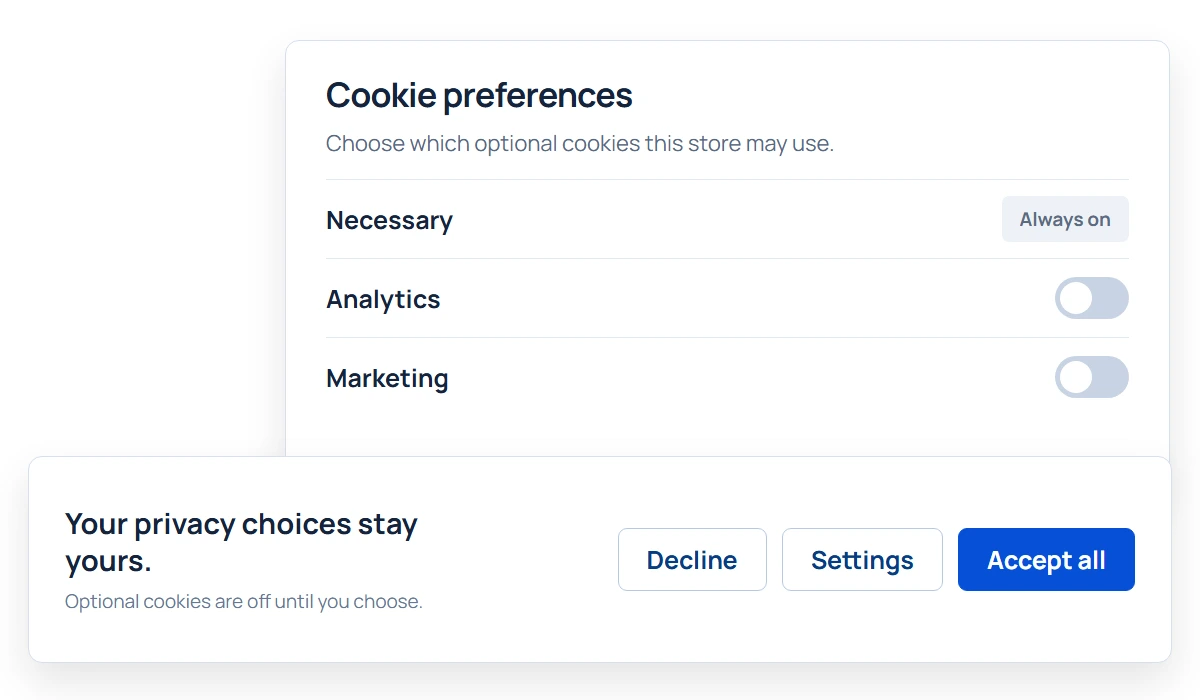
Cookie Consent
Give visitors a clear choice about optional cookies.
- Show accept, decline and settings actions
- Offer separate consent categories
- Remember preferences and let visitors revisit them
Pro adds Managed integration gating, consent records, CSV export and geographic targeting.
The feature sends the email.
You make it yours.
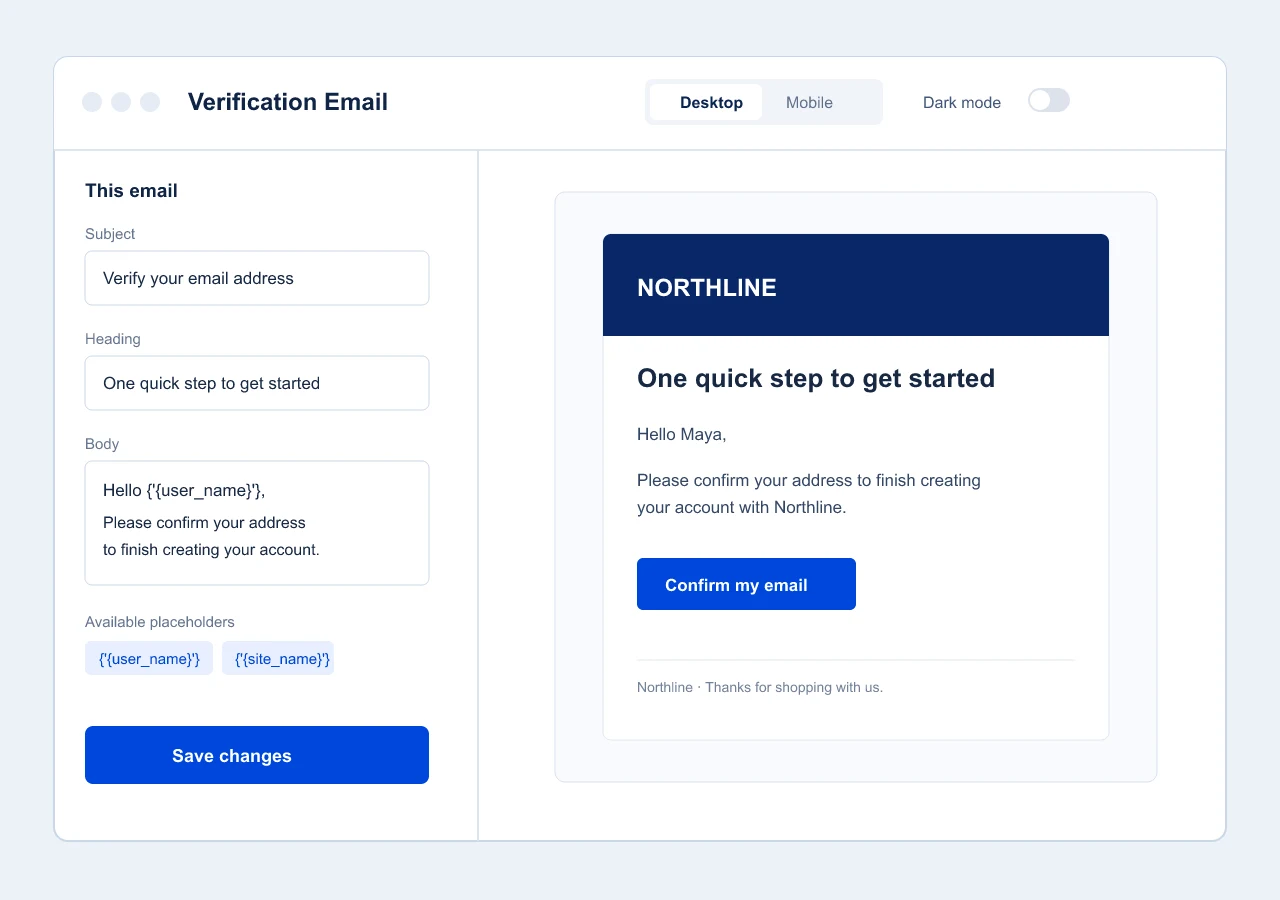
A restock alert, an approval message and a shipment update need different words—not three different design tools. The built-in Email Customizer connects supported Swift Commerce emails to one shared design.
- Edit the subject, heading and supported message content.
- Reuse your logo, colors, typography and footer.
- Preview desktop and mobile layouts, then send a test.
Available for supported emails in your plan. It designs messages; your WordPress mail setup handles delivery.
A connected toolkit.
Not another stack to learn.
Configure the tools you enable in one dashboard, and keep the everyday work inside WordPress.
Start with the feature you need.
Enable individual tools for your store instead of configuring the whole suite on day one.
Keep product work with the product.
Configure bundles, add-ons, subscriptions and quantity rules in WooCommerce’s product editor.
Use a familiar design workflow.
Supported appearance controls and previews help you style customer-facing features without learning a different editor each time.
Start Free.
Go further with Pro.
Free gives you a practical starting point with limited capabilities across the suite. Pro unlocks the complete feature set, advanced controls and premium support.
A few things worth knowing.
Do I need WooCommerce to use Swift Commerce?
Swift Commerce is built for WordPress and WooCommerce. Product, checkout, cart and order features need WooCommerce. Some tools, including supported WordPress registration and reCAPTCHA placements, also work with standard WordPress forms.
Are all capabilities included in the Free plugin?
No. Free includes limited capabilities across the suite. Pro adds the full feature set. Each feature page explains the exact difference; for example, Google reCAPTCHA is available in Free, while Cloudflare Turnstile and hCaptcha require Pro.
Can I enable only the features my store needs?
Yes. Enable and configure individual features in the Swift Commerce dashboard. You do not have to use every tool to start.
Where did Email Verification and Registration Forms go?
They are now combined in Registration & Access. You can manage registration fields, email verification and supported approval workflows in the same workspace. The older pages remain available with links to the combined feature.
Does every checkout feature work with Checkout Blocks?
No. Support depends on the feature and field type. Checkout Field Editor can add compatible custom order fields to Blocks, while core-field reordering, conditional fields and file uploads apply to classic checkout. Check the feature page before configuring your checkout.
Where can I find setup instructions?
Each detailed feature page links to its guide. You can also browse the Help Center for installation, configuration and troubleshooting.