


WooCommerce checkout field editor.
Collect the details you need.
Edit classic checkout fields and collect extra order details with Swift Commerce. Start with Free for basic custom fields and validation; choose Pro for conditional questions, advanced inputs and protected file uploads.
Checkout Field Editor for WooCommerce. Part of the Swift Commerce WordPress plugin.
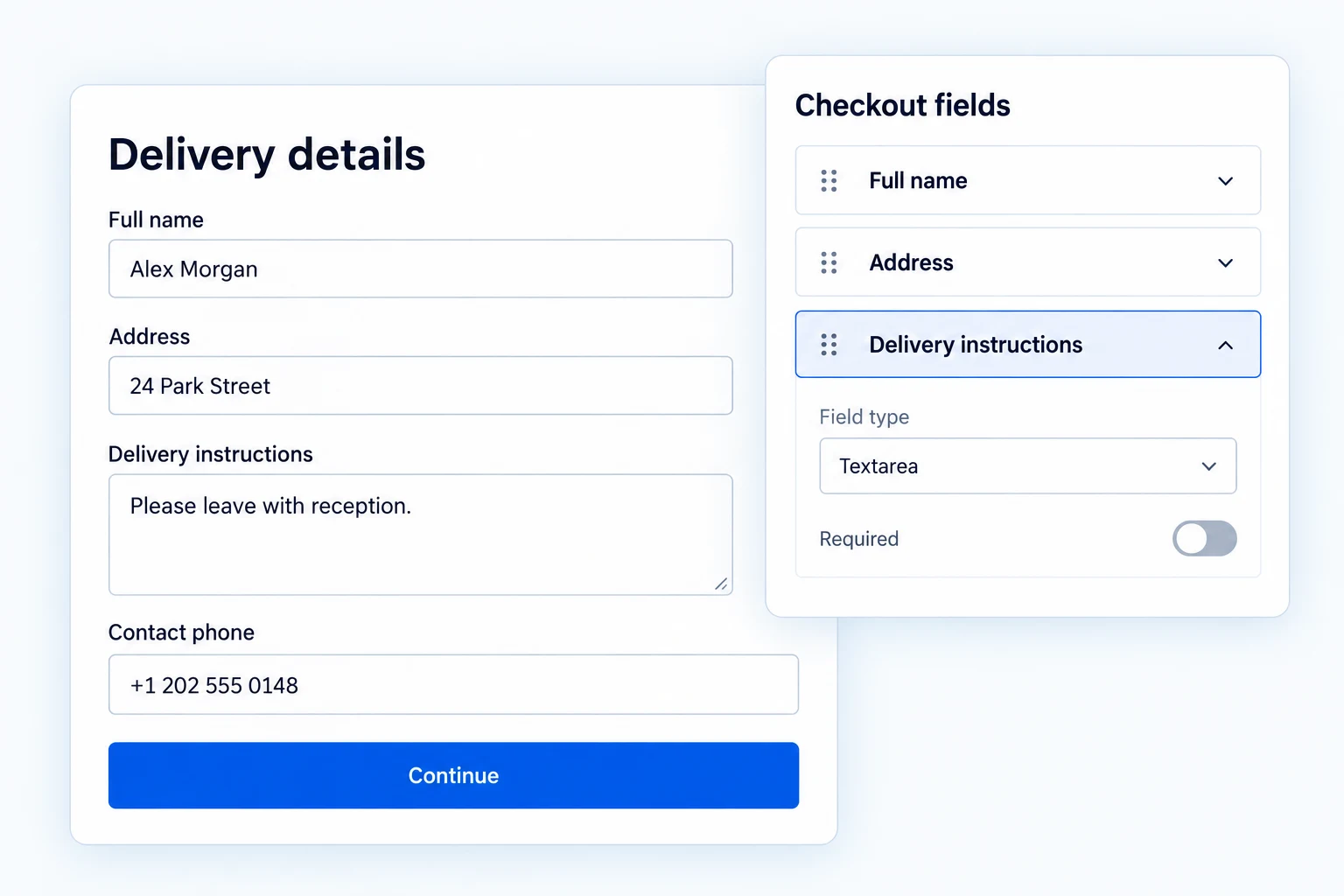
A WooCommerce checkout field editor for useful order details.
Arrange the classic WooCommerce checkout, add useful fields and explain errors clearly. Free covers the essential editing and validation work; Pro adds richer inputs, conditional questions and protected uploads. Checkout Blocks support a smaller set of custom order fields.
Keep the classic checkout focused on the order.
Reorder fields within billing, shipping, additional information and order notes. Edit labels, descriptions and placeholders so customers understand why you need a detail.
Disable a core WooCommerce field you do not need without deleting it. These layout and core-field changes apply to classic checkout; they do not rearrange the Checkout Block.
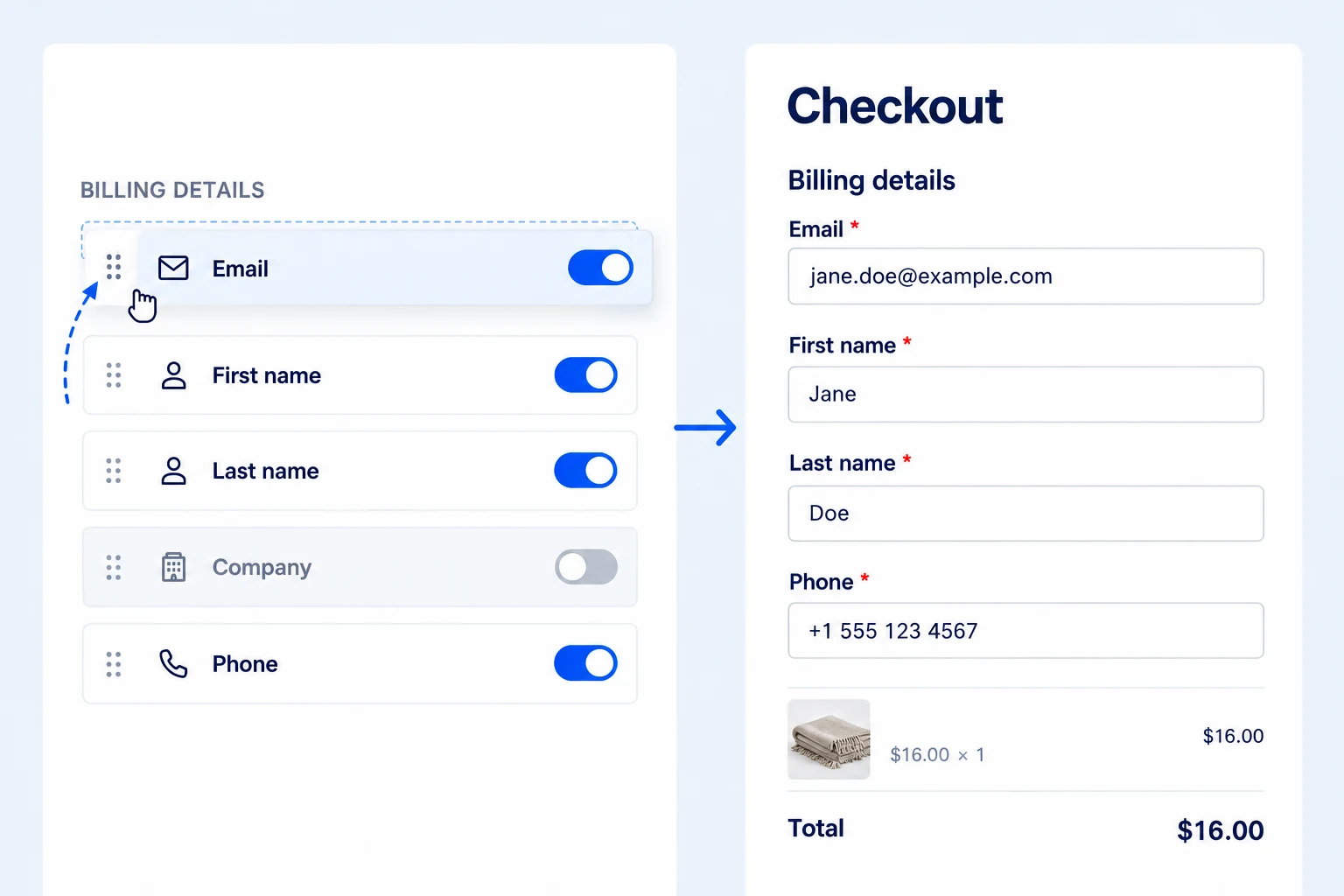
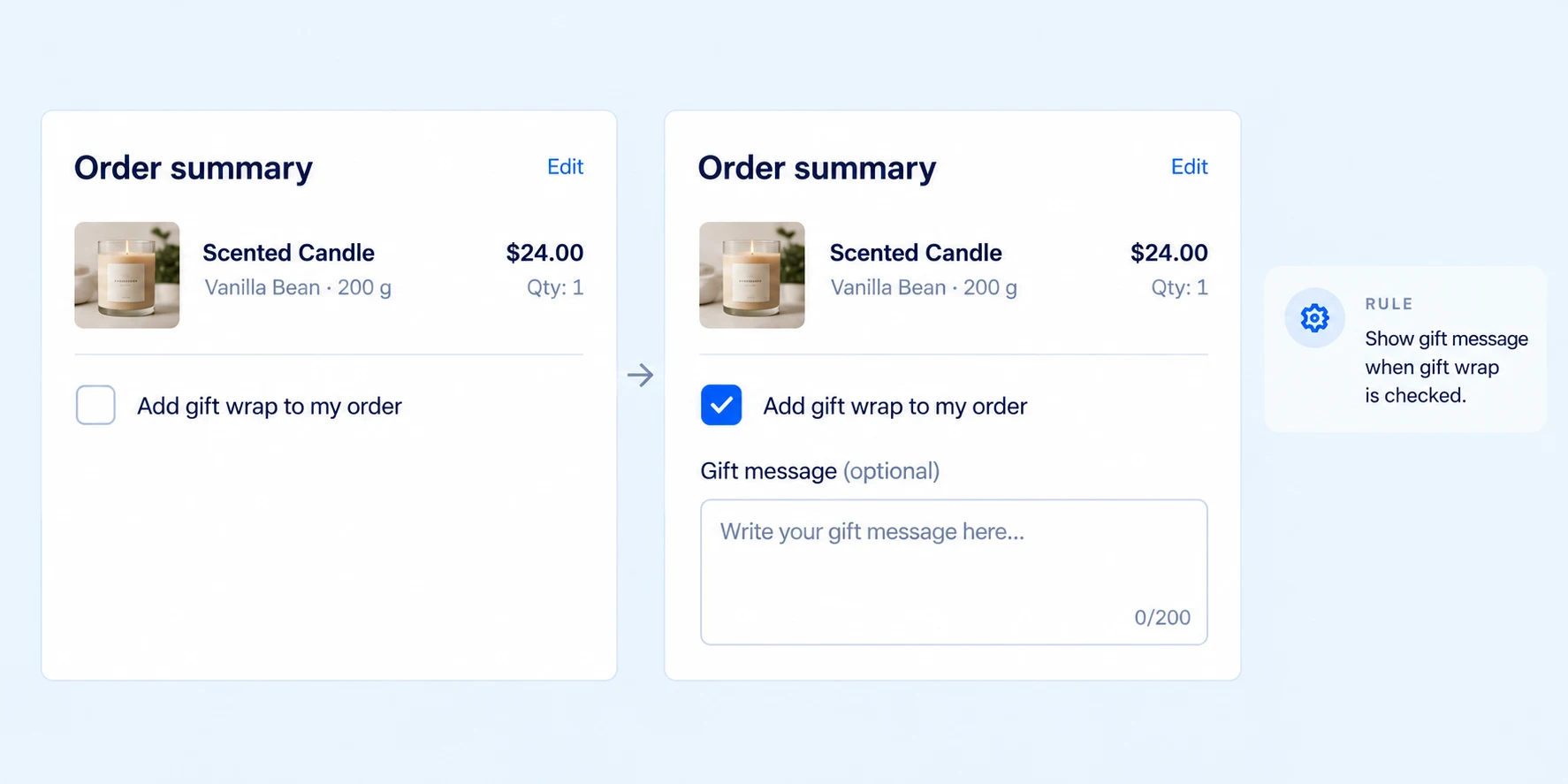
Show a follow-up field only when it matters.
On classic checkout, Pro can show or hide a field based on a shopper’s answer. Select Gift wrap, for example, and a gift-message field appears; skip it, and the form stays shorter.
Combine conditions with all-or-any logic for more specific questions. Conditional rules apply to classic checkout, not Checkout Blocks. See how to add conditional checkout fields.
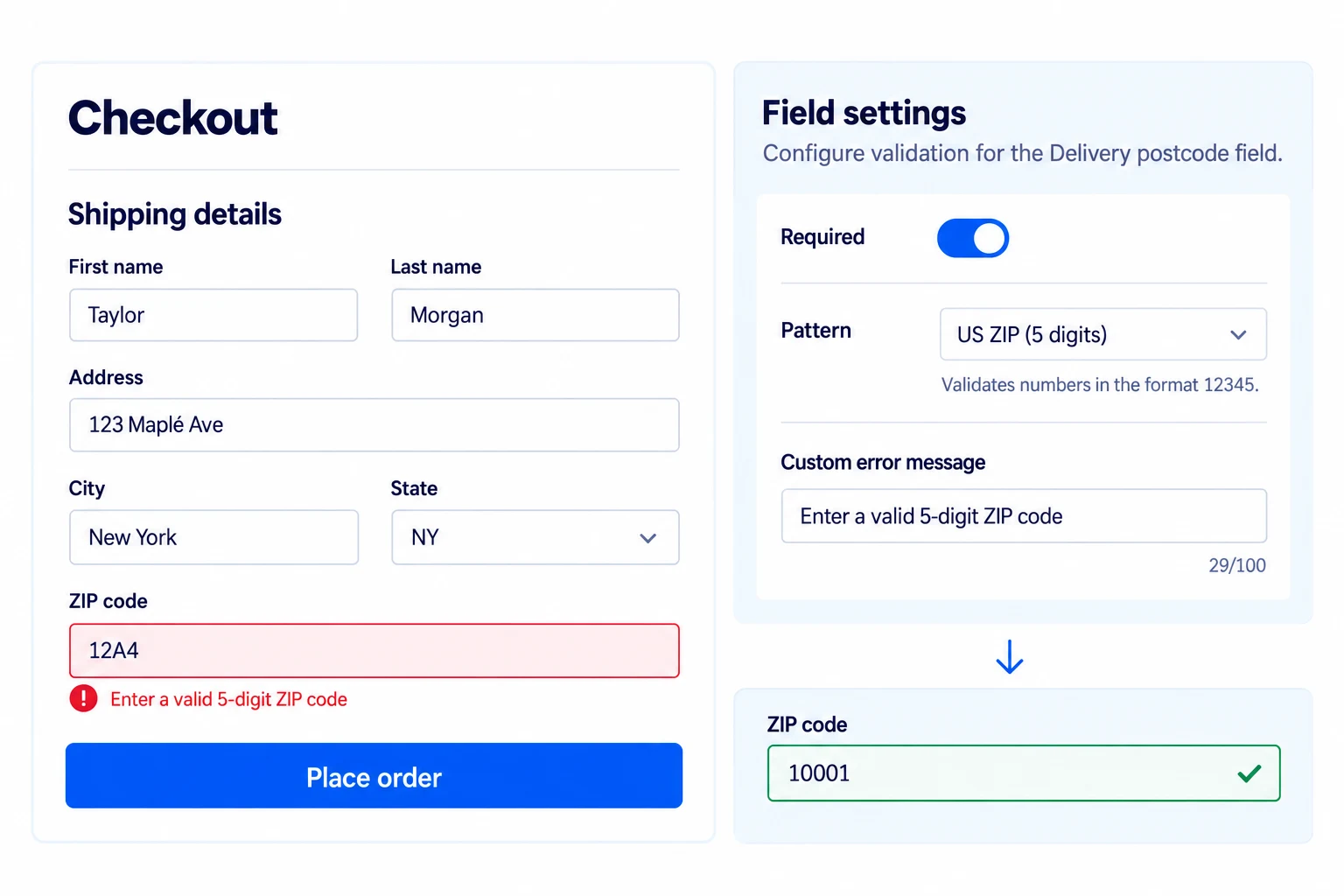
Catch incomplete details before an order is placed.
Set required status, length and numeric limits, pattern rules and a field-specific error message. Classic checkout can show the error beside the input and guide the customer to the first problem.
Input masks can help format a classic-checkout answer, but they do not replace validation. Checkout Blocks use the validation supported by their registered custom fields.
Offer the right input when plain text is not enough.
Pro adds choice fields such as select, radio and checkbox, plus date, time, heading and explanatory content fields for classic checkout. A delivery-date choice or gift-wrap preference becomes a structured answer instead of ambiguous free text.
On classic checkout, Pro file fields enforce allowed types and size limits and attach protected uploads to the order. Follow the classic checkout file-upload guide. Checkout Blocks support compatible custom order select and checkbox fields instead; upload and date fields are not supported there.
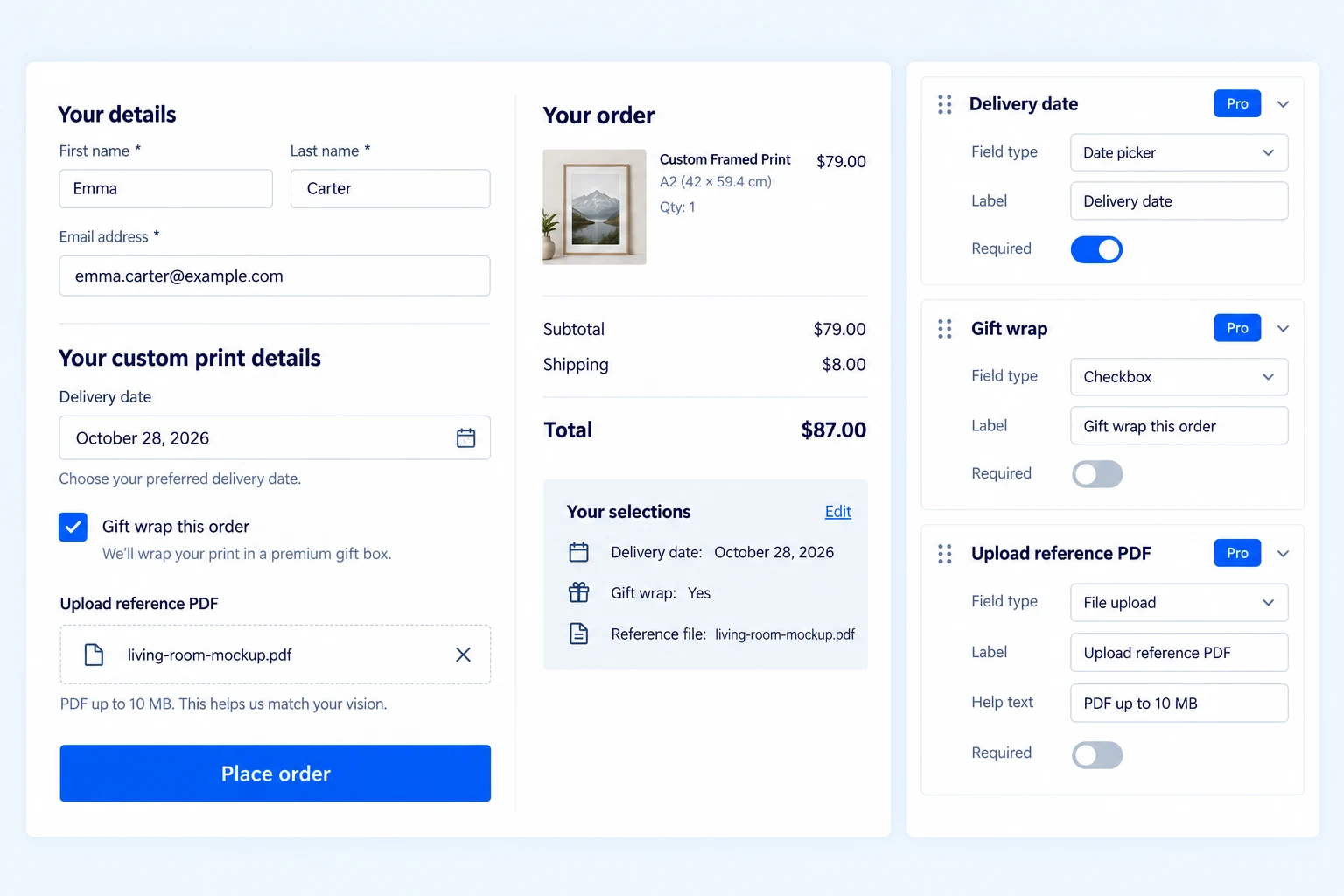
Collect a useful extra detail with the order.
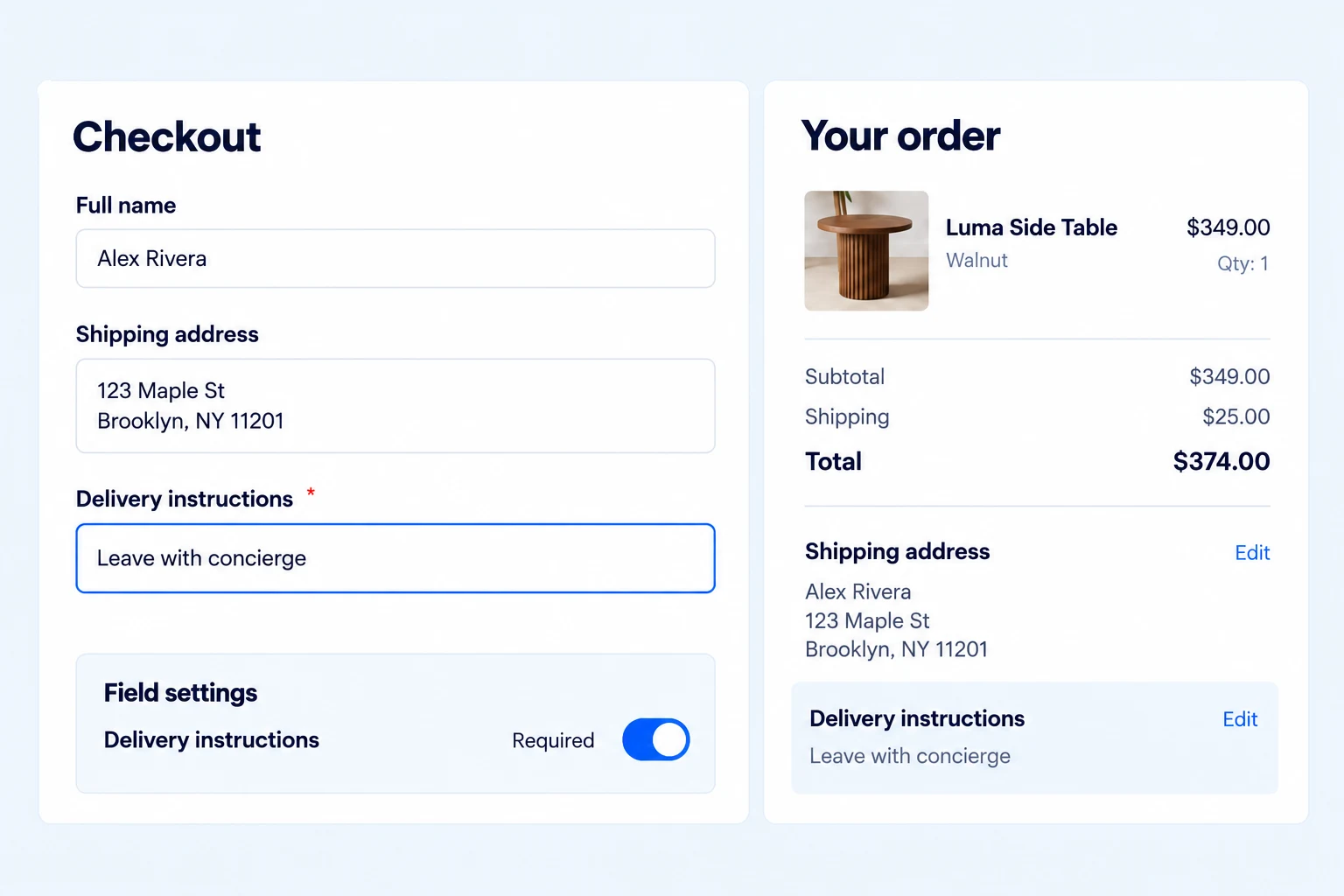
Add text-based questions such as delivery instructions or a gift message and decide whether the answer is required. Free includes text, email, phone and number fields, with additional classic-checkout types such as URL, textarea and hidden fields.
Submitted values are saved with the order and can appear in the admin order view, customer order details and emails. Supported custom order text fields can also be registered for Checkout Blocks.
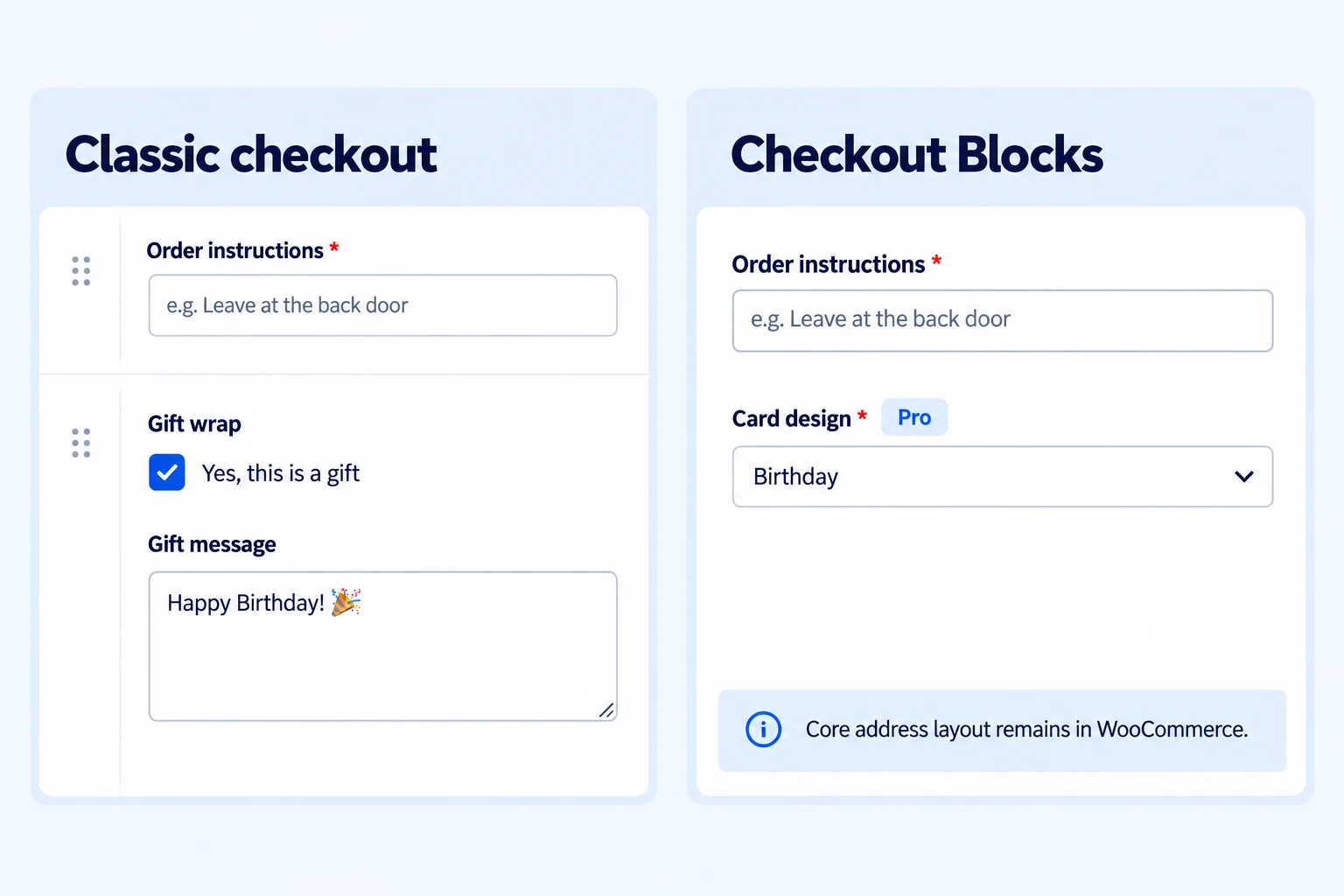
Know what follows you into Checkout Blocks.
Free supports compatible custom order text-based fields in WooCommerce Checkout Blocks. Pro extends supported custom order fields with select and checkbox inputs. Those answers can be validated and stored with the order.
Core-field reordering, address-field changes, conditional rules and uploads apply to classic checkout. For Blocks, put a supported custom field in Additional Information or Order Notes, keep its section enabled and leave conditional logic off. Follow the Checkout Blocks custom order field tutorial.
Get the full feature.
And the rest of the suite.
One Swift Commerce Pro license unlocks the complete feature set across all 16 tools, advanced design controls and premium support. No separate purchase for Checkout Field Editor.
Compare Free and Pro.
Start with the Checkout Field Editor essentials in Free, or use Pro for the expanded controls shown below.
| What you can do | Free | Pro |
|---|---|---|
| Reorder and edit classic checkout fields | Included | Included |
| Disable core fields on classic checkout | Included | Included |
| Basic custom fields and order values | Included | Included |
| Required, length, number and pattern validation | Included | Included |
| Export and import field configuration | Included | Included |
| Choice, date/time and content fields on classic checkout | Not included | Included |
| Conditional show/hide rules on classic checkout | Not included | Included |
| Protected file uploads on classic checkout | Not included | Included |
| Select and checkbox custom order fields in Checkout Blocks | Not included | Included |
Questions about Checkout Field Editor.
Specific answers about setup and Free versus Pro.
Can I remove or reorder default WooCommerce checkout fields?
Yes, Free lets you disable and reorder supported fields on classic checkout. For example, you can hide an unnecessary company field without deleting its configuration. These controls do not rearrange the core address fields inside WooCommerce Checkout Blocks.
Which custom fields are included in Free?
Free includes text, email, phone, number, URL, textarea and hidden inputs for classic checkout, alongside supported country/state controls. Use a simple text field for an order reference or delivery instruction. Pro adds choice inputs, dates, content fields and protected uploads; not all classic types work in Blocks.
Why does my custom field not appear in Checkout Blocks?
Blocks use a different API from classic checkout. Enable the field and its Additional Information or Order Notes section, use a supported text-based type, and leave conditional logic off. Pro also supports select and checkbox custom order fields. See the step-by-step Blocks tutorial.
Can I show a field only after a customer selects an option?
Yes, Pro supports conditional show/hide rules on classic checkout. For example, show a gift-message field only when gift wrapping is selected, using all-or-any rule matching. This conditional workflow does not apply to Checkout Blocks.
Can a customer upload a file at checkout?
Yes, Pro adds protected file uploads to classic checkout, with allowed file types, per-field size limits and a combined upload limit. Files are attached to the order rather than published as ordinary media links. Configure and test the limits using the file-upload tutorial.
Where can I read a customer’s custom order answers?
Supported custom values are stored with the WooCommerce order. Classic-checkout values can appear in the admin order, customer order details and order emails; Blocks fields use WooCommerce’s additional-field handling. Place a test order and inspect both the staff and customer views before relying on the field for fulfillment.
Do I need Pro to validate a custom field?
No. Free supports required fields, length and numeric limits, and pattern validation. A required order reference, for example, can prevent submission when it is missing or invalid. Classic input masks help formatting but do not replace validation.
Can I move the configuration to another store?
You can export and import field settings. Export a backup before importing or resetting, because these actions can replace the current configuration. After importing, test the receiving store’s checkout type, theme and any other checkout extensions.