


WooCommerce Ajax search.
Find the right product faster.
Add WooCommerce Ajax search with live product suggestions, images and prices. Pro adds more control over searchable fields, relevance, typo tolerance and synonym groups.
Ajax Search for WooCommerce. Part of the Swift Commerce WordPress plugin.
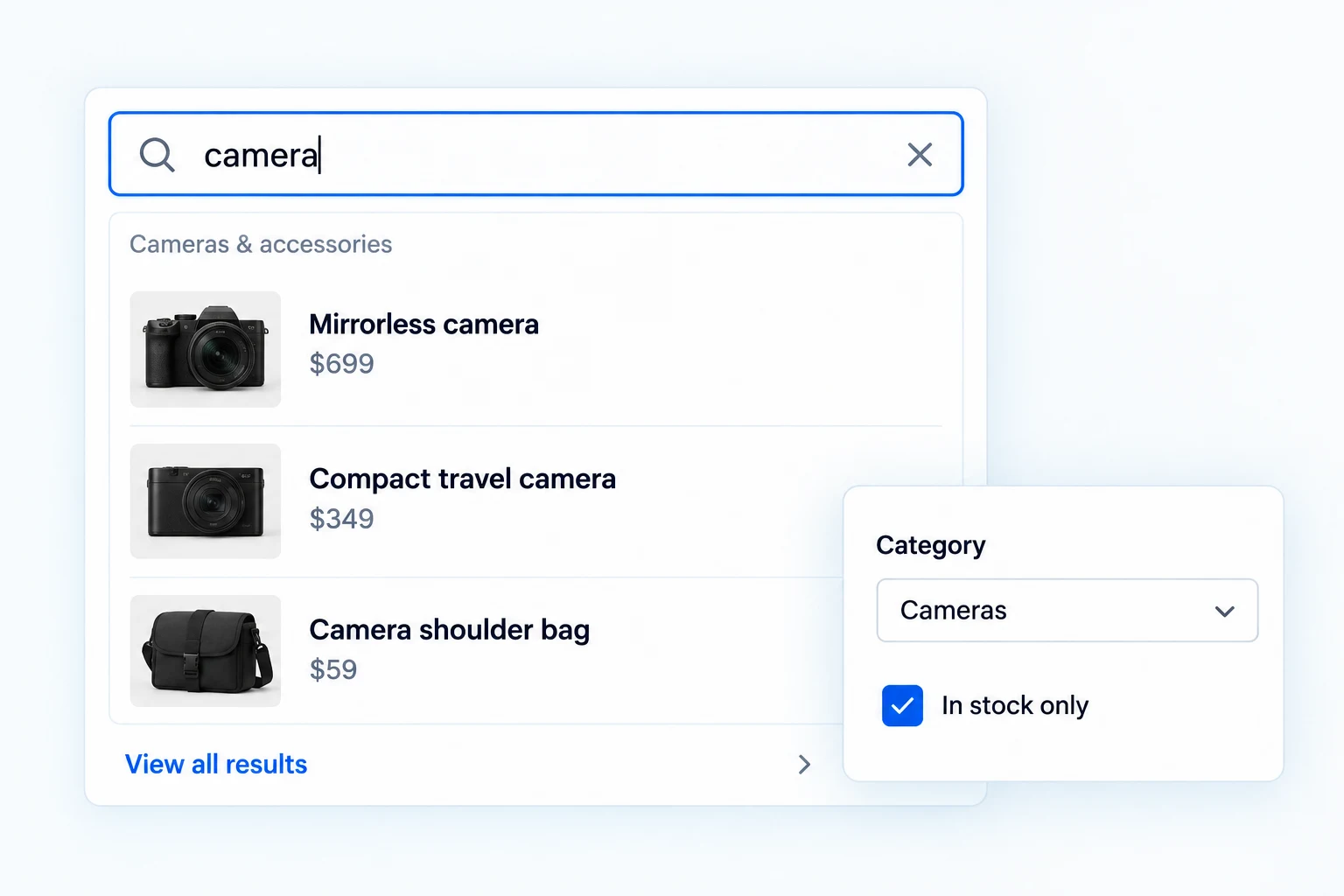
WooCommerce Ajax search that responds as shoppers type.
Swift Commerce returns WooCommerce product matches without reloading the page. Free includes multi-field matching, category filters, rich results and flexible layouts. Pro adds relevance controls, typo tolerance, synonyms, analytics and an Elementor widget.
Turn a few typed characters into useful product matches.
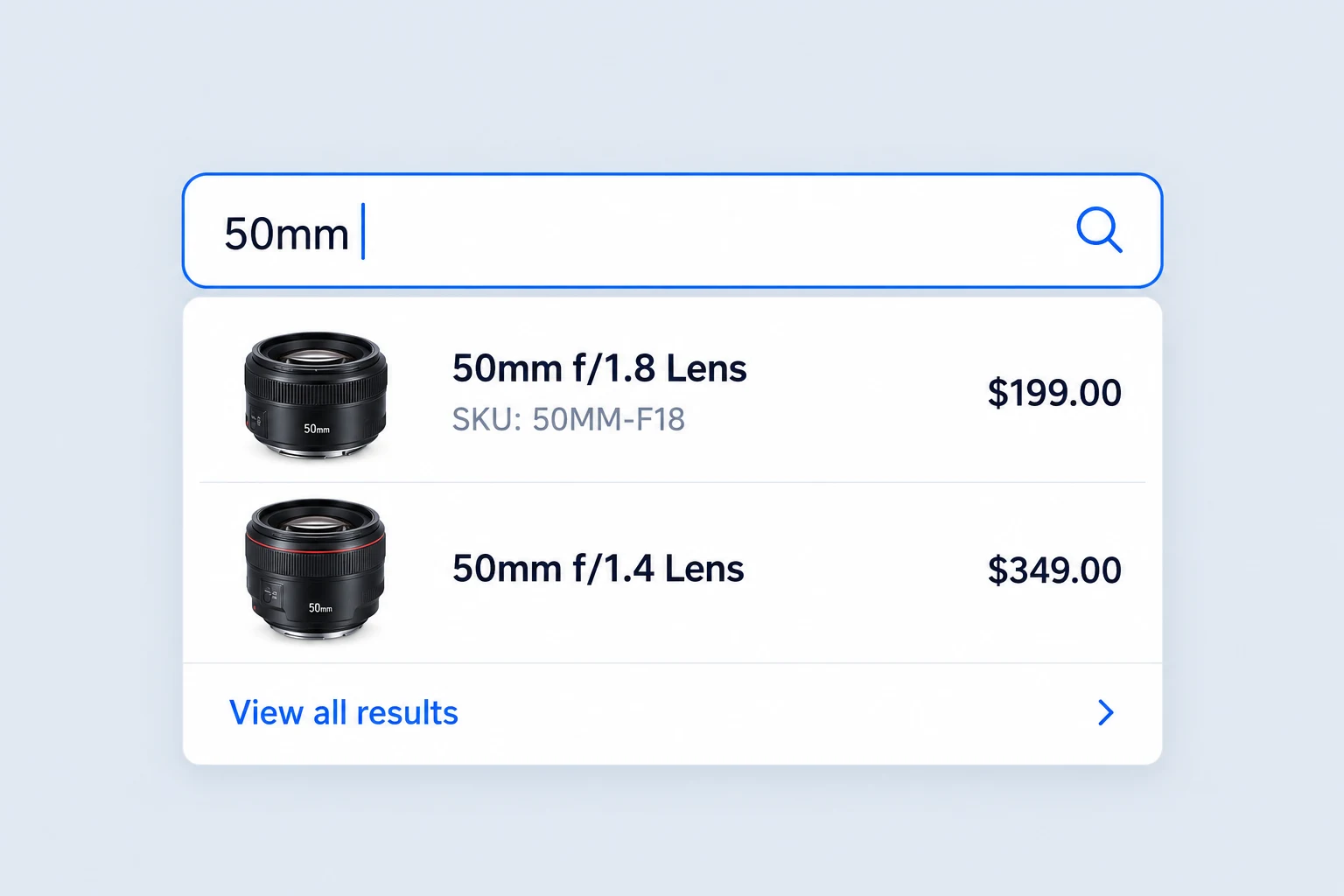
Results appear beneath the search input as shoppers type, with a configurable minimum query length and typing delay. Free searches product names, descriptions, excerpts, SKUs and category names by default.
A customer looking for a camera lens can type its focal length or SKU and see matching products before committing to a full results page.
Narrow a search without starting over.
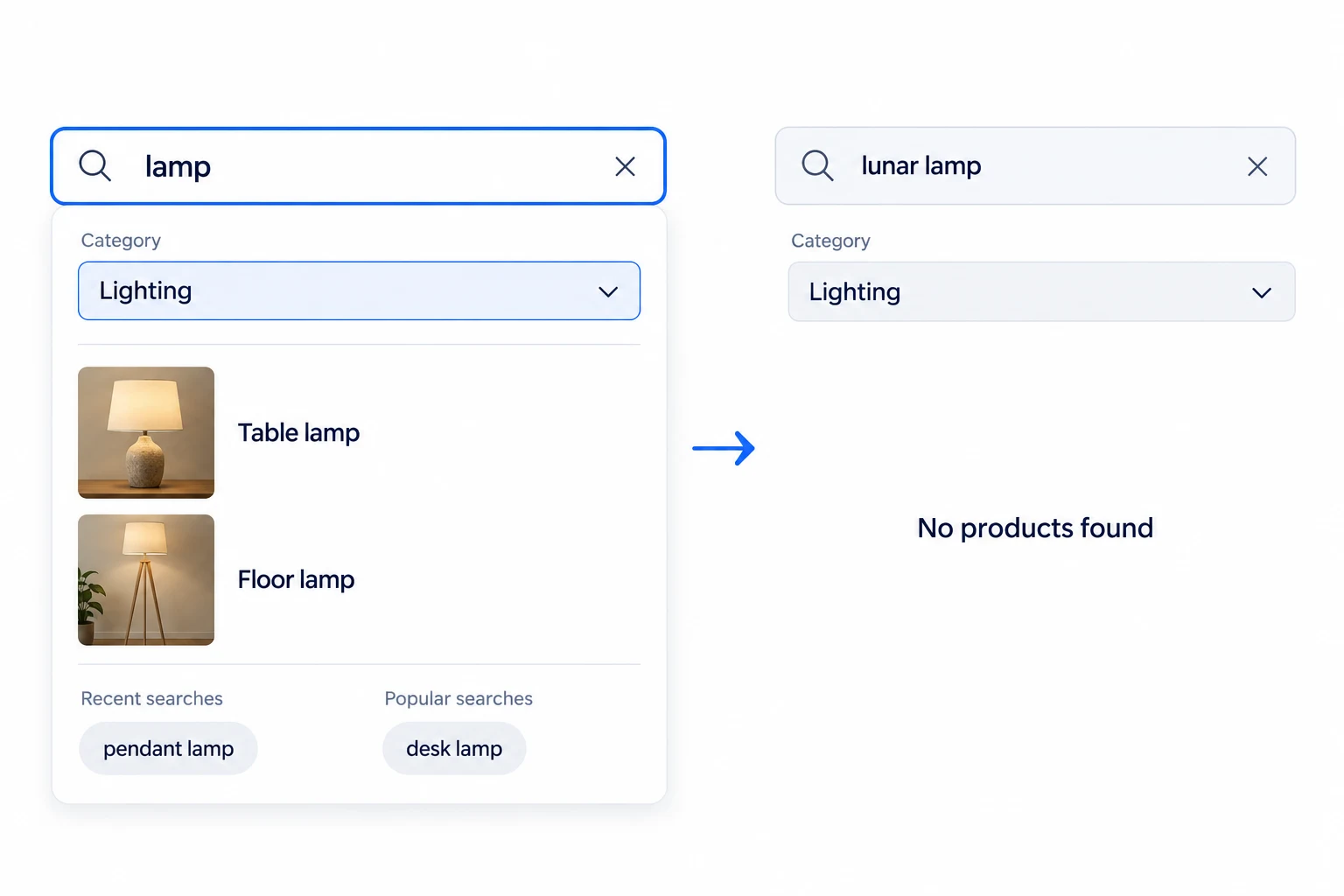
Let customers filter by product category and continue from recent or popular searches. They can move from a broad word such as “lamp” to the relevant part of the catalog.
If nothing matches, the search can show a clear no-results state rather than leaving an empty panel. The full results link remains available when the shopper wants to browse further.
Show enough detail to choose the right result.
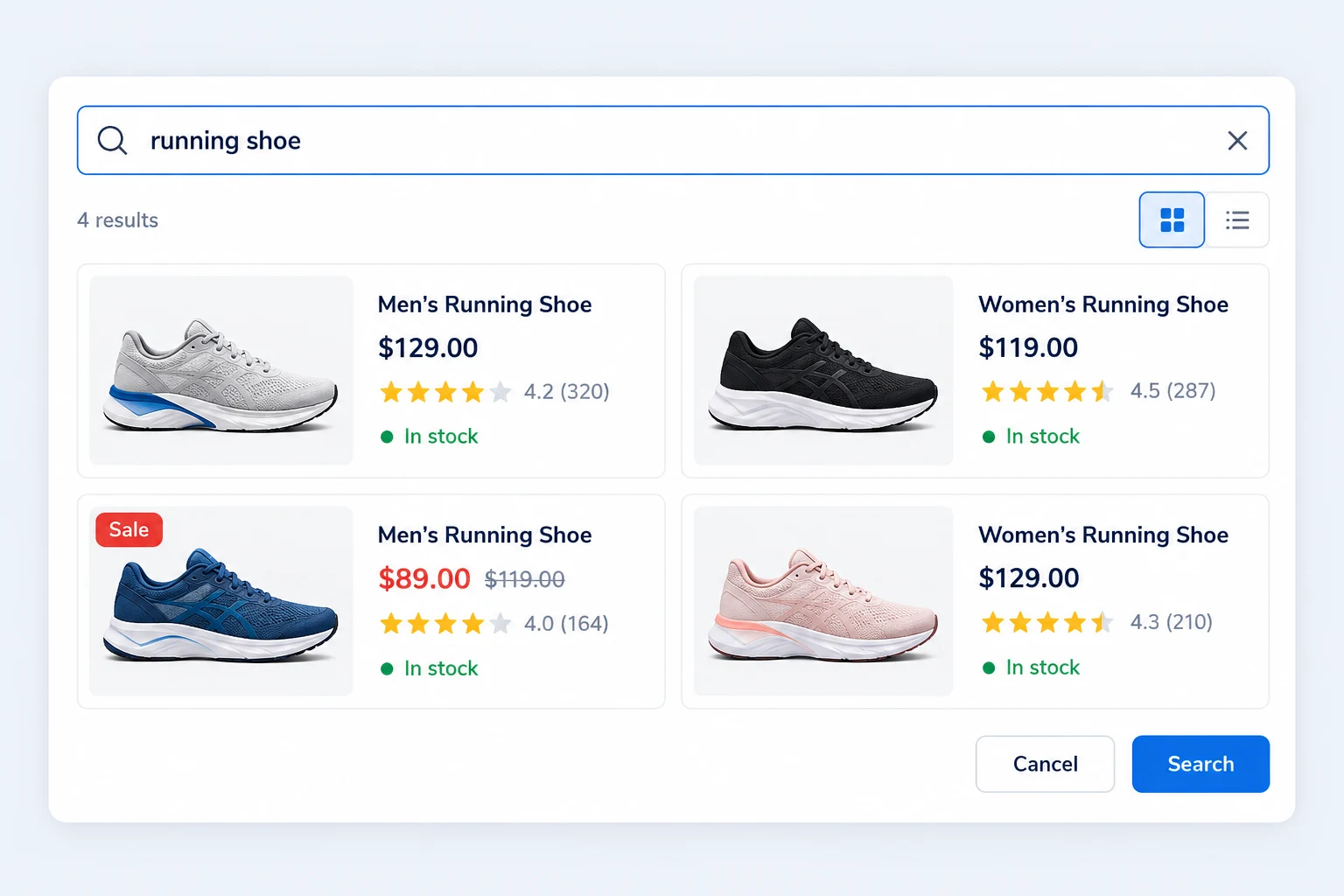
Search cards can show product images, current prices, categories, descriptions, ratings, stock labels and sale badges. Free includes those result details by default; Pro lets you decide which details appear and how long descriptions run.
Use a dropdown, full-width or modal presentation, with one or two result columns. These layout choices are available in Free, so the search can fit the space around it.
Help imperfect queries reach the right products.
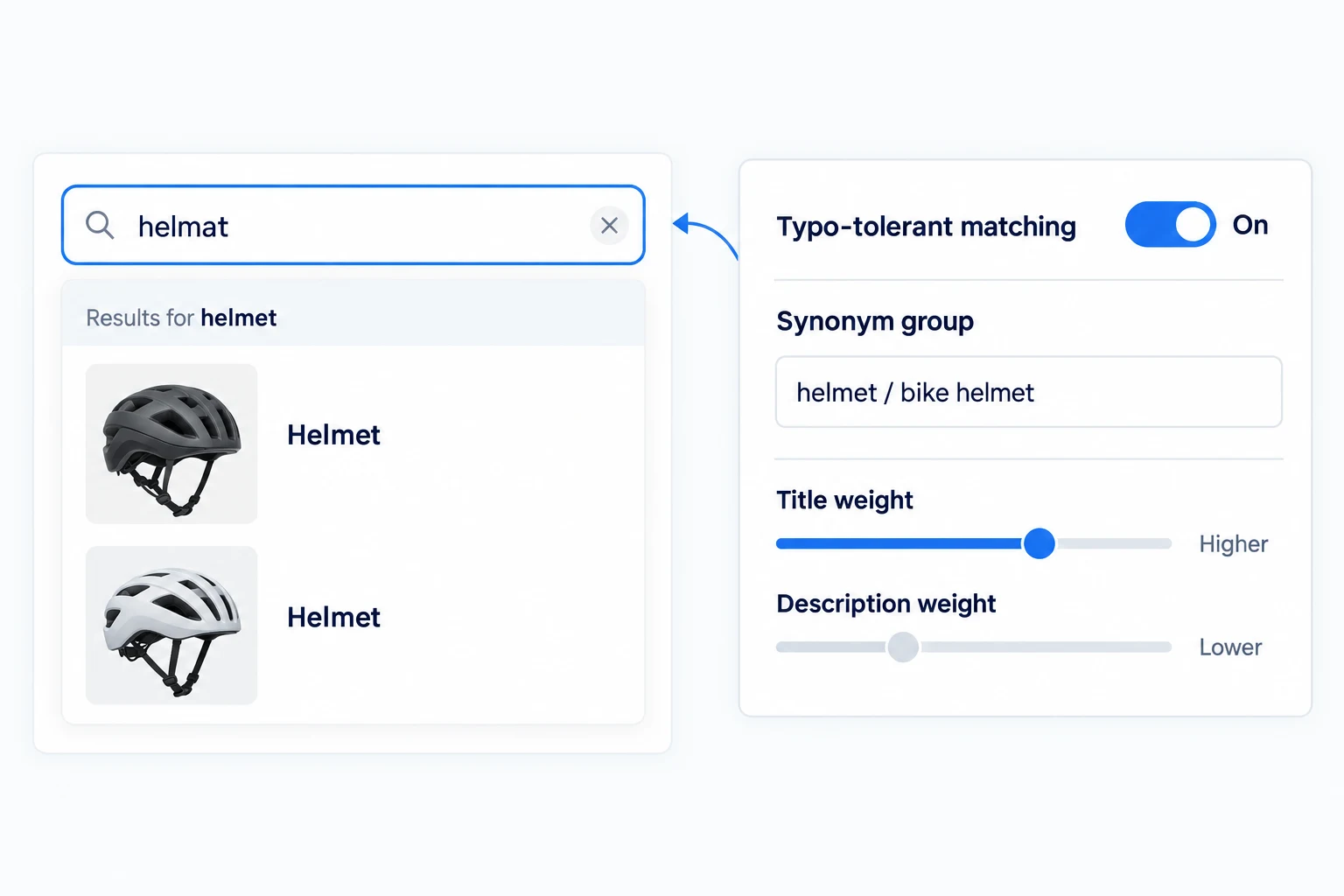
Pro lets you choose searchable fields, weight them for relevance and boost exact matches. Synonym groups and typo-tolerant matching help customers who use another term or make a small spelling mistake.
For a cycling store, a shopper searching “helmat” can still reach helmet products. The merchant can give product titles more weight than long descriptions when ranking the result.
Learn what people search for and fail to find.
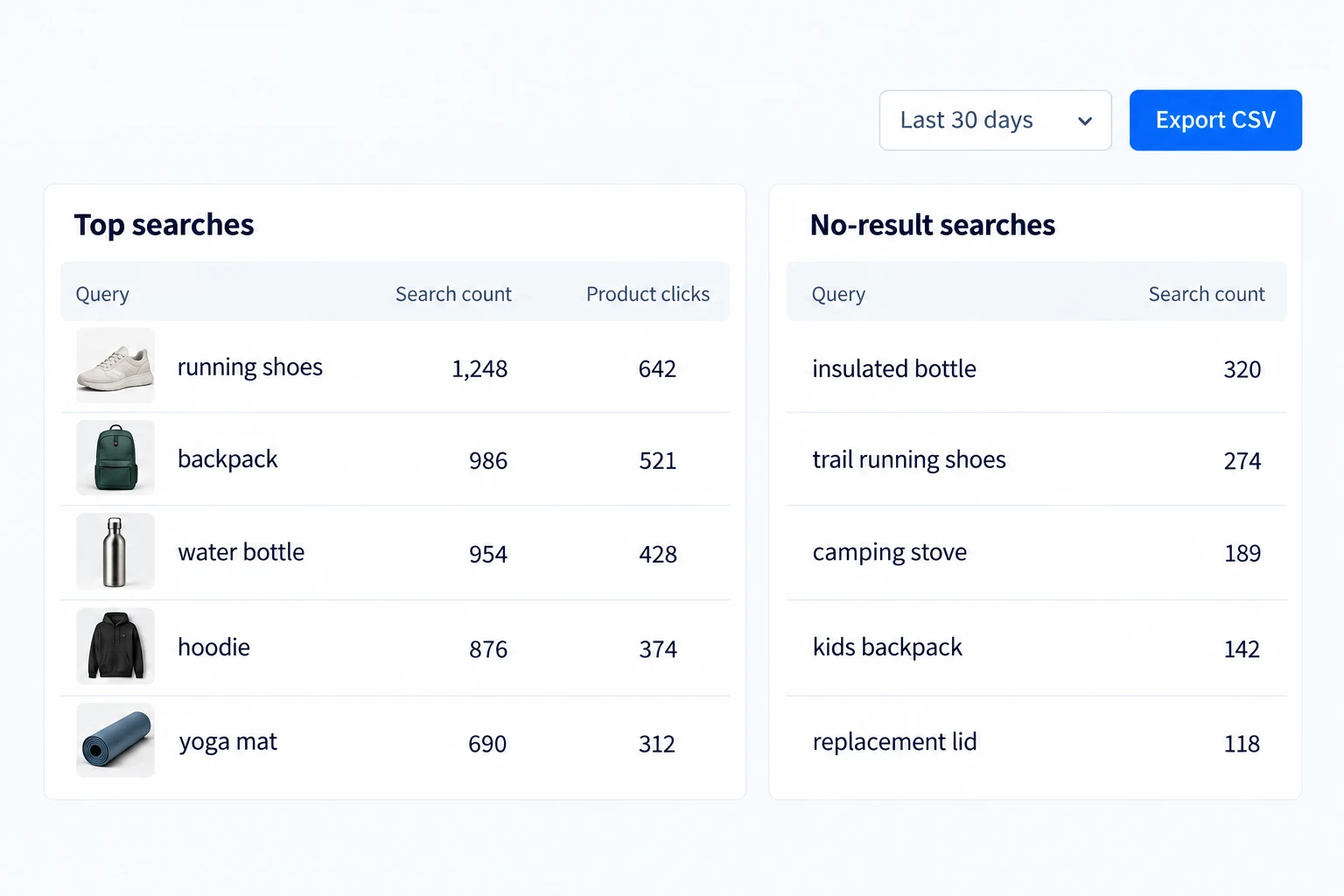
Pro reports search terms, product clicks, click-through rate and searches with no results. Filter the reporting period and export the dashboard view as CSV.
A repeated no-result phrase can point to a naming gap or a product the store does not carry. These are search-behavior signals, not a promise that a query became a sale.
Put search where shoppers expect to use it.
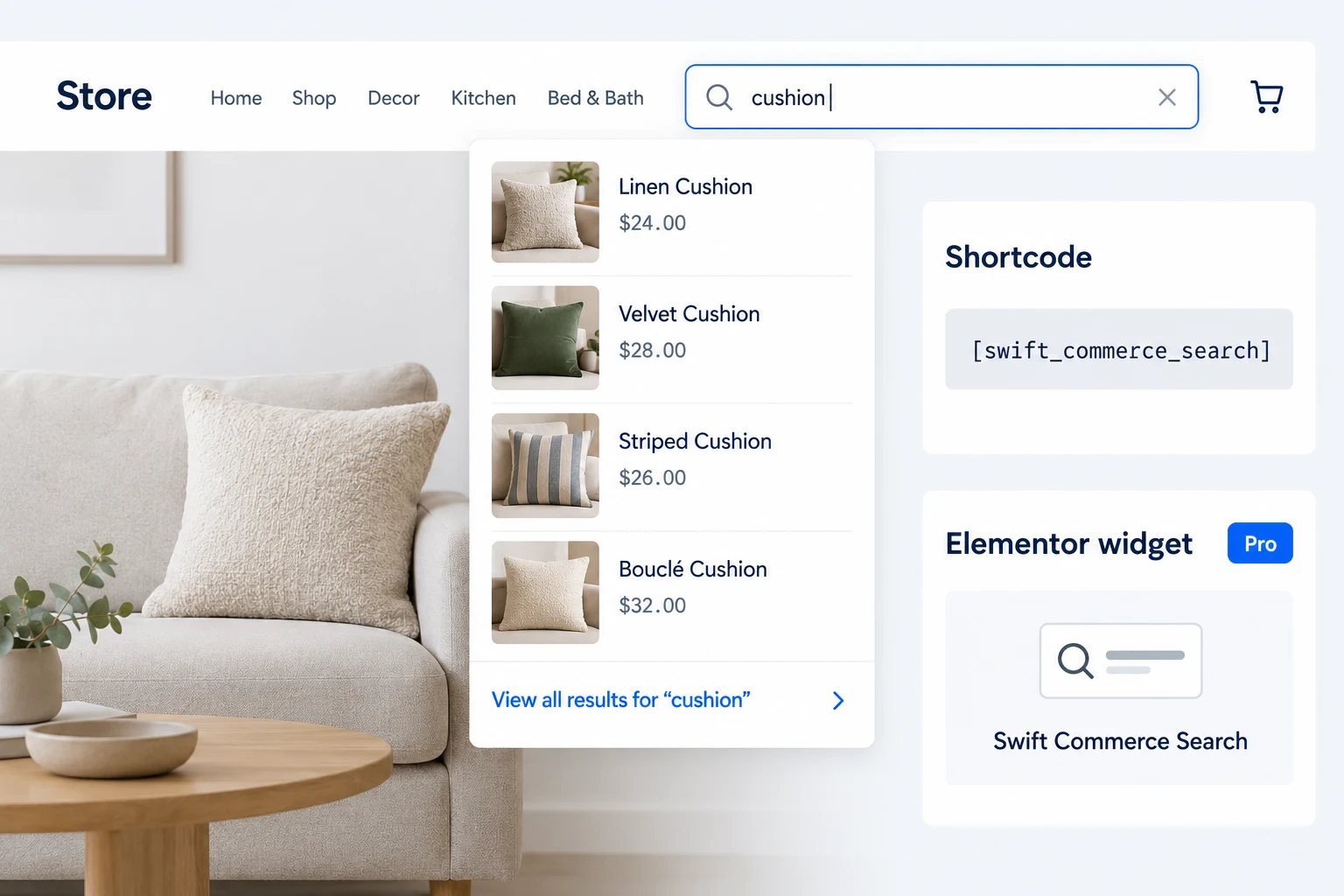
Place the search form with the Swift Commerce shortcode or replace the standard WooCommerce product-search form. Tune width, labels and core colors so it belongs in the storefront.
Pro also provides an Elementor search widget and deeper styling controls. Theme-specific search systems may need manual placement, so preview the final header or page before publishing.
Get the full feature.
And the rest of the suite.
One Swift Commerce Pro license unlocks the complete feature set across all 16 tools, advanced design controls and premium support. No separate purchase for Ajax Search.
Compare Free and Pro.
Start with the Advanced Ajax Search essentials in Free, or use Pro for the expanded controls shown below.
| What you can do | Free | Pro |
|---|---|---|
| Live product search and core field matching | Included | Included |
| SKU and category matching | Included | Included |
| Category filter and recent/popular suggestions | Included | Included |
| Rich results with images, prices and stock | Included | Included |
| Dropdown, full-width, modal and two-column layouts | Included | Included |
| Configurable search fields and relevance weights | Not included | Included |
| Synonyms and typo-tolerant matching | Not included | Included |
| Search analytics and dashboard CSV export | Not included | Included |
| Elementor widget and detailed result controls | Not included | Included |
Questions about Advanced Ajax Search.
Specific answers about setup and Free versus Pro.
Does Free search SKUs?
Yes. The default Free search matches SKUs along with product names, descriptions, excerpts and category names. Pro adds control over fields and relevance.
Is the modal result layout Pro-only?
No. Dropdown, full-width and modal presentations, plus one- or two-column results, are available in Free.
Can shoppers filter search results by category?
Yes. Category filtering is available in Free; Pro adds broader field-selection and ranking controls.
Does typo tolerance use a third-party AI service?
The verified Pro feature provides typo-tolerant matching and synonym groups. The page does not depend on a claim about an external AI service.
What can I export from analytics?
The Pro dashboard offers a CSV export for search reports. A JSON export exists at the endpoint, but it is not a second dashboard button.
Will search automatically replace every theme search box?
It can replace the standard WooCommerce product-search form. Other theme-specific search elements may require shortcode or widget placement.
Where is the Ajax Search shortcode?
Open Ajax Search → Shortcode, immediately after Search. Copy [swift_commerce_search] into a WordPress Shortcode block or supported widget area. It uses your saved General, Search and Appearance settings and currently searches WooCommerce products—not arbitrary custom post types.
How should I configure synonyms?
In Pro, enable Synonyms under Search → Advanced Search. Put alternative names with the same meaning in one group, with at least two terms. A sneakers / trainers group lets either query find matching products. Keep unrelated product meanings in separate groups.
Will typo tolerance find every misspelling?
No. Pro typo tolerance helps supported approximate product matches, such as block versus Black, while keeping closer literal matches relevant. Test actual catalog terms, stock settings and exclusions. It is not a promise of semantic or arbitrary custom-post-type search.