


WooCommerce product add-ons.
Make each order personal.
Offer WooCommerce product add-ons for personalization, warranties, gift wrapping and other extras. Collect the choices your order needs, with conditional fields and protected uploads available in Pro.
Product Addons for WooCommerce. Part of the Swift Commerce WordPress plugin.
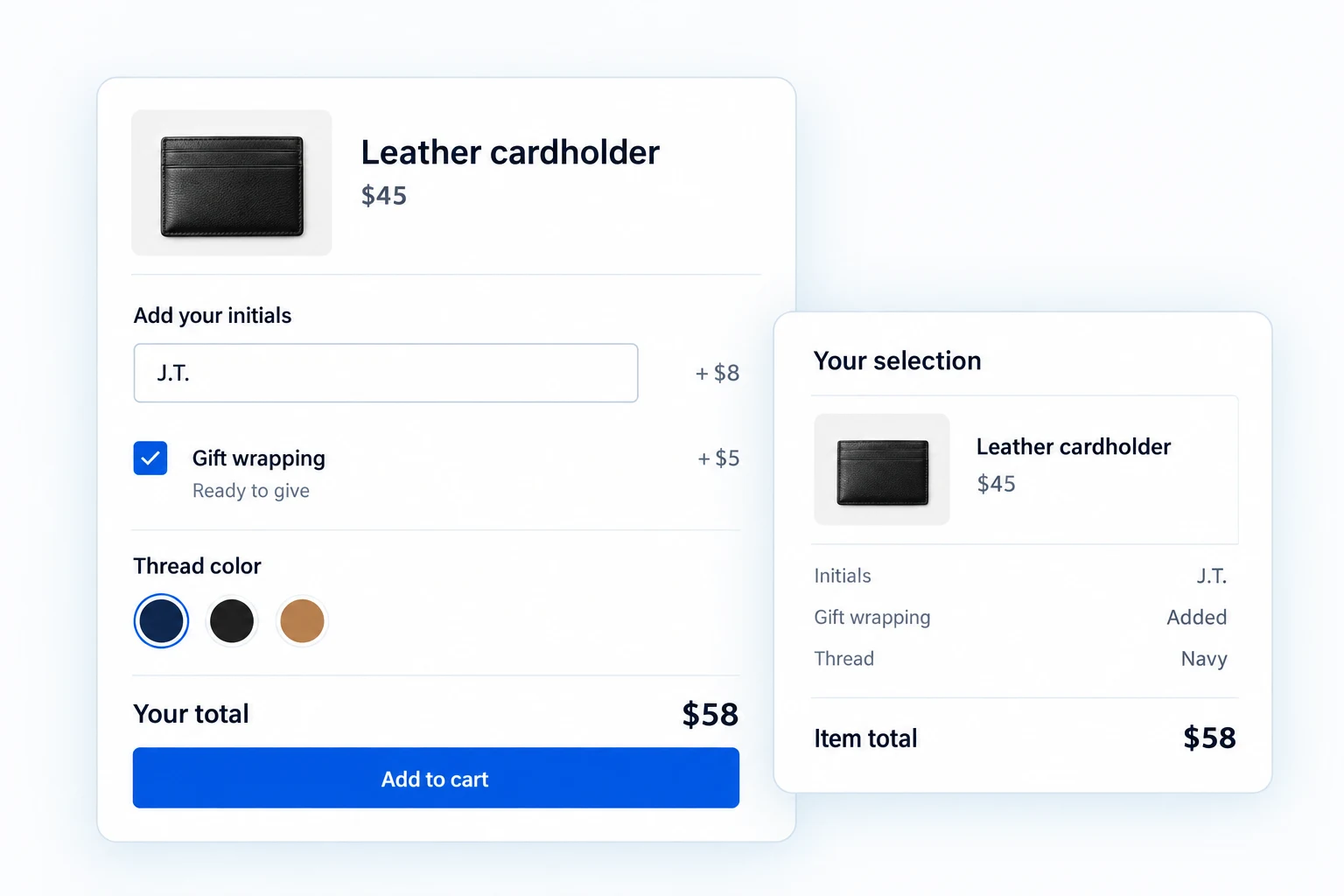
WooCommerce product add-ons that fit the order.
Start with choices, text fields and clear add-on prices in Free. Pro adds conditional logic, uploads, swatches, date and time choices, separate add-on quantities and detailed design controls.
Put the right choices on each product.
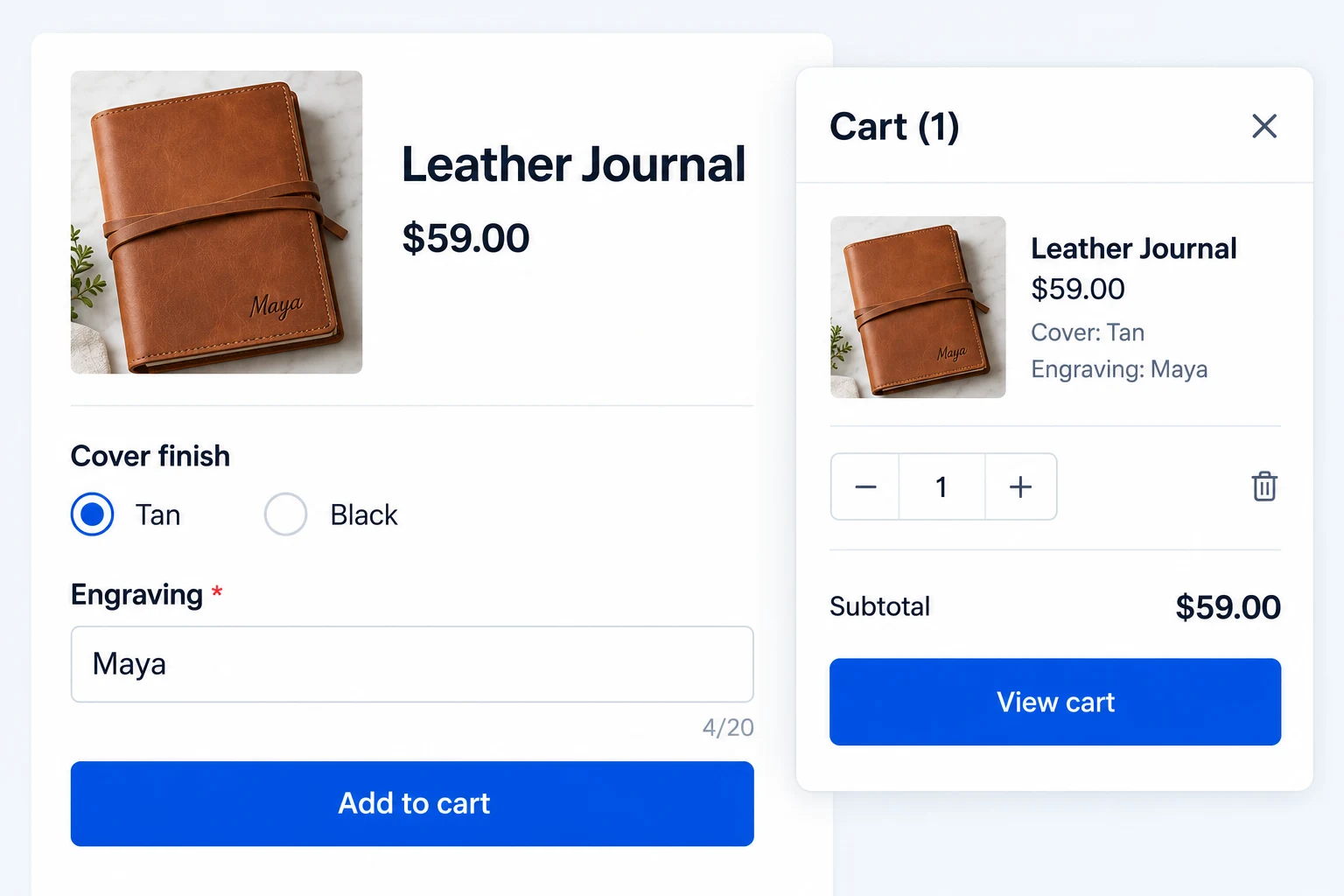
Add checkboxes, radio choices, dropdowns, short text or long text to an individual product. Use a heading to separate groups, and mark a field as required when the order cannot be completed without it.
A shopper buying a leather journal can choose a cover finish and enter engraving text on the product page. Their selections stay with the product through cart, checkout and order details.
Make the cost of every extra visible.
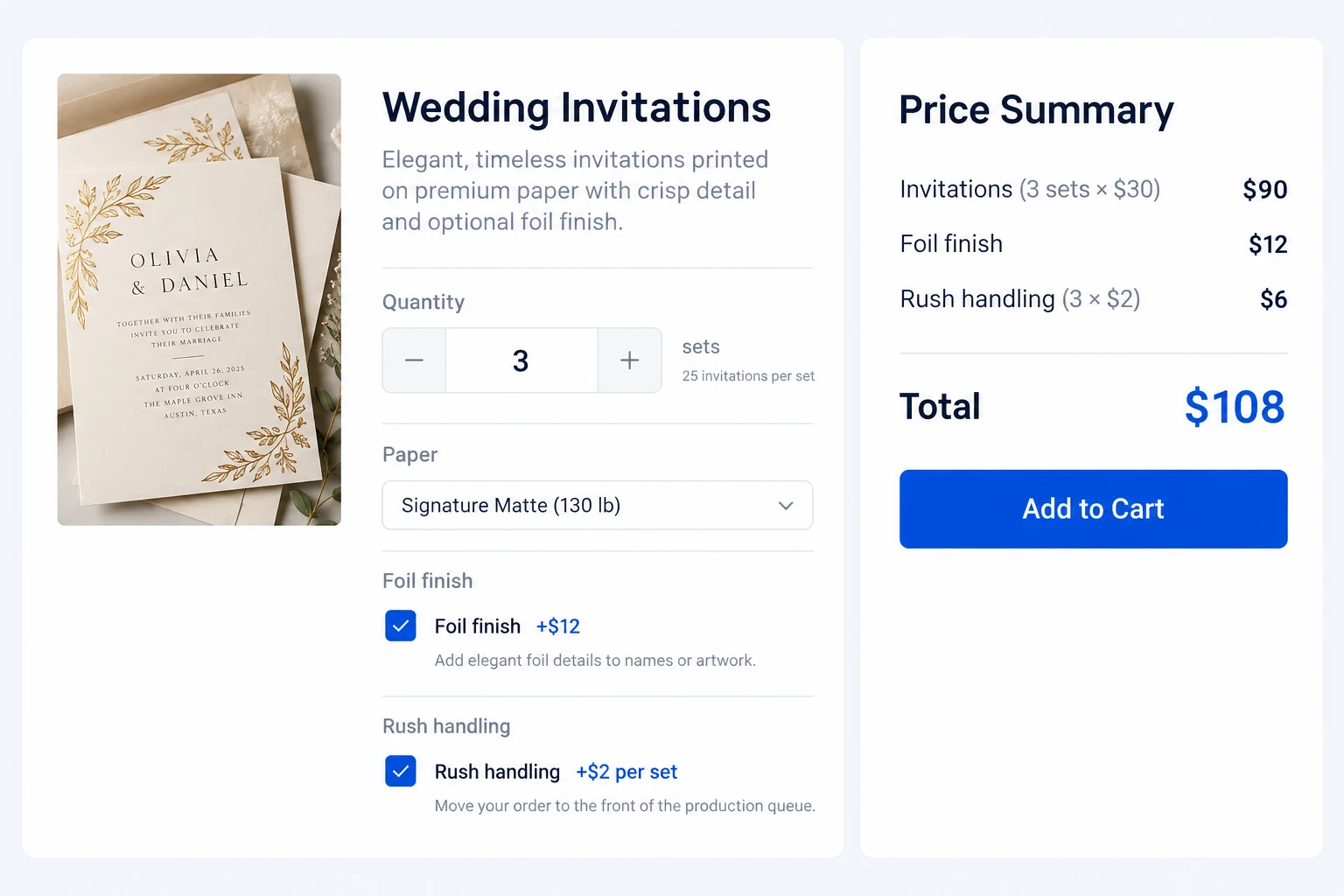
Charge a flat fee, calculate a percentage of the product price or multiply an add-on charge by the main product quantity. Show prices beside options and update the product total as shoppers make their selections.
For a printed invitation set, a $12 foil finish can be a flat fee while rush handling can scale with the number of sets ordered. The selected extras carry into the cart and order.
Show follow-up fields only when they matter.
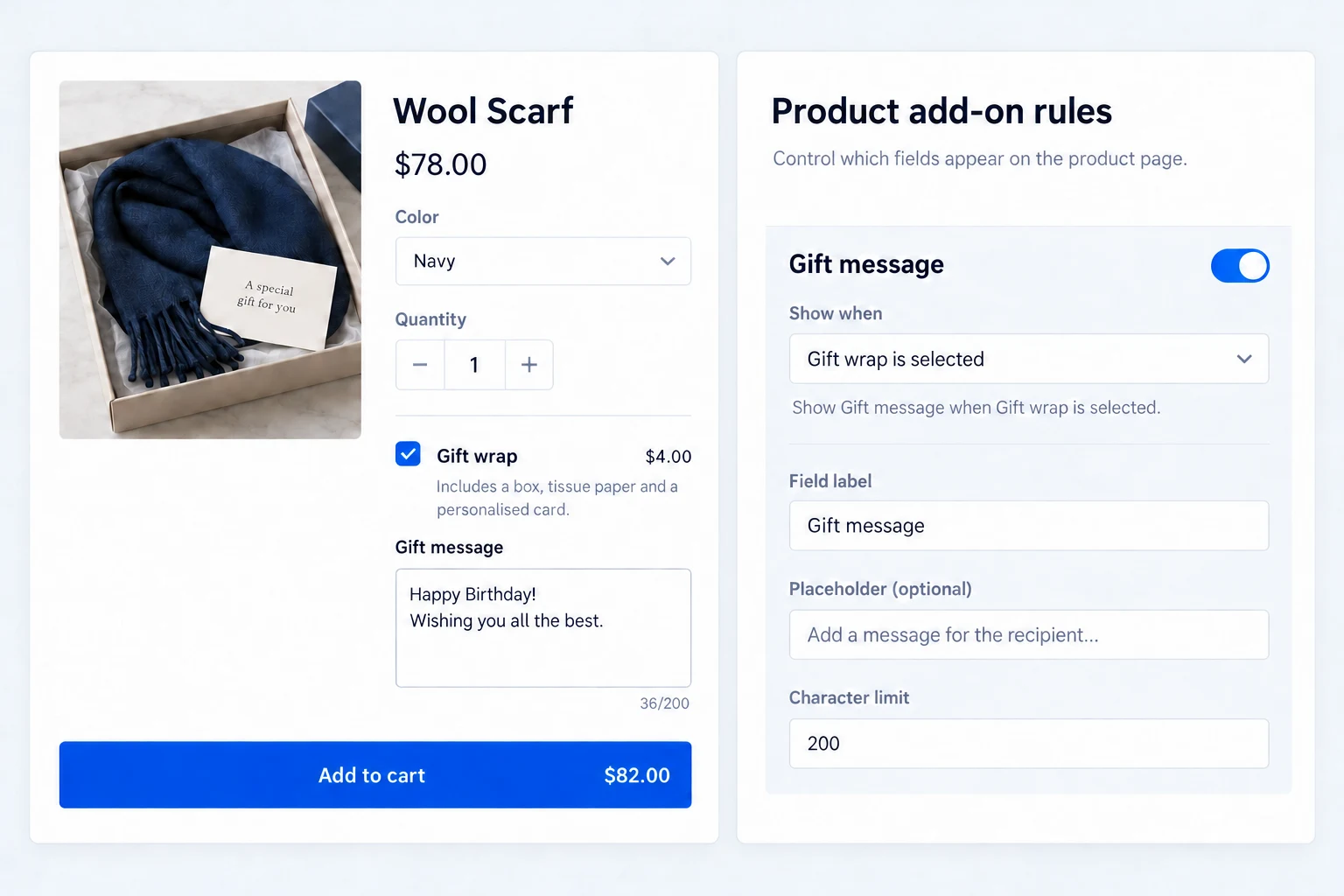
With Pro, set conditional visibility so a field appears when a shopper chooses a relevant option. You can also require a minimum or maximum number of checkbox selections.
A gift message field can appear only after the shopper chooses gift wrap. The form stays shorter for everyone else, while the required choice still receives validation before cart.
Collect artwork and booking details with the order.
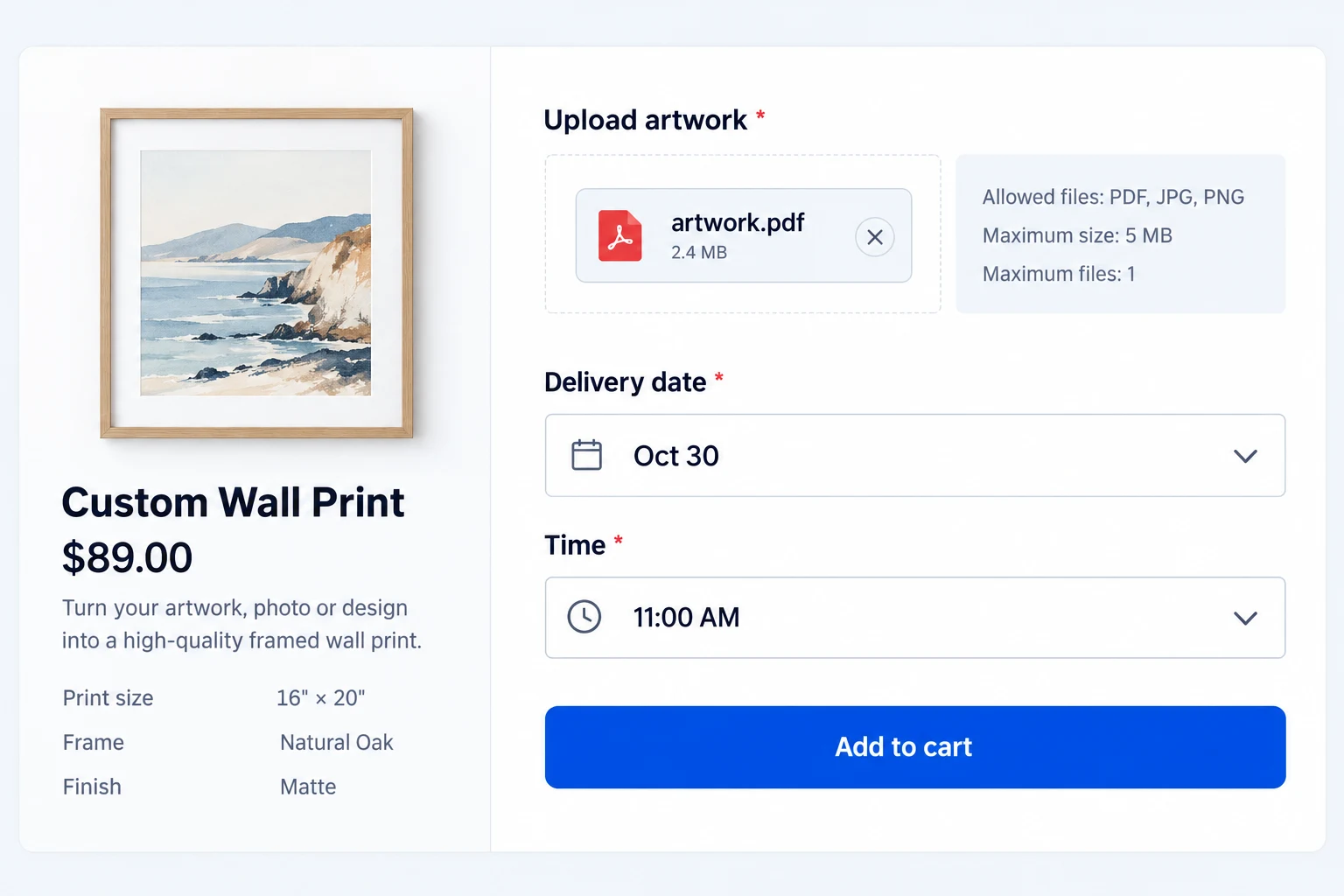
Pro adds a file-upload field with configurable allowed file types, file size and file count. It also adds date and time fields when the product needs a selected appointment or delivery slot.
A custom wall print can require a PDF or image upload, while a made-to-order service can collect the chosen date and time. Uploads still need to meet your server limits and the field restrictions you set.
Make visual choices and add-on quantities practical.
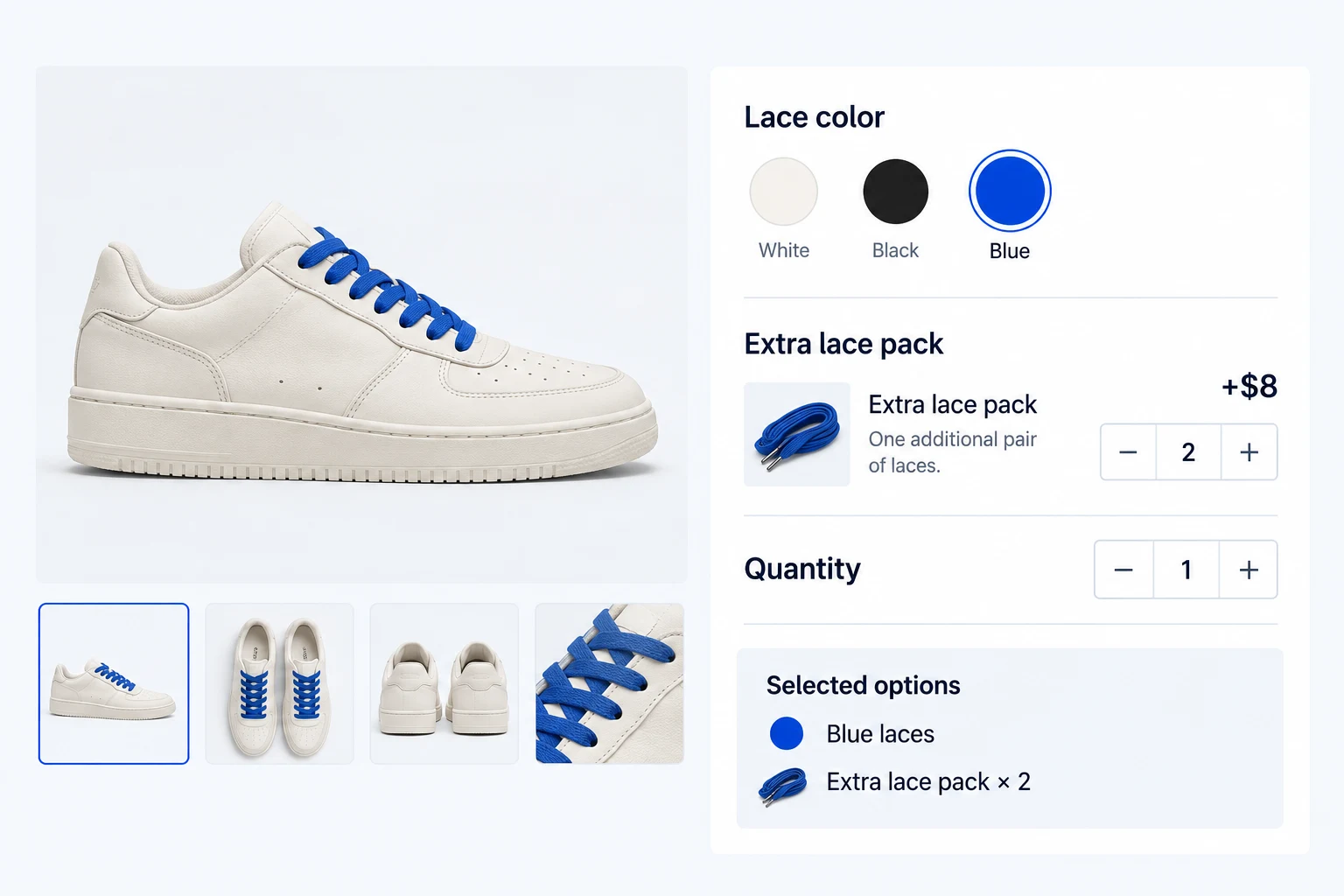
Pro adds color swatches and a separate quantity input for supported add-ons. A shopper can see the available finishes and choose more than one unit of an extra without changing the main product quantity.
For a sneaker order, they can select a lace color and request two additional lace packs. The add-on amount reflects its own quantity.
Fit the add-on form to your product page.
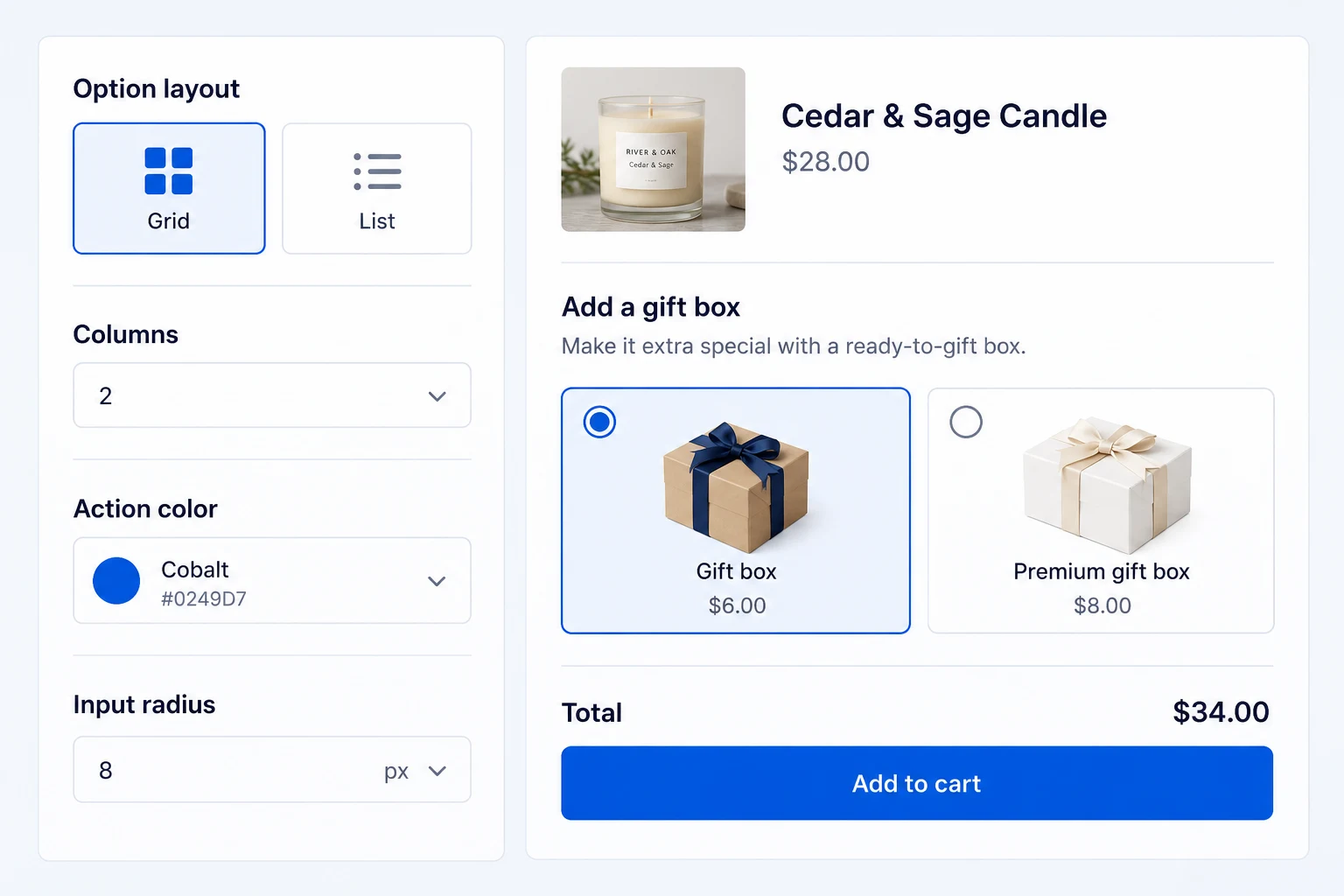
Choose a stacked, grid or inline option layout, adjust columns and use the core color controls in Free. Position the add-ons around the purchase form and choose how option prices are displayed.
Pro adds finer control over typography, container surfaces, inputs, total-price presentation and image-option styling. Preview the actual form while refining the design.
Get the full feature.
And the rest of the suite.
One Swift Commerce Pro license unlocks the complete feature set across all 16 tools, advanced design controls and premium support. No separate purchase for Product Addons.
Compare Free and Pro.
Start with the Product Addons essentials in Free, or use Pro for the expanded controls shown below.
| What you can do | Free | Pro |
|---|---|---|
| Core choice and text fields | Included | Included |
| Flat, quantity-based and percentage pricing | Included | Included |
| Live add-on total and order details | Included | Included |
| Conditional field logic | Not included | Included |
| Minimum and maximum choice selections | Not included | Included |
| File uploads with type, size and count limits | Not included | Included |
| Date/time fields and color swatches | Not included | Included |
| Separate per-add-on quantity inputs | Not included | Included |
| Advanced appearance controls | Core layouts and colors | Detailed typography, surfaces and input styling |
Questions about Product Addons.
Specific answers about setup and Free versus Pro.
Are add-ons the same as WooCommerce variations?
No. Variations define different versions of a product. Add-ons collect extra choices, personalization or charges alongside the selected product.
Can I charge a percentage or a per-product-quantity fee in Free?
Yes. Free supports flat, percentage and product-quantity-based add-on pricing. A separate quantity input for an individual add-on is a Pro capability.
Can a field depend on an earlier answer?
Yes, with Pro. Conditional logic can reveal a field when a shopper selects the relevant option.
Can customers upload artwork?
Yes, with Pro. Configure the file field and its allowed types, size and count limits. Server upload limits may still apply.
Will the chosen options appear in the order?
Yes. Selected add-on details and charges carry through cart and checkout into the order.
Do I need a separate Product Addons license?
No. Product Addons is part of Swift Commerce. Pro unlocks the advanced capabilities across the suite.