


WooCommerce product bundles.
Sell a complete set.
Create WooCommerce product bundles from products you already sell. Build starter kits and gift sets with clear savings; Pro adds variable products, optional items and more control over customer choices.
Product Bundles for WooCommerce. Part of the Swift Commerce WordPress plugin.
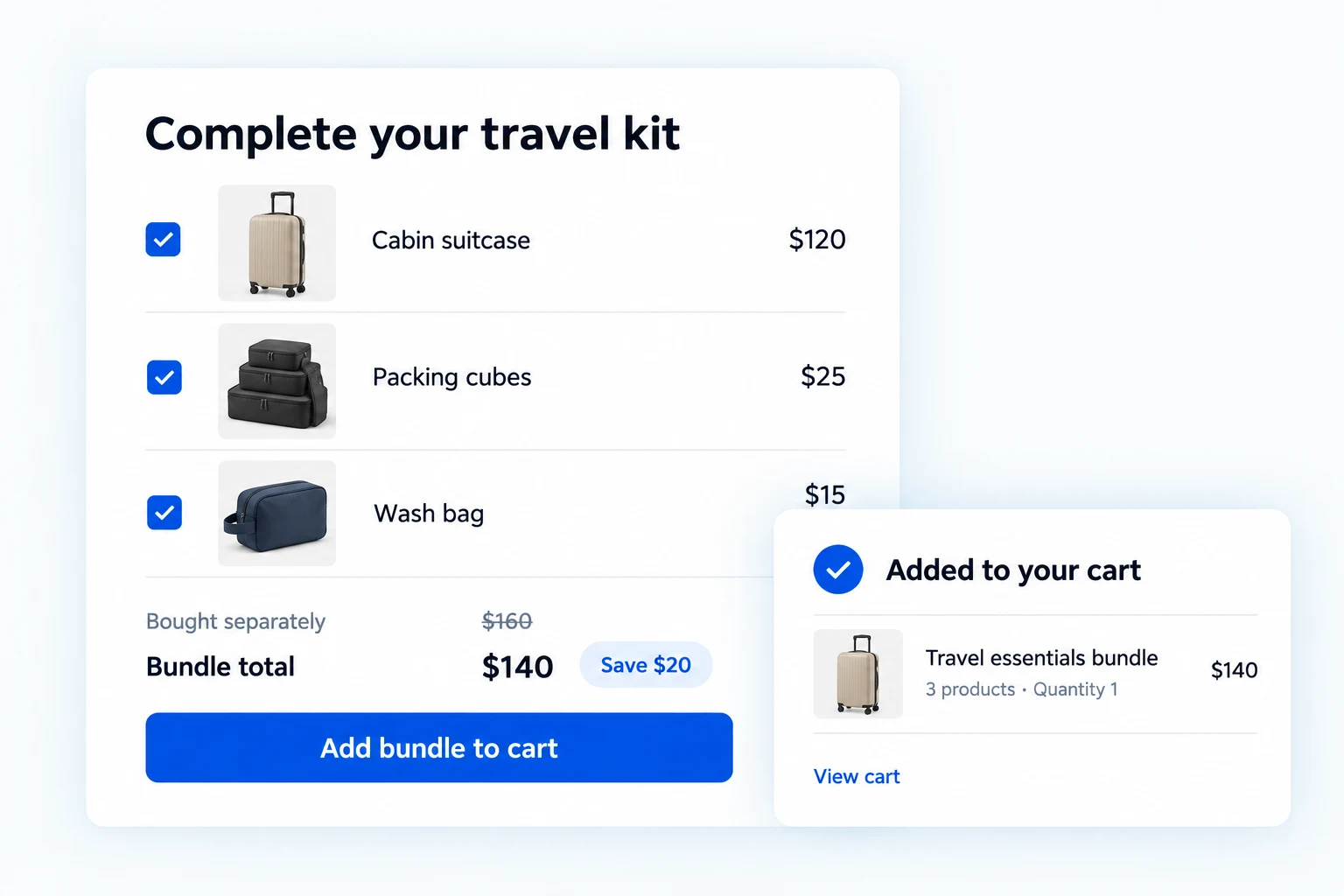
Build WooCommerce product bundles from your existing catalog.
Start with simple-product bundles and item discounts in Free. Pro adds variable products, optional selections, quantity rules, component inventory sync and detailed appearance controls.
Build a bundle from products you already sell.
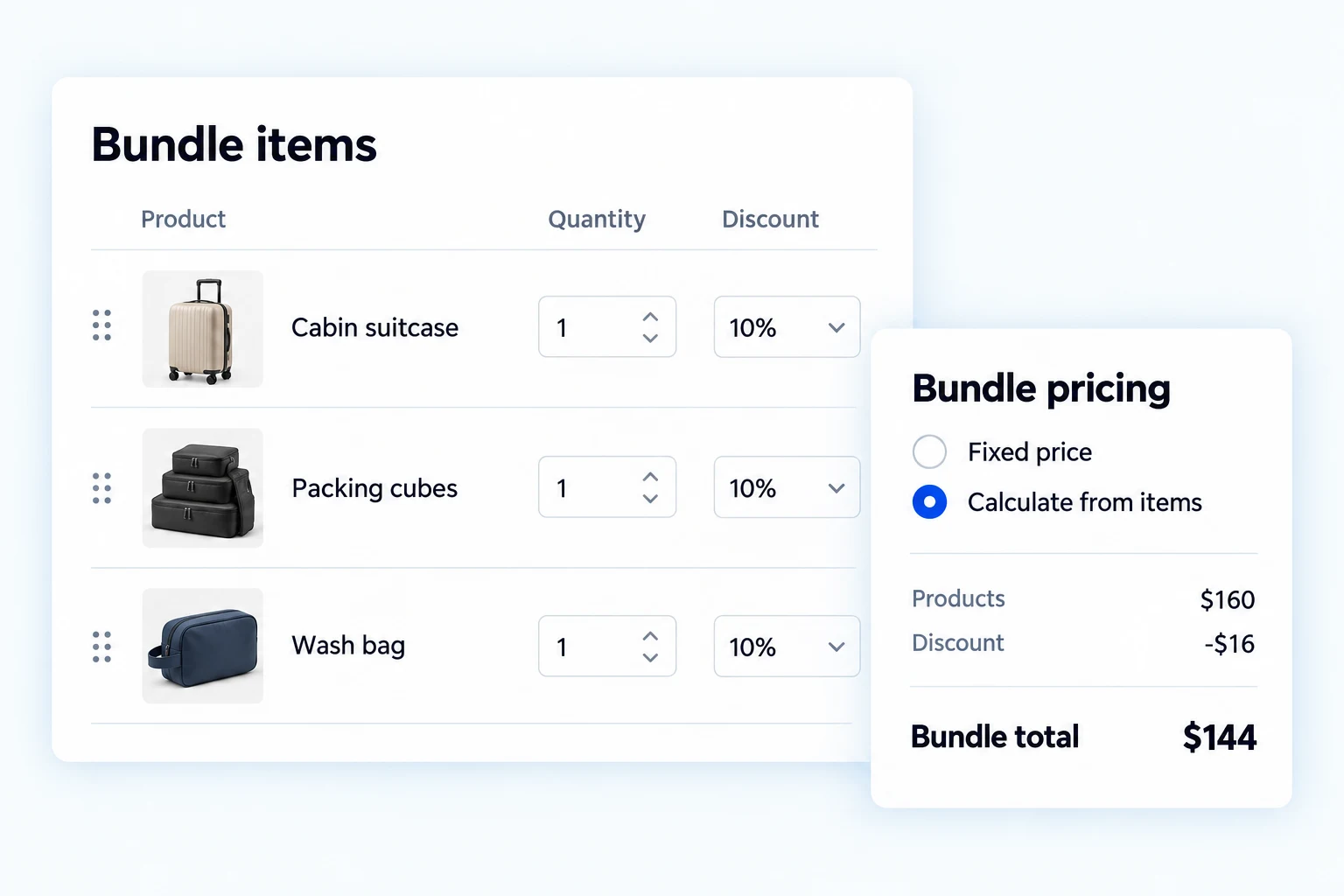
Create a Product Bundle in WooCommerce, search your catalog and add the products you want to sell together. Set a default quantity and discount for each item, use a custom display name where needed, and drag items into the right order.
Charge a fixed regular or sale price for the whole bundle, or leave the price empty to calculate it from the included items and their discounts. Show the savings alongside the offer so shoppers can see what buying the set means.
Let shoppers choose variations inside the bundle.
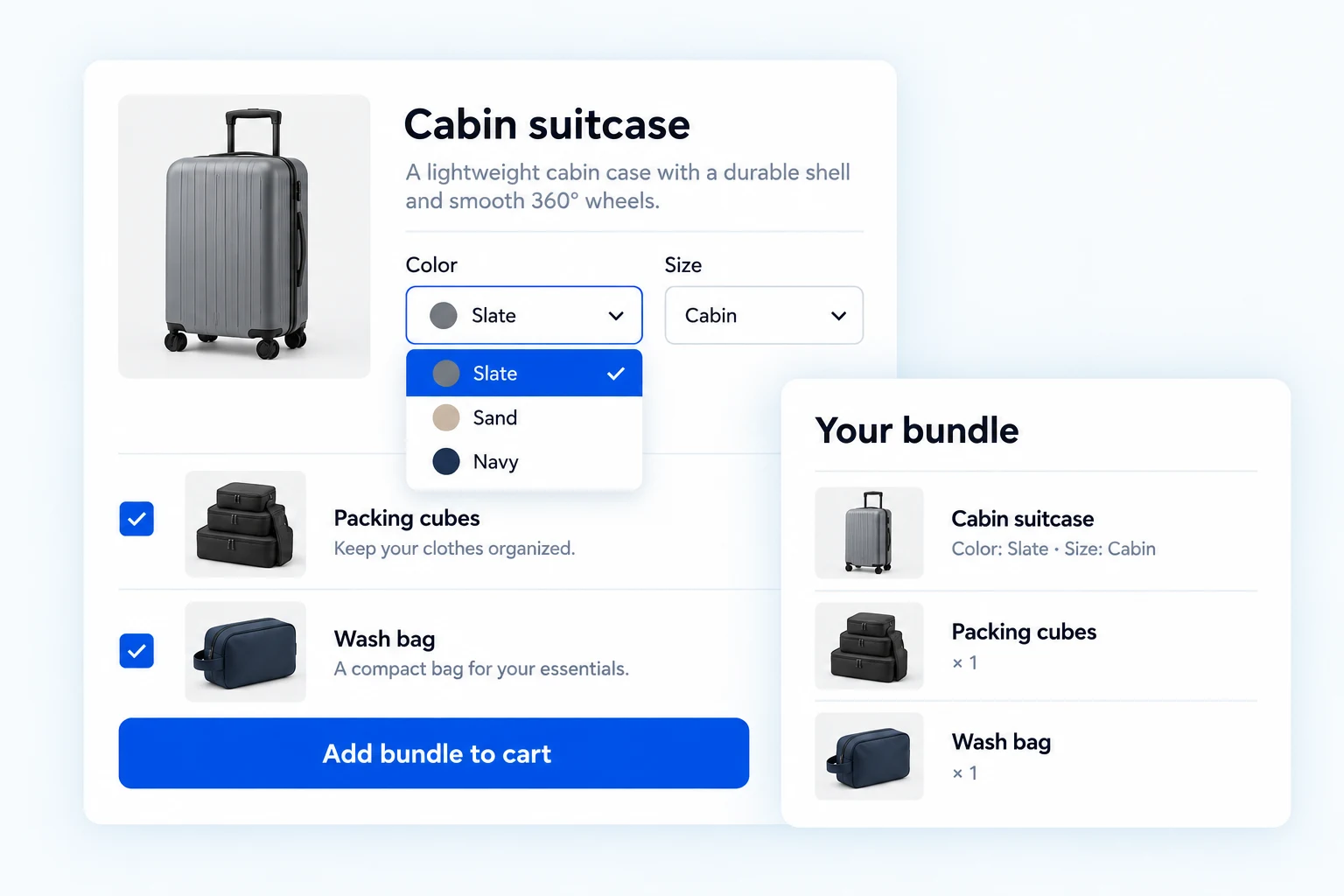
With Pro, include variable products and let customers choose the available size, color or other product attributes directly in the bundle. They do not have to leave the set to buy a variation separately.
The selected variation stays with the bundle when it is added to the cart. A travel set can offer a choice of suitcase color while keeping the packing cubes and wash bag in the same purchase.
Keep the essentials required. Let customers choose the extras.
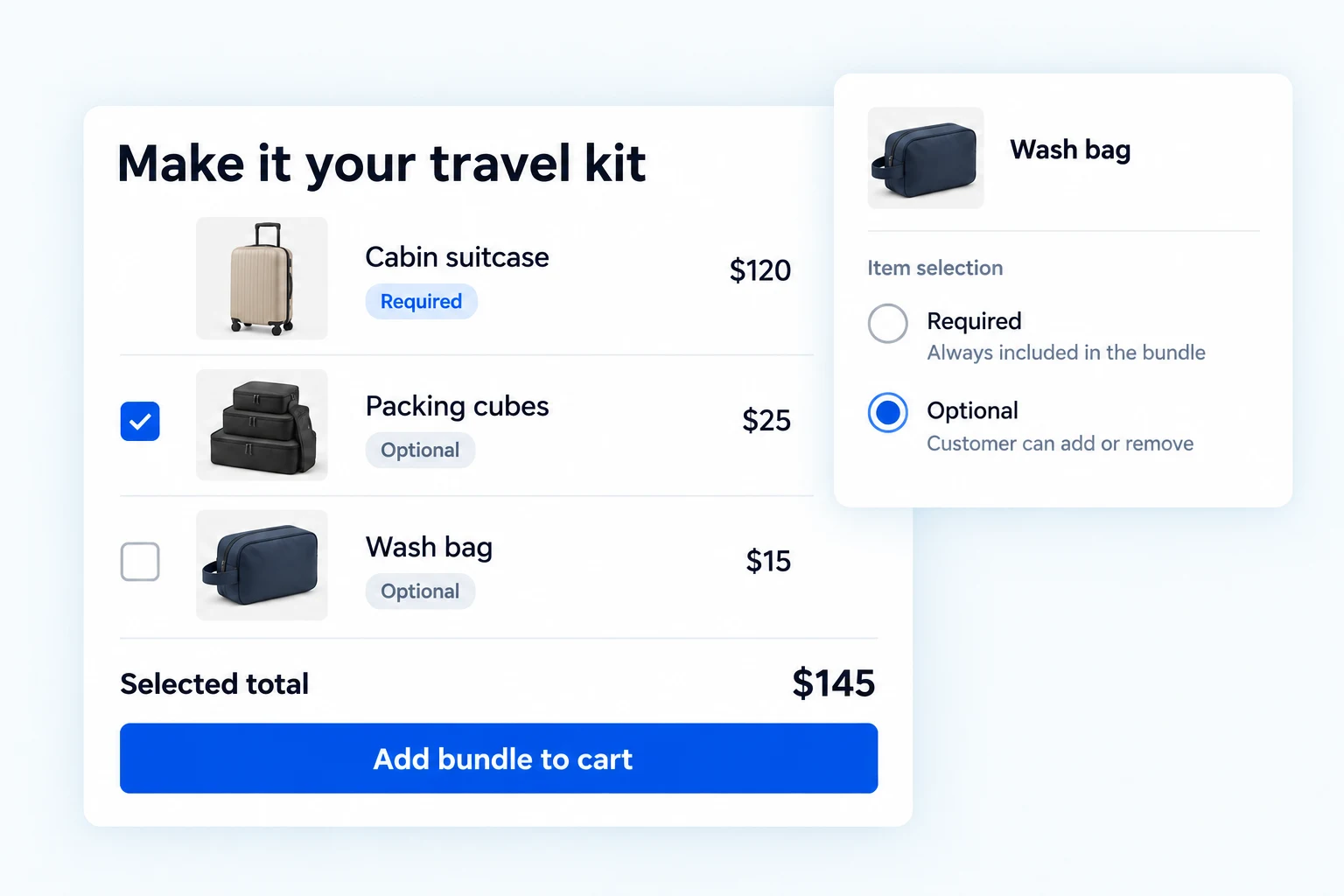
Pro lets you mark individual bundle products as optional while keeping the core products included. Customers can select the extras they want instead of accepting every item in a fixed set.
Keep the suitcase in a travel bundle and offer the wash bag as an optional extra. With item-based pricing, the bundle total reflects the selected contents.
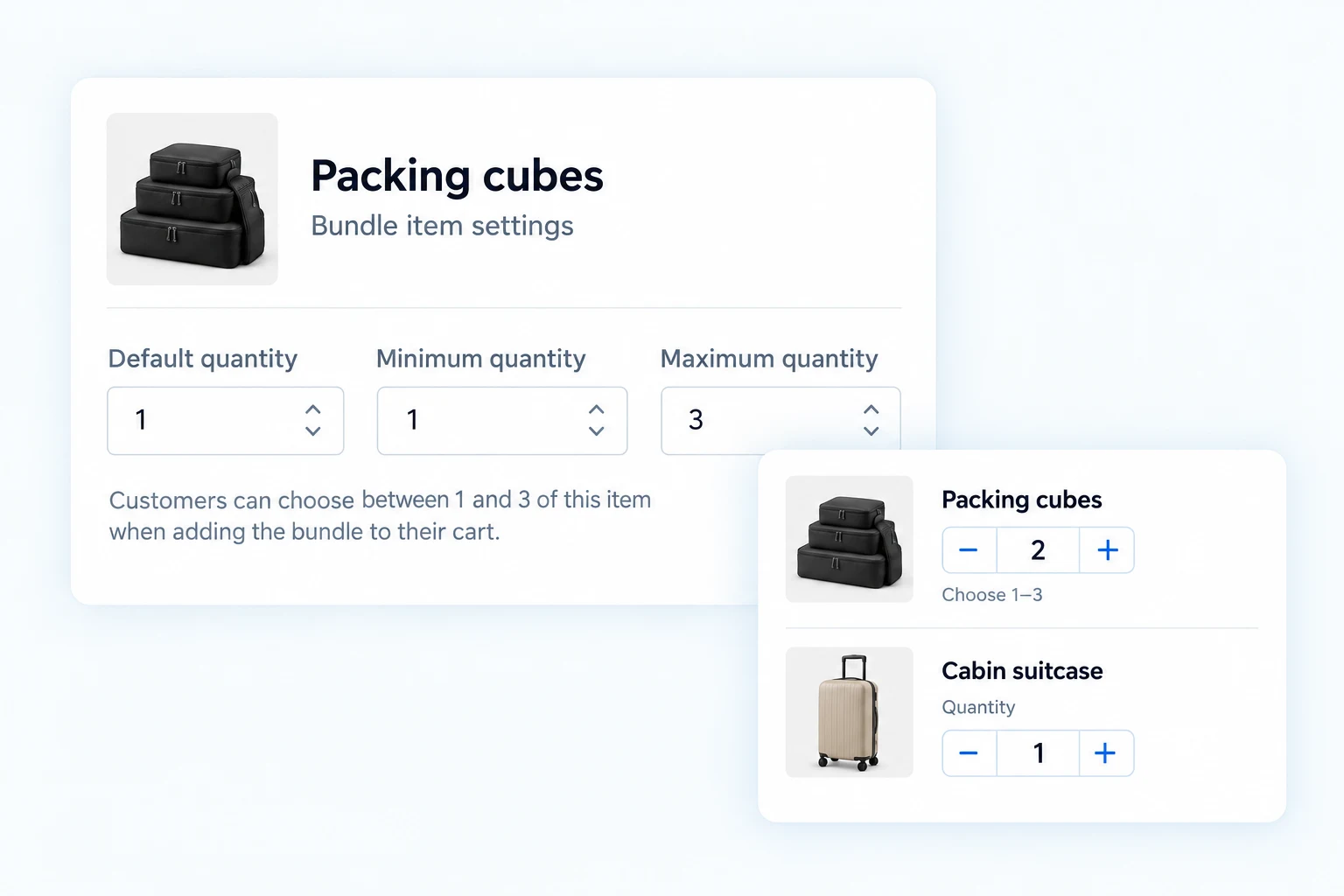
Set a minimum and maximum for each bundled product.
Give customers room to change quantities without leaving the offer open-ended. Pro adds per-item minimum and maximum limits, alongside the default quantity you set for each product.
Allow one to three packing-cube sets, for example, while keeping the suitcase quantity fixed. The quantity limits are checked when the bundle is added to the cart.
Require enough selected items to complete the bundle.
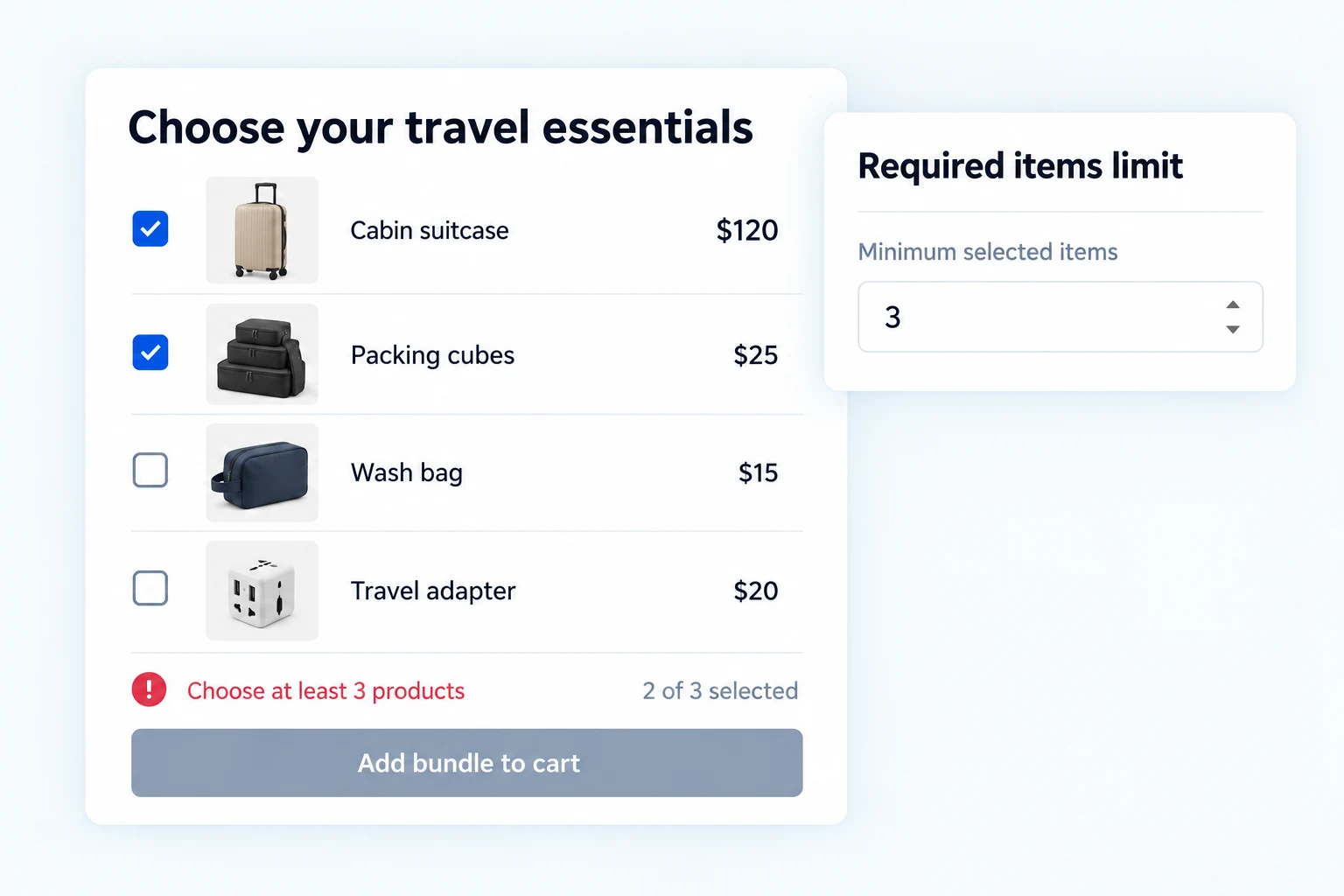
Optional products do not have to mean an incomplete offer. With Pro, set the minimum number of product lines a customer must keep selected before the bundle can be purchased.
Require at least three selected products in a four-product travel kit. This is separate from per-item quantity limits: it controls how many products are selected, not how many units of one product are ordered.
Connect bundle availability to the products inside it.
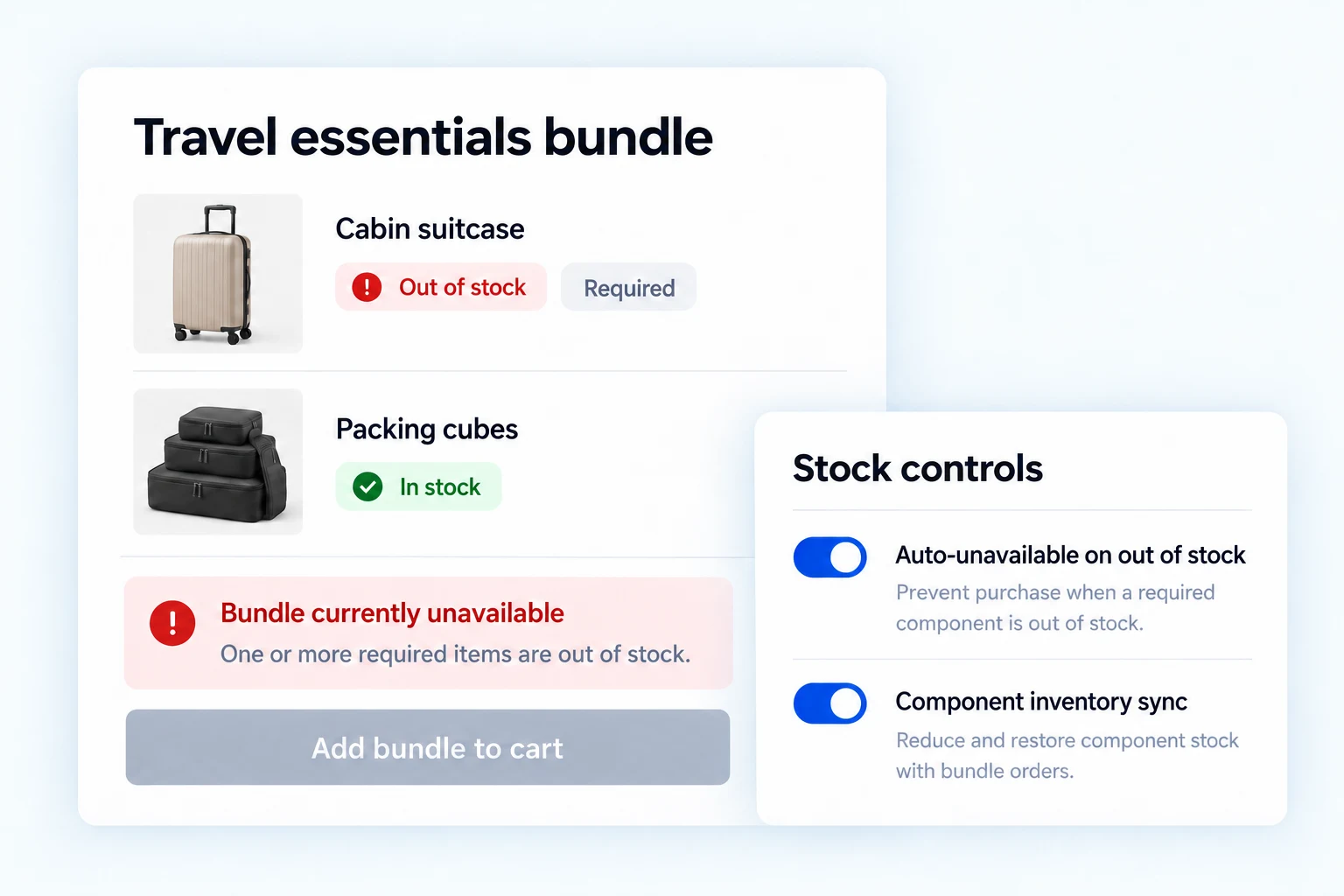
Show component stock status and check availability in Free. Pro adds the Auto-Unavailable on Out of Stock setting and optional-item-aware handling, so a required product that sells out can make the bundle unavailable.
Enable Component Inventory Sync in Pro to reduce the selected products’ stock with bundle orders and restore stock through supported cancellation and refund events. Use global defaults or override supported stock rules for a particular bundle.
Choose bundle totals or itemized prices on orders.
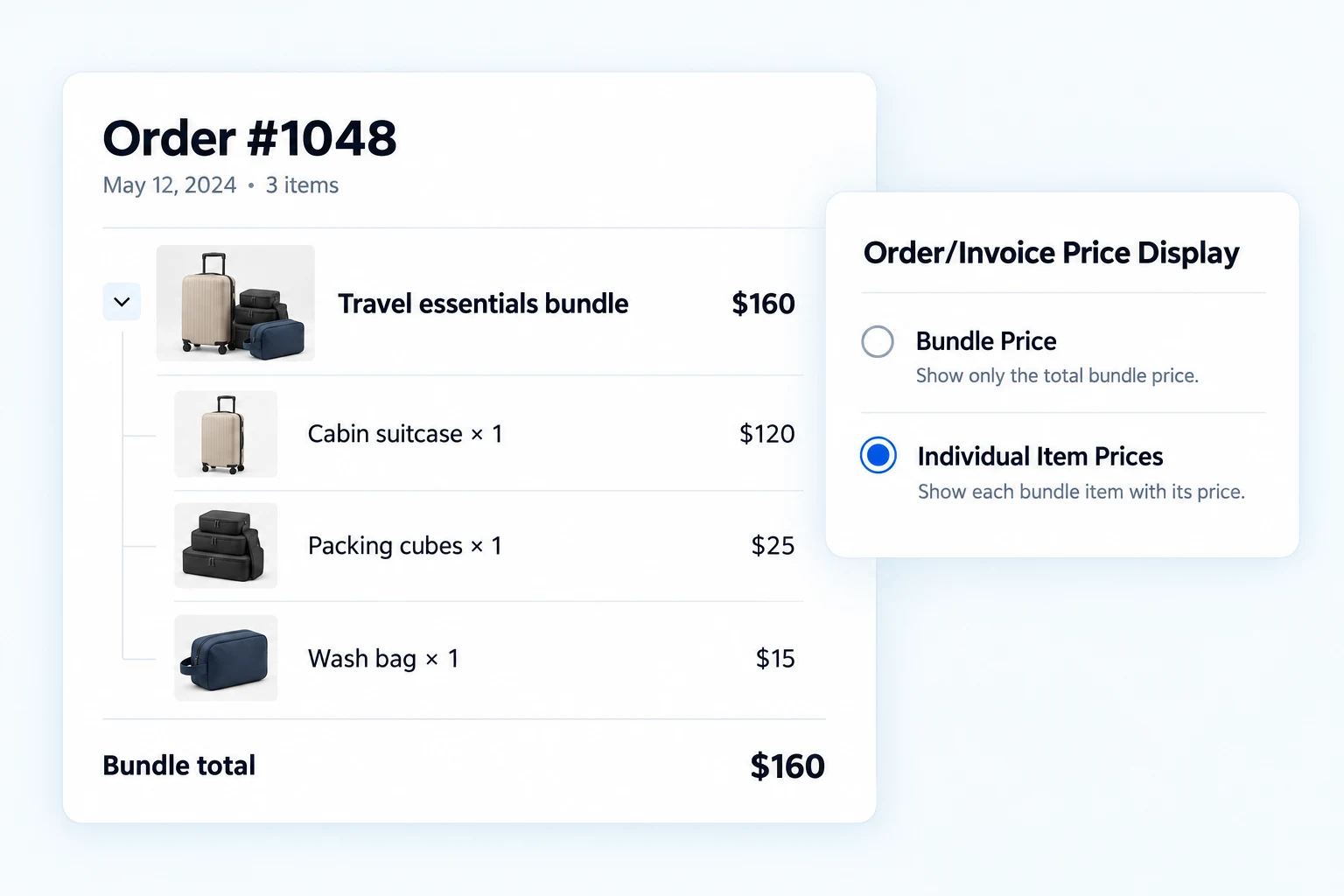
Use the Pro Order/Invoice Price Display control to choose how bundle prices appear in supported WooCommerce order output. Show the bundle price only, or display the included products with their quantities and individual prices.
Set the default for your store, then override the price-display mode for a specific bundle when needed. This controls bundle price presentation; it is not a separate PDF invoice generator.
Customize the layout, quantities and stock details shoppers see.
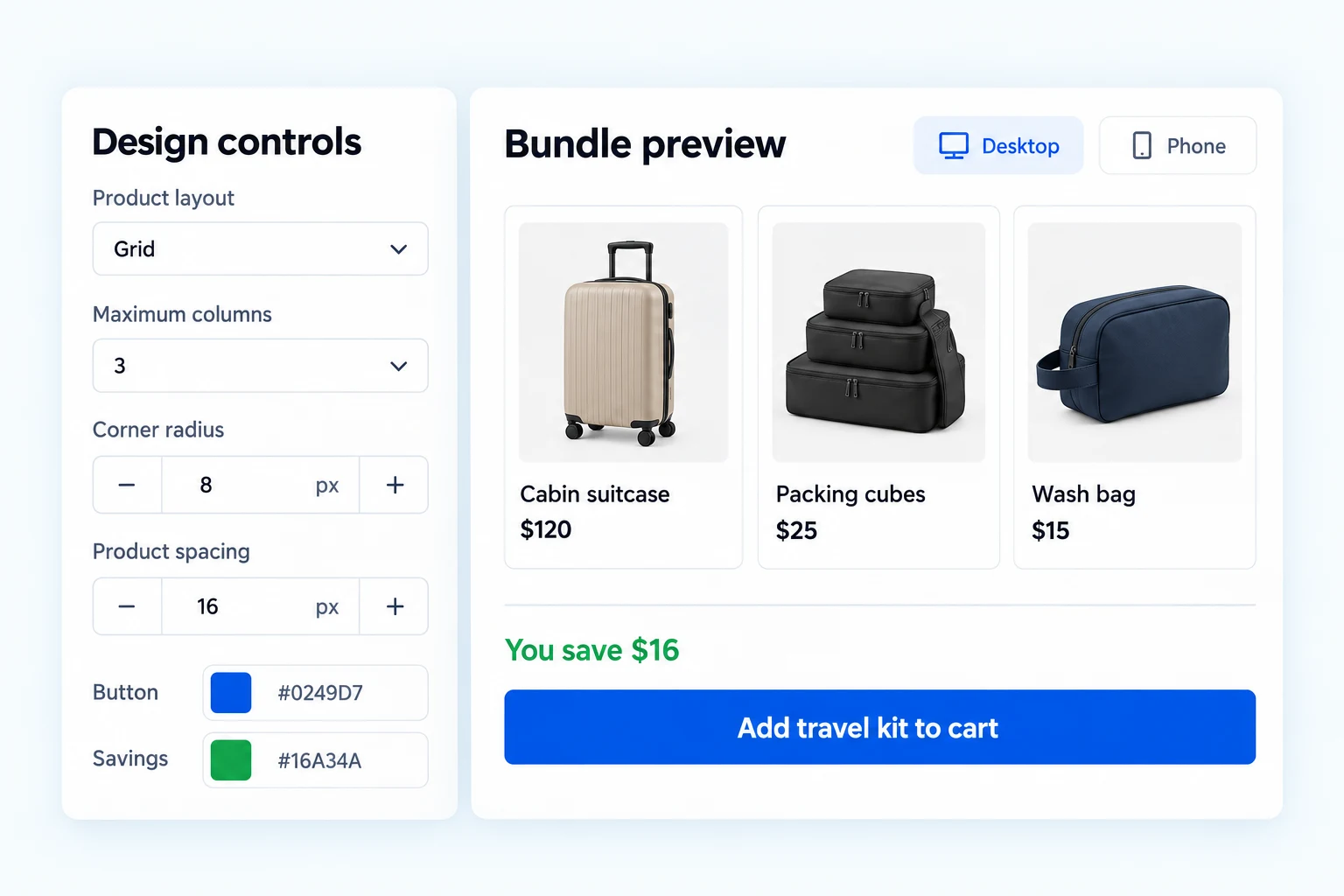
Start with a ready-made preset and adjust the basic colors in Free. Pro opens the detailed design controls: layout and columns, typography, product borders, corner radius and spacing.
Want to show availability without exposing exact inventory? Pro adds Show stock quantities under Appearance → Design controls → Stock display. Keep In stock visible while hiding the item count. The Settings stock-visibility switch still controls whether stock information appears at all.
Choose the quantity-input style and alignment, position discount badges and savings, and change the add-to-cart button’s layout and text. Check the result in the desktop, tablet and phone previews before saving.
Get the full feature.
And the rest of the suite.
One Swift Commerce Pro license unlocks the complete feature set across all 16 tools, advanced design controls and premium support. No separate purchase for Product Bundles.
Compare Free and Pro.
Start with the bundle essentials, or choose Pro for customer choices, operational controls and advanced customization.
| What you can do | Free | Pro |
|---|---|---|
| Create simple-product bundles | Included | Included |
| Variable products and variation selection | Not included | Included |
| Optional bundle items | Not included | Included |
| Per-item customer quantity limits | Not included | Included |
| Minimum selected-item requirement | Not included | Included |
| Out-of-stock availability controls | Component stock checks | Configurable, optional-item-aware policy |
| Component inventory sync | Not included | Included |
| Order/Invoice Price Display options | Not included | Included |
| Advanced appearance controls | Starter presets and basic colors | Detailed design controls |
| Hide exact stock quantities while retaining availability | Not included | Included |
Questions about your bundle setup.
Specific answers about selections, stock, pricing and customization.
Can customers choose a size or color for a product in a bundle?
Yes, with Pro. Include a variable product and let the shopper choose its available attributes inside the bundle. Free supports simple-product bundles.
Can I keep one product required and make the others optional?
Yes. Pro lets you mark individual products as optional. Keep the core product included, allow customers to select extras, and use the minimum selected-item rule when the offer needs a certain number of product lines.
Are quantity limits and required-item limits the same thing?
No. Per-item quantity limits control the minimum and maximum units of a particular product. The required-items rule sets the minimum number of selected product lines. The current selected-item rule does not set a maximum selection count.
What happens when a bundled product runs out of stock?
Free includes component stock status and availability checks. Pro adds configurable auto-unavailable handling that accounts for optional items, plus component inventory sync when enabled. Test required items, variations and stock policies together in your store.
Does Order/Invoice Price Display create PDF invoices?
No. It selects bundle-total or itemized price presentation in supported WooCommerce order output. PDF invoice generation and third-party invoice templates remain part of your invoice solution.
What customization is available without Pro?
Free includes the Classic, Minimal and Compact Dark starter presets and basic color controls. Pro adds detailed layout, typography, surface, quantity, badge, savings and button controls.
Do I buy Product Bundles separately?
No. Product Bundles is included in Swift Commerce. One Pro license unlocks the Pro capabilities across the suite, along with updates and premium support. Keep Swift Commerce Free installed because Pro extends it.