Swift Commerce 1.5 is a major rebuild of the all-in-one WooCommerce suite. The release adds six native WordPress blocks, introduces one shared storefront design system, and hardens subscriptions, bundles, product addons, search, wishlists, recovery, privacy, and background processing. Store owners get fewer compatibility surprises, more accurate previews, and less unnecessary frontend work. Agencies get a cleaner technical foundation for replacing a stack of separate extensions with one controlled platform.
This is not a release where we added a few settings and changed the version number. Much of the work happened below the visible interface: renewal calculations, cart-item integrity, indexed analytics storage, bounded cron jobs, Store API handling, REST permissions, file security, privacy tools, cache invalidation, and conditional asset loading.
That is exactly where a serious WooCommerce release should spend its time.
Why version 1.5 became a major release
The original plan was to ship these improvements as version 1.4.25. That stopped making sense once the scope became clear. Swift Commerce 1.5 changes the product’s frontend architecture, adds native editor surfaces, revises database and background-processing behavior, and repairs several critical commerce flows from product selection through paid order attribution.
Calling it a maintenance update would understate the upgrade.
The larger point is not the number of changelog entries. It is that the parts now work from a shared foundation. Ajax Search, Currency Switcher, Cookie Consent, Wishlist, Back In Stock, Product Bundles, Product Addons, Added to Cart Popup, and Subscriptions no longer behave like unrelated mini-plugins that happen to share a menu. They use common design rules, consistent public namespaces, conditional loading, and more accurate dashboard previews.
That architectural change matters to stores that have learned the cost of assembling WooCommerce one extension at a time.
The real cost of a large WooCommerce plugin stack
Premium plugin pricing is only the easiest cost to see. As of July 2026, the official WooCommerce Subscriptions extension lists a one-year plan at $279, while WooCommerce Product Add-Ons lists a one-year plan at $79. Those two extensions alone total $358 per year before adding wishlists, live search, cart recovery, bundles, currency switching, shipment tracking, cookie controls, checkout fields, or back-in-stock notifications. Prices change, so check the linked product pages before making a purchasing comparison.
The technical cost is more difficult to measure. Plugin count by itself is not a performance benchmark. A well-written extension may add almost no measurable overhead on a request where it does not run. The problem is that a stack of twenty or thirty independently designed plugins often creates overlapping work:
- Each plugin registers its own hooks, REST routes, cron events, options, and database access patterns;
- Multiple extensions enqueue separate render-blocking stylesheets on the same product page;
- Theme overrides collide with several unrelated CSS naming systems;
- One admin table may trigger an additional product or order query for every displayed row;
- Autoloaded settings grow even when a feature is not used on the current request;
- Several background jobs compete during the same low-traffic WP-Cron request; and
- Checkout integrations may support classic shortcodes while failing silently in Cart or Checkout Blocks.
The result can show up as slow database queries, duplicated JavaScript, layout shifts, a worse Largest Contentful Paint measurement, or a checkout feature that disappears after a theme or WooCommerce update. No single plugin necessarily caused the problem. The system simply accumulated too many independent assumptions.
Swift Commerce approaches that problem as a platform. Features are still modular, but they share infrastructure and can stay dormant when disabled. Version 1.5 makes that promise substantially more concrete.
Native Gutenberg blocks are now part of the Free plugin

WordPress’s native editing environment should not be a secondary integration. Swift Commerce 1.5 adds six server-rendered blocks to the Free plugin:
- Ajax Product Search
- Back In Stock Form
- Currency Switcher
- Product Bundle purchase form
- Wishlist Page
- Product-aware Wishlist Button
These are not static placeholders that only become useful after publishing. The blocks use canonical server rendering, inherit the relevant dashboard design settings, and load their public assets conditionally. The Wishlist Button and Product Bundle blocks also understand product context instead of asking an editor to recreate product data manually.
For agencies, the important detail is consistency. A block, shortcode, Elementor widget, and dashboard preview should not each invent its own HTML and CSS. When that happens, a fix applied to one surface leaves three others behind. The 1.5 block system is built around the same feature rendering contracts used elsewhere in the plugin, with separate extension points for advanced Pro controls.
WooCommerce has made Cart and Checkout Blocks the default experience for new stores since WooCommerce 8.3. Its own developer guidance explains that block checkout uses the Store API and explicit extensibility interfaces rather than assuming every classic PHP hook will continue to work. You can read the official Cart and Checkout extensibility documentation for the underlying model.
One storefront design system instead of a folder of competing styles

Before 1.5, several Swift Commerce features had grown their own visual conventions. A search field, back-in-stock form, popup button, subscription selector, and wishlist table could each respond differently to the same theme. Some feature styles contained legacy brand colors. Others relied on selectors that were too weak to survive an aggressive WooCommerce theme. A dashboard preview could look correct while the published storefront inherited a completely different border, spacing, or button rule.
Version 1.5 replaces that fragmented approach with a shared frontend design system. Public components now use the swift-commerce- namespace, shared control states, accessible alerts and dialogs, responsive rules, reduced-motion behavior, and the same default primary color. Exact retired brand colors are migrated safely without overwriting a merchant’s deliberate color choice.
The practical result is not that every feature looks identical. A cookie banner and a product bundle should not be the same component. The result is that they now agree on fundamentals: typography inheritance, focus visibility, control sizing, color tokens, borders, loading states, errors, shadows, and responsive behavior.
Global Styles provides the base brand direction. Feature-level appearance controls can still override it where the design requires something specific. More importantly, the dashboard live preview now uses the same component structure and saved values as the storefront for the migrated features.
Ajax Search was rebuilt as a commerce service, not just a dropdown

Ajax Search received visible repairs, including opaque results, correct stacking above page-builder content, compact sale prices, functional clear and close controls, and editor initialization for Elementor shortcodes. The deeper changes are more significant.
Storefront and Elementor requests now use one bounded REST service. Search results use ID-level caching, indexed SKU-prefix matching, signed click attribution, automatic cache invalidation, and bounded popular suggestions for anonymous visitors. Legacy setting names migrate into one canonical schema. Analytics no longer rewrites an ever-growing map inside one WordPress option. Search events use indexed storage with retention cleanup and request limiting.
That change removes a predictable scaling failure. An option is convenient for a small settings object because WordPress can read and update it easily. It is a poor home for an analytics history that grows with every distinct query. Rewriting the entire serialized value for each event increases write contention, makes retention awkward, and eventually creates an oversized row. A dedicated indexed table lets the feature query periods and popular terms without loading the full history into PHP memory.
Subscriptions now protect the agreement behind every renewal

Subscription software is not finished when it can add “$29 per month” to a product page. The difficult work begins after checkout. A production system has to preserve the purchased plan, quantity, currency, coupons, sign-up fee, free trial, billing interval, shipping behavior, and next payment date. It must create the correct renewal order later, even if the product’s current settings have changed.
Swift Commerce 1.5 now stores an immutable recurring agreement snapshot for the initial purchase. Checkout charges the correct combination of trial, sign-up fee, selected plan, and prorated amount. Renewal orders preserve quantity, currency, coupons, scheduled shipping, billing anchors, and related-order history without advancing the schedule twice.
The release also repairs manual renewals, finite terms, trial notices, purchase limits, lifecycle transitions, customer account requirements, mixed carts, saved email settings, and My Account actions. Indexed relationship storage replaces repeated expensive lookups. Administration search runs server-side, maintenance is bounded, and subscription privacy data participates in WordPress export and erasure tools.
On the storefront, single-plan, multiple-plan, and Pro Buy Once states now have explicit layouts. A product with one subscription plan and a one-time purchase choice no longer repeats the same monthly plan underneath. Multiple plans appear only when the subscription choice needs them. Saved colors and spacing are protected from theme button rules, while theme-owned shop-loop buttons remain theme-owned.
This work does not mean Swift Commerce now matches every mature subscription product in every gateway edge case. Payment gateway behavior still deserves a documented compatibility matrix and continued testing. It does mean the subscription engine has a much stronger contract between the customer’s purchase and the later renewal.
Product Bundles and Product Addons now carry correct data through the order

Product configuration becomes risky when a choice looks correct on the product page but changes in the cart, checkout, recovered cart, or order. Version 1.5 tightened that entire path for bundles and addons.
For Product Bundles, selected products, variations, quantities, prices, dimensions, and downloads remain consistent through Cart, Checkout Blocks, orders, and cart recovery. Bundle prices use WooCommerce’s native product data and refresh in bounded batches when component prices change. Optional selections, variable products, quantity limits, coupons, stock validation, order displays, shortcodes, and product editor controls were repaired across Free and Pro configurations.
This matters because a WooCommerce bundle is not merely a parent product with decorative child rows. The official WooCommerce bundle documentation describes a cart model with a parent line item and grouped child line items, each of which may preserve its own price and tax behavior. Swift Commerce 1.5 treats bundle choices as commerce data that must survive every stage, not as frontend state that can be discarded after Add to Cart.
Product Addons received the same scrutiny. Submitted choices are validated against the saved product schema before cart insertion, including Store API requests. Conditional visibility is enforced by the server rather than trusted from hidden browser fields. Prices use an immutable base price and consistent flat, percentage, addon-quantity, cart-quantity, tax-display, and variable-product calculations.
Protected Pro file uploads now have a complete operational path. Uploaded files can be shown safely to authorized staff in the order interface and served through protected download handling instead of being left as an unexplained path in storage. Registration uploads follow the same principle: collecting a file is only useful if authorized staff can find it, understand its owner, and manage its lifecycle.
Background jobs and database queries are now bounded
WP-Cron is triggered by site requests, not by a permanently running system daemon. That makes unbounded jobs particularly dangerous. A task that tries to process every back-in-stock subscriber or every expired subscription in one request can exceed PHP memory or execution limits. If another visitor starts the same event before the first one finishes, both jobs may work on the same records.
Swift Commerce 1.5 adds bounded batches, backlog continuations, and overlap protection to stock notifications, subscription maintenance, account cleanup, and abandoned-cart cleanup. Email work uses claim and retry behavior where appropriate. Retention tasks remove old records in manageable portions instead of attempting one enormous operation.
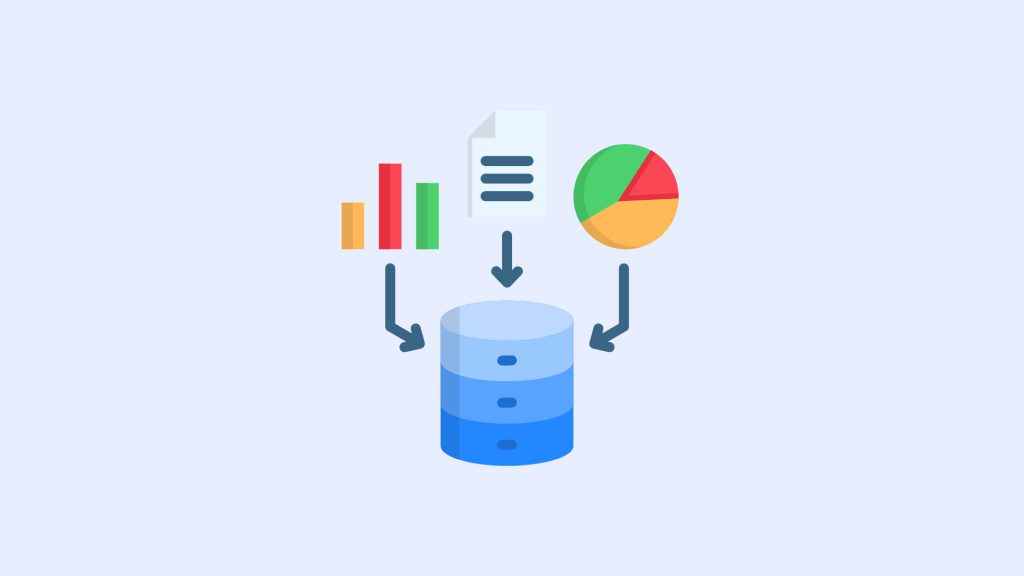
Database hot spots were addressed as well. Shipment statistics use cached counts instead of repeatedly fetching every matching order ID. Wishlist pages use pagination and bulk product loading. Cart Recovery administration avoids a query for each displayed row. Subscription relationships use indexed storage. Search analytics has its own bounded table. Suitable indexes support common status, schedule, customer, and date lookups.
These changes are intentionally unglamorous. They are also the difference between a feature that works in a test shop with twelve orders and one that remains predictable after months of real activity.
Less frontend work on requests that do not need it
An all-in-one plugin has to earn its place on every request. Swift Commerce 1.5 stops Currency Switcher from attaching price filters when the feature is disabled. Currency Switcher and Wishlist assets load only where their interfaces can render. Product Addons, Product Bundles, Subscriptions, Ajax Search, Cookie Consent, and other migrated features use more deliberate asset conditions.
This is a better performance strategy than shaving a few bytes from a minified file while still loading it everywhere. The fastest feature on an unrelated page is the one that never initializes.
Store owners should still measure their own site. Theme code, hosting, catalog size, image delivery, caching, third-party scripts, and active payment or marketing extensions all affect Core Web Vitals. Version 1.5 reduces avoidable Swift Commerce work; it cannot compensate for every other layer in the stack.
Security and WordPress.org compliance were treated as release work
The Free plugin was audited across public REST routes, AJAX handlers, database calls, form processing, file output, translation strings, global prefixes, and distribution contents. Routes now use stricter permission or ownership checks, bounded inputs, request limits, catalogue visibility rules, and signed links where the workflow needs a public token.
Email Verification now uses hashed tokens, UTC expiry, explicit link confirmation, rate-limited resends, indexed storage, and privacy export and erasure. Alternate-login bypasses and duplicate registration processing were closed. CAPTCHA handling now supports request-scoped verification, per-client limiting, trusted-proxy rules, action and hostname validation, Checkout Blocks, and safer secret-key handling.
Cart Recovery guest email capture verifies the active WooCommerce session and limits repeated submissions. Recovery revenue is credited only after the exact attributed order is paid. Added to Cart Popup responses no longer expose unpublished or catalogue-hidden products. Wishlist bulk actions only accept products that belong to the visitor’s wishlist and enforce a safe batch size.
The implementation follows the same fundamentals documented in the official WordPress plugin security guidance: validate and sanitize input, check authorization and request intent, prepare database queries, and escape output for its final context.
This is also why Free and Pro remain separate. The WordPress.org plugin contains functional Free features and compliant upgrade messaging. Advanced Pro PHP, assets, templates, and operational controls live in the Pro extension rather than being hidden executable code inside the repository package.
Cookie Consent now makes narrower, more honest promises
Cookie Consent was migrated from legacy GDPR Notice filenames to canonical Cookie Consent assets and the shared frontend system. Default, Minimal, and Magazine templates now use the same responsive component in the preview and storefront. Optional categories start unchecked, Decline and granular settings remain accessible, Do Not Track is honored, and keyboard focus is managed in the dialog.
The feature also gains editable categories, a known-cookie inventory scanner, early Google consent defaults, safer preference withdrawal, a working footer settings link, indexed consent records in Pro, bounded exports, and retention cleanup.
Just as important, 1.5 removes misleading universal cookie-blocking claims and invalid self-hosted IAB TCF signaling. No plugin can guarantee that every unknown script, theme, tag manager container, or custom integration is legally configured for every jurisdiction. Swift Commerce provides technical consent controls and records. Store owners still need to inventory their services, configure integrations correctly, and obtain legal advice for their circumstances.
Wishlists, Currency Switcher, Back In Stock, and Added to Cart Popup received full interface passes
Several familiar features now behave like parts of the same product.
Wishlist buttons, loop hearts, notifications, page templates, sharing, empty states, and Elementor layouts use the shared responsive design system. Remove controls are visible, modern cards maintain a stable three-column desktop layout, and Elementor grids no longer nest all products inside one narrow sub-column. Saved visibility and page settings reach the storefront instead of stopping at the preview.
Currency Switcher layouts now share flags, spacing, keyboard behavior, and theme protection. Stretched flags and wrapped narrow dropdown rows were corrected. The feature supports a consistent 100-currency safety limit, verifies feature state before changes, and uses bounded, secure browser cookie settings.
Back In Stock repairs cover fresh-install table setup, repeat subscriptions, confirmation expiry, variation waitlists, retryable email delivery, privacy tools, retention cleanup, pagination, and order-based removal. Its notification forms now use accessible loading, alert, dialog, and toast states.
Added to Cart Popup now has refreshed Classic, Flyout, and Solid Bar templates with a clear success header, cart summary, responsive actions, loading behavior, and accessibility. Its dashboard preview uses the storefront markup and no longer exposes artificial Loaded and Loading tabs.
How to upgrade a production store safely
Version 1.5 includes migrations and compatibility work, but a major WooCommerce update still belongs in a controlled deployment process.
1. Create a current backup
Back up the database and wp-content before changing the plugin. Confirm that the backup can actually be restored. A backup job that has never completed a test restore is only a hopeful assumption.
2. Clone production to staging
Use a staging copy with the same theme, active plugins, WooCommerce settings, HPOS mode, checkout type, PHP version, and representative order data. Do not test only on a clean demonstration store if production has custom checkout code or a page builder.
3. Update Free and Pro together
Swift Commerce Free and Pro use aligned compatibility contracts. Update both packages to version 1.5.0 before testing Pro behavior. Clear persistent object cache entries after the update if your hosting platform does not do that automatically.
4. Exercise the commerce paths your store uses
At minimum, test:
- Simple and variable products;
- Guest and logged-in cart flows;
- Coupons, taxes, shipping, and the active payment gateways;
- Classic or block Cart and Checkout, whichever production uses;
- Subscription trial, sign-up fee, renewal, and one-time purchase choices;
- Bundle and addon data in cart, checkout, order administration, My Account, and email;
- Wishlist, search, currency, back-in-stock, and recovery public requests; and
- Privacy export or erasure if the store uses the related customer data.
5. Inspect scheduled work
Confirm that renewal, notification, cleanup, and recovery events are scheduled. Run a small test batch where practical. Check for failed or late cron activity, especially on low-traffic staging environments where WP-Cron may not fire naturally.
6. Compare previews with the storefront
Open each appearance screen used by the store and compare it at desktop and mobile widths with the published component. If the theme has aggressive button or form styles, inspect focus, hover, error, loading, and disabled states rather than checking only a static screenshot.
7. Monitor after deployment
After production release, watch PHP logs, WooCommerce logs, scheduled actions, email delivery, payment gateway events, and conversion-critical pages. Keep the staging copy available until the first renewal and background-processing cycles have completed successfully.
What 1.5 means for the direction of Swift Commerce
Swift Commerce still has work ahead. Mature point solutions have years of gateway, theme, and edge-case knowledge in their narrow categories. Matching that reliability across a suite requires steady releases, real-store testing, and support feedback. We are not going to hide that behind a feature-count headline.
The advantage of the suite is different. Search intent can eventually inform back-in-stock demand. Wishlist activity can support price-drop and restock campaigns. Added-to-cart recommendations can understand bundles and addons. Recovery can reuse one governed offer instead of creating conflicting coupons. Subscription, delivery, email, and account events can share one operational model.
Version 1.5 supplies the foundation for that work. The next phase is focused on automated QA, diagnostics, compatibility coverage, documentation, and deeper improvements to the features already present. New modules will be chosen carefully. Variation swatches, PDF invoices and packing slips, and product filters are strong candidates, but only if they reduce another plugin dependency without adding uncontrolled weight to every store.
That standard matters. Swift Commerce was created to solve plugin bloat, not to package the same problem under one menu.
Download Swift Commerce 1.5
Swift Commerce 1.5 is available now. If you want to replace several single-purpose WooCommerce plugins, start with the Free version and enable only the modules your store needs.
Download Swift Commerce Free from WordPress.org
For advanced design controls, analytics, automation, protected uploads, conditional behavior, and other feature-specific extensions, review Swift Commerce Pro.
Test the update on staging, keep the features that earn their place, and tell us where your store still encounters friction. That feedback is what turns a large release into a dependable product.