


Registration Form: standalone feature deprecated. Email Verification and Registration Form are now combined in Registration & Access. The functionality remains available; its settings now live in one workspace. This page is retained for earlier versions. Explore Registration & Access.
WordPress registration forms.
Legacy feature reference.
WordPress registration forms now live in Registration & Access. Use the current form builder and account checks; this page preserves the standalone registration feature details for earlier versions.
Registration Forms for WooCommerce. Part of the Swift Commerce WordPress plugin.
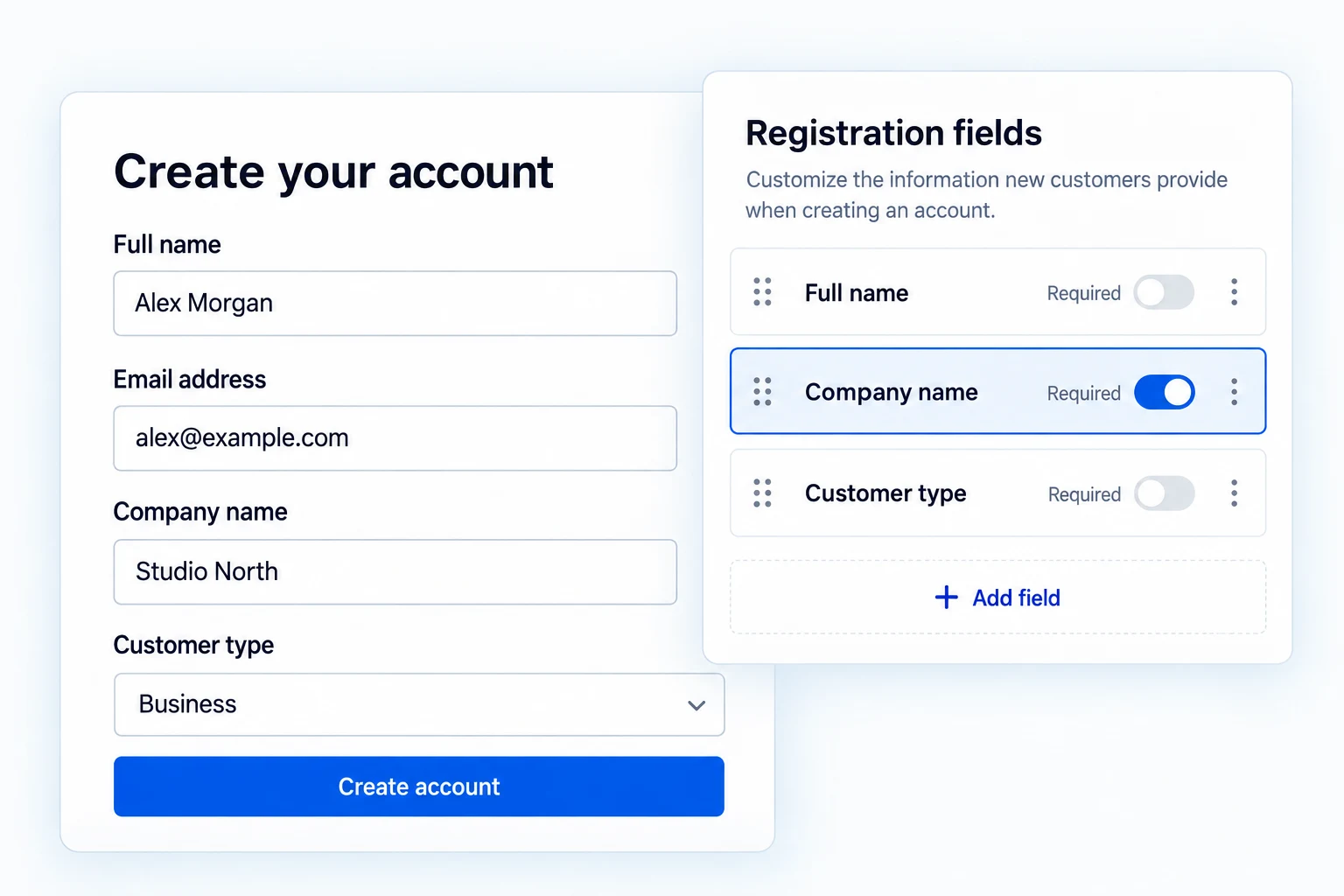
WordPress registration forms that collect useful details.
Arrange WordPress registration fields, add validated questions and store the answers with the user. Pro extends the form to WooCommerce account and checkout registration, protected uploads and post-registration behavior.
Arrange a shorter, clearer registration form.
Reorder fields with the drag-and-drop editor, edit labels and helper text, and set field width, required state and visibility. Core identity fields stay protected from deletion.
Enable only the questions that are useful at signup; extra fields can wait until the customer has an account.

Use the input that matches the answer.
Free supports text, email, phone, URL, number and textarea inputs, as well as dropdown select and a single checkbox. Saved answers become user metadata.
Pro adds supported date/date-time controls and hidden fields. Do not assume every choice type listed in the editor has a dedicated frontend renderer.

Catch incomplete or malformed responses before submission.
Set required status, length limits and relevant numeric or pattern checks. Clear labels, placeholders and descriptions help the customer supply the right information the first time.
Error messaging belongs next to the affected input, not in a vague alert unrelated to the field.

Use the form beyond WordPress’s default registration page.
Pro supports custom fields on WooCommerce My Account registration, account creation during classic checkout and editing supported values in My Account.
The same field can be assigned to the contexts where it belongs instead of being shown everywhere.

Collect a document when the signup needs one.
Pro file-upload fields can restrict file type and size and manage registration uploads in the administrator profile. A business-license request can be made explicit rather than hidden in a free-text note.
Only request files you have a genuine need to store and handle.

Decide what happens after the form is submitted.
Pro can redirect a newly registered customer or log them in automatically when the surrounding account flow allows it.
With Email Verification enabled, the two features coordinate password fields to avoid duplicate inputs and preserve the verification step.
Pro also lets you open the Welcome Email in the shared Email Customizer. Write the subject and message a new customer receives, preview the branded email, and send a test before turning it on.

Welcome new customers in your own words.
Free can send the basic Welcome Email after registration. Pro opens that message in the shared Email Customizer, where you can edit the subject, heading, body and preheader.
Preview the branded email on desktop or mobile and send a test before enabling it for new accounts.

Get the full feature.
And the rest of the suite.
One Swift Commerce Pro license unlocks the complete feature set across all 16 tools, advanced design controls and premium support. No separate purchase for Registration Forms.
Compare Free and Pro.
Start with the Edit Registration Forms essentials in Free, or use Pro for the expanded controls shown below.
| What you can do | Free | Pro |
|---|---|---|
| Drag-and-drop WordPress registration editor | Included | Included |
| Text, email, phone, URL, number and textarea | Included | Included |
| Dropdown select and single checkbox | Included | Included |
| Required, length and numeric validation | Included | Included |
| Save custom answers as user metadata | Included | Included |
| WooCommerce My Account and checkout registration | Not included | Included |
| Date/date-time and hidden fields | Not included | Included |
| Protected file uploads with type and size rules | Not included | Included |
| Post-registration redirect and auto-login | Not included | Included |
Questions about Edit Registration Forms.
Specific answers about setup and Free versus Pro.
Can Free edit WooCommerce My Account registration?
The verified WooCommerce My Account registration integration is Pro; Free covers WordPress registration.
Are select and checkbox fields Pro-only?
No. A dropdown select and single checkbox are supported in Free.
Does every field type shown in the builder render on the front end?
No. This page only promises types verified in the current runtime; some configured choice and content types are not fully rendered.
Can a custom answer be stored with the user?
Yes. Supported submitted fields are saved as user metadata.
Can Pro collect a file?
Yes, with type and size restrictions; only request files the store needs to handle.
Will Email Verification show a second password field?
The features coordinate password handling to prevent a duplicate registration password input.